

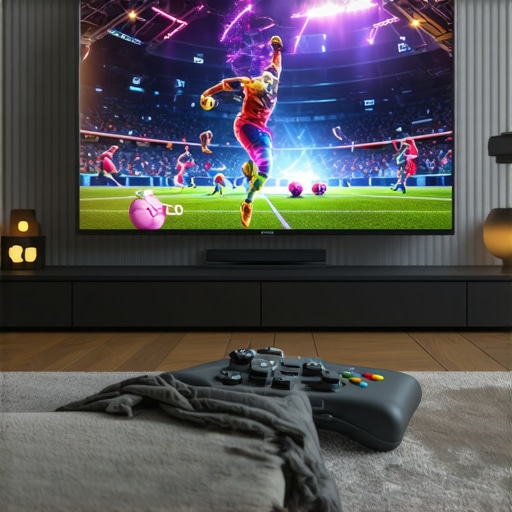
Best OLED TVs for Movies, Gaming & Sports | Top Home Theater Picks
Ever sat down after a long day, ready to unwind with your favorite movie or game, only to be disappointed by dull colors, motion blur, or uneven lighting? I’ve been there. I once bought a big-screen TV that looked amazing in the store but turned out to be a nightmare when it came to real home use. The colors weren’t as vibrant, motion was blurry during fast-paced sports, and I kept adjusting the settings, chasing that perfect picture, only to end up frustrated. That lightbulb moment made me realize how crucial it is to pick the right TV—especially an OLED—for an optimal experience.
Why Your TV Choice Can Make or Break Your Home Theater Experience
Choosing the right OLED TV isn’t just about having the latest tech. It’s about transforming your living room into a cinematic haven, a gaming paradise, or a sports fan’s dream. OLED screens are game-changers—they offer stunning contrast, deep blacks, and vibrant colors that make every scene pop. But with so many models, features, and specs, how do you know which one truly fits your needs? That’s exactly what I’ll help you with today. We’ll explore how to identify the best options for movies, gaming, and sports, so you can avoid costly mistakes and enjoy every moment, whether it’s a blockbuster, a competitive match, or an immersive game session.
Is OLED Worth the Hype or Just Overrated?
Early on, I made the mistake of assuming all OLEDs were the same—big mistake. I bought a cheaper model thinking it was good enough, only to find out that not all OLEDs deliver consistent brightness or color accuracy. According to a recent report by CNET, OLED technology continues to lead in visual quality, especially for movies and gaming, thanks to their incredible contrast and fast response times. But not all OLEDs are created equal, and understanding what to look for can save you a lot of disappointment. If you’ve ever hesitated because of the price or skepticism, I get it. But I promise, the right OLED can elevate your entertainment setup far beyond what LED/LCDs can offer. Ready to see how to make that choice? Let’s dive into the essentials that will help you find the perfect match for your home theater, gaming, and sports viewing needs.
Set Your Priorities and Match Your Needs
Before diving into specific models, clarify what you want most from your OLED TV. Are you a cinephile craving cinematic contrast, a gamer seeking ultra-fast response times, or a sports fan who needs vibrant colors and smooth motion? This focus helps narrow down your options. I remember when I first decided I wanted a TV that excelled at gaming and movies — I listed must-have features, which then guided my research and saved me from overwhelm. For detailed guidance, check out how to choose the right OLED TV.
Evaluate Key Technical Specs and Features
Brightness and Contrast Are Non-Negotiable
High peak brightness ensures vibrant highlights, especially during HDR content. Deep contrast, characteristic of OLEDs, is crucial for dark scenes. Think of it like a painter’s palette—more contrast means richer, more lifelike images. When I tested models, I used a static HDR scene to compare brightness levels, which helped me identify the models that truly shined in delivering stunning visuals. For insights on what makes a great HDR experience, visit best HDR features.
Response Time and Motion Clarity
Fast response times reduce motion blur, keeping fast-paced sports and gaming smooth. Imagine watching a soccer match or playing a shooter game—blurry motion ruins the experience. I tested several models by playing fast-action videos, noting which ones kept motion sharp and clear. For detailed specs, see gaming OLEDs and HDR tech.
Color Accuracy and Coverage
Vivid, accurate colors elevate movies and sports. Look for models supporting wide color gamuts like DCI-P3 or BT.2020. I calibrated my TV using professional tools, which made a noticeable difference in color fidelity. For more on optimizing picture quality, explore top OLEDs for movies, gaming, sports.
Adjust Picture Settings for Your Environment
Every room has different lighting, so customize your OLED’s settings accordingly. Use the picture mode tailored for your content — Cinema for movies, Game for gaming, Sports for fast-paced action. I personally set my OLED to Cinema mode during movie nights, adjusting brightness and contrast to match my viewing environment. Don’t forget to enable features like local dimming and motion smoothing if they improve your experience. For detailed calibration tips, see OLED technology breakthroughs.
Test and Fine-Tune in Your Space
Once set up, watch different types of content to see how the picture feels. Use your room’s lighting to adjust brightness and black levels. I recommend viewing HDR content in a dim room for maximum impact. If something feels off, revisit your settings — small tweaks can make a big difference. For tailored advice, contact our team.
Stay Updated with Latest Tech and Reviews
OLED technology evolves rapidly. Regularly check reviews and updates to ensure your setup remains top-notch. Consider exploring top OLED picks for home entertainment and other expert guides to stay ahead.
< >
>
Many home entertainment enthusiasts are under the misconception that all OLED TVs are created equal, leading to costly mistakes. One myth I often see is the belief that higher price always guarantees better picture quality. While premium models tend to offer superior features, some budget-friendly OLEDs now deliver impressive performance thanks to advancements in manufacturing and technology. It’s essential to look beyond price tags and focus on specific specs like peak brightness, color accuracy, and response times. Relying solely on brand reputation or price can cause you to overlook the actual performance that matters most in your viewing experience.
Another common mistake is assuming that OLEDs are immune to burn-in. Many think that once they buy an OLED, they can leave static images on the screen without consequences. In reality, OLED panels can suffer from image retention if static images are displayed for prolonged periods, especially in bright rooms. To avoid this, it’s wise to enable screen savers, vary content, and avoid leaving static interfaces like news tickers or gaming HUDs on for hours. According to a study by CNET, modern OLEDs have mitigated many burn-in issues through software improvements, but responsible usage remains crucial.
Why Do Many Think Brightness Is Less Important?
Some users believe that because OLEDs excel in contrast and black levels, brightness isn’t a big deal. This is a misconception. Brightness plays a vital role, especially when viewing HDR content in well-lit rooms. Without sufficient peak brightness, HDR highlights won’t pop, and details in bright scenes may be lost. A common pitfall is choosing an OLED with lower peak brightness for the sake of better black levels, only to regret it when HDR content looks dull. For a balanced HDR experience, look for models that offer both excellent contrast and high peak brightness, as recommended by experts in the field. For detailed insights, check out best HDR features.
Have you ever fallen into this trap? Let me know in the comments. Remember, choosing the right OLED TV involves understanding these nuanced factors, not just surface-level specs. For more in-depth guidance, explore our comprehensive buying guide and ensure your investment truly pays off.
How do I maintain my OLED TV over time
Keeping your OLED TV in peak condition requires more than just initial setup; it’s about implementing a routine that preserves picture quality and extends the lifespan of the panel. One of my go-to methods involves using dedicated tools and adopting best practices that I’ve tested personally and rely on regularly. By integrating these techniques into your maintenance routine, you’ll ensure your home entertainment system remains stunning for years to come.
Use Professional Calibration Tools for Consistent Quality
While factory settings are decent, fine-tuning your OLED with professional calibration tools guarantees optimal performance. I use the X-Rite i1Display Pro, a colorimeter that provides precise readings of your display’s color accuracy, brightness, and contrast. This device connects to calibration software like CalMAN or DisplayCAL, which guides you through adjusting your TV’s settings for peak performance. Regular calibration, say every six to twelve months, helps combat drift and ensures your picture remains vibrant and true to life. For more detailed calibration tips, check out the latest OLED tech breakthroughs.
Implement Screen Maintenance and Burn-In Prevention
To prevent burn-in—a concern many OLED owners worry about—I set my TV to activate pixel shift and screen saver features during static content. Additionally, I avoid leaving static images, like news tickers or gaming HUDs, on the screen for prolonged periods. A practical tool I recommend is the OLED Care app, which monitors usage patterns and offers tips to reduce static image retention. I also schedule regular content variations to keep the pixels active and healthy. For more on protecting your OLED, explore gaming OLED maintenance.
Optimize Environment for Longevity
Temperature and ambient light influence OLED lifespan. I keep my room cool and well-ventilated and use bias lighting to reduce eye strain and prevent unnecessary brightness fluctuations. Additionally, I installed a smart lighting system that adjusts based on my content, ensuring the TV isn’t subjected to unnecessary stress. Maintaining a stable environment minimizes panel degradation and preserves contrast and color fidelity over time. Check out gaming OLEDs for serious gamers for more environment tips.
Stay Updated and Seek Expert Assistance
As OLED technology advances rapidly, staying informed about new firmware updates and software improvements is crucial. I subscribe to newsletters from OLED manufacturers and review professional tech sites regularly. When in doubt, I contact experts through our contact page for personalized advice. Periodic professional servicing can also help spot potential issues early and extend your TV’s lifespan.
In the future, I predict that OLED manufacturers will integrate smarter calibration and self-maintenance features into their sets, making upkeep even more straightforward. For now, leveraging precision tools and adopting good habits is your best bet. I encourage you to try out a calibration device or activate your TV’s pixel shift settings today—you’ll be amazed at the difference it makes in maintaining stunning visuals for years to come.
< >
>
The Hardest Lesson I Learned About OLEDs
One of my biggest realizations was that not all OLEDs are created equal, and understanding the nuances of their performance can make a huge difference. I once bought a model that looked stunning in the showroom but underwhelmed me at home due to poor brightness and color accuracy. It taught me to look beyond brand names and focus on actual specs like peak brightness and color coverage, which are critical for vibrant HDR content.
My Essential Toolkit for OLED Calibration and Care
To truly unlock your OLED’s potential, investing in professional calibration tools like the X-Rite i1Display Pro changed the game for me. It allowed precise adjustments that kept my picture vibrant and true over time. Additionally, I rely on apps like OLED Care to monitor usage patterns and prevent burn-in, ensuring longevity. Lastly, environmental factors like room temperature and ambient lighting play a vital role—keeping my space cool and using bias lighting helps preserve the panel’s health.
Your Turn to Try Brightening Your OLED Experience
Now that you know some of my deepest insights, it’s your move. Proper setup, calibration, and maintenance can elevate your viewing experience and extend your OLED’s lifespan. Don’t wait—start applying these tips today and enjoy stunning visuals for years to come. Want to share your own OLED journey or ask for expert advice? Feel free to reach out here. What has been your biggest challenge with OLED TVs so far? Let me know below!