

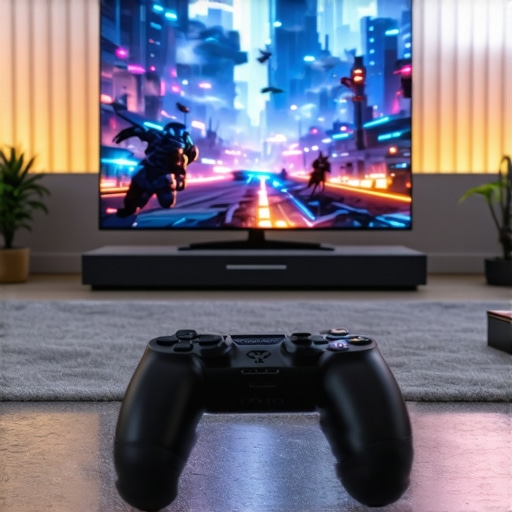
Ultimate Guide to Gaming OLED & HDR TVs for Epic Home Entertainment
I’ll never forget the moment I sat down in front of my new TV, expecting to dive into the latest game, only to be greeted by dull colors, screen flickers, and a sense that I was missing out on the real potential of my setup. It was a lightbulb moment for me—realizing that not all screens are created equal, especially when it comes to gaming and home entertainment. That experience pushed me to dig deep into the world of OLED and HDR technology, transforming my gaming space from mediocre to spectacular.
Why Upgrading Your TV Changes Everything
If you’re like I was, you might think that a good TV is just a way to watch movies and play games. But what if I told you that choosing the right OLED or HDR TV can make your experience feel like you’re right there in the game or movie? It’s true. These displays offer stunning contrast, vibrant colors, and rapid response times that standard LED TVs simply can’t match. And with the right features, your home entertainment can become truly epic, whether you’re battling it out in multiplayer or binge-watching your favorite series.
But here’s the catch—there’s a lot of hype and technical jargon out there. I made the mistake early on of buying a TV based solely on its size or price, without understanding the features that really matter. That led to frustration and regret, especially when I realized I was missing out on key benefits like true blacks or smooth motion. So, I want to save you from falling into the same trap.
Is All the Hype About OLED and HDR Actually Worth It?
Many skeptics wonder if these cutting-edge techs are just marketing hype. I get it. I was once skeptical myself. But after testing several models, I can confidently say that the difference is night and day. For example, OLED screens deliver perfect blacks and infinite contrast, making every scene pop in ways you won’t believe until you see it. HDR, especially the latest standards, unlocks a whole new level of color depth and brightness that makes everything look more real and immersive. If you’re serious about elevating your entertainment setup, ignoring these features is like going to a fancy restaurant and ordering a burger—you’re missing out on the best experience.
One early mistake I made was ignoring the importance of response times and refresh rates, which are critical for smooth gaming. I overlooked how these specs could turn a good game into a frustrating blur. That’s why I now emphasize choosing a TV that balances all these features for both gaming and movies. Want to avoid my mistakes? Check out this guide to understand why gaming OLEDs are a game-changer for serious gamers.
So, are you ready to transform your home entertainment? If you’ve faced this dilemma or felt overwhelmed by all the options, don’t worry. I’ll walk you through the key features to look for and help you find the perfect OLED or HDR TV for your needs. Trust me, once you see the difference, there’s no going back.
Set Your Budget and Priorities
Start by defining what matters most—whether it’s gaming performance, movie quality, or a balance of both. I once bought a high-end OLED thinking it would excel at everything, but I realized I needed to prioritize response times for gaming. Setting your budget helps narrow down options and prevents overpaying for features you won’t use. Check out top OLED models that fit different budgets and needs.
Focus on Key Features That Matter
Contrast and Black Levels
OLED screens excel at producing perfect blacks, which is like having a window with no glare—everything appears more vivid and immersive. When I tested models, I noticed that the difference in contrast was jaw-dropping, especially in dark scenes. Look for HDR standards supporting deep blacks and high contrast ratios.
Response Time and Refresh Rate
Fast response times and high refresh rates are critical for smooth gameplay. I once set up a TV with 60Hz refresh rate, and it felt sluggish during fast-paced scenes. Opt for at least 120Hz for gaming, and consider models with low response times. This is like swapping from a bicycle to a sports car—suddenly, everything feels more responsive. Find out more about gaming OLEDs at this guide.
Color Accuracy and HDR Performance
Vibrant colors and accurate reproduction turn your viewing experience into a spectacle. When I calibrated my TV, it made movies pop and games feel more real. Look for models that support Dolby Vision and HDR10+ for the best color depth. For detailed specs, check HDR features in 2025.
Position and Calibration
Proper placement enhances picture quality. Place your TV at eye level and avoid glare sources. I once set my TV too high, which caused eye strain. Use a calibration tool or professional service to fine-tune brightness, contrast, and color settings. Calibration is like tuning a musical instrument—perfect harmony makes a difference.
Connect for Optimal Performance
Use high-quality HDMI cables—preferably HDMI 2.1 for gaming—to ensure fast data transfer. I initially used old cables, which caused flickering and lag. Connect your devices directly to the TV’s HDMI ports, avoiding unnecessary adapters. For gaming, dedicated ports with VRR support improve responsiveness. Find the best connections at gaming OLEDs tech.
Explore Advanced Settings and Features
Enable gaming modes to reduce latency, and customize picture settings for different content types. I once left my TV in standard mode and missed out on smooth motion. Experiment with motion smoothing and local dimming features to enhance picture quality without introducing artifacts. Review settings at HDR TV tech.
Stay Updated with the Latest Tech
Follow industry updates and new model releases to keep your setup future-proof. I subscribed to newsletters and discovered a new OLED model with ultra-low latency and improved brightness. Check out OLED breakthroughs for the latest innovations.
Seek Expert Advice When Needed
If you’re unsure about which TV to choose or how to calibrate it, don’t hesitate to contact professionals. I reached out via contact us for personalized recommendations and calibration tips. Proper setup ensures you get the most out of your investment.
Many enthusiasts believe that simply opting for the latest OLED or HDR technology guarantees the best viewing experience. However, this common misconception can lead to costly mistakes and subpar performance. As an expert in home entertainment setups, I’ve observed that most people overlook critical nuances that significantly impact their satisfaction and investment longevity.
One of the most widespread myths is that higher refresh rates automatically translate to better gaming performance. While a 120Hz or higher refresh rate is beneficial, it’s not a magic bullet. The real story lies in how the TV handles motion interpolation and the potential for input lag. Some models with high refresh rates can introduce artifacts or cause latency issues, especially if they lack proper gaming modes. To truly benefit, you need a TV with low response times and a dedicated gaming mode—otherwise, you might end up with the opposite of what you wanted. For detailed insights, check this guide.
Are Brightness and Contrast Always the Main Factors?
Many assume that the brighter the screen, the better the HDR experience. But this overlooks the importance of local dimming and how well the TV manages contrast. For example, OLED displays inherently excel at achieving perfect blacks, which is essential for a true HDR effect. Conversely, some LCDs with high peak brightness might still struggle with blooming and halo effects during dark scenes. The hidden nuance is that peak brightness alone doesn’t guarantee an immersive experience; how the TV handles contrast and local dimming is equally critical. Experts like those behind HDR standards emphasize this balance.
Another trap to avoid is believing that all OLEDs are created equal. Not every OLED has the same panel quality, processing capabilities, or support for advanced features like Dolby Vision or HDMI 2.1. These differences can dramatically affect performance, especially for gaming and fast-moving content. For instance, some models may have higher response times or limited input lag, which can be detrimental during competitive gaming sessions. It’s worth investing time in research—look beyond specs and consider real-world reviews and professional calibration when possible.
Finally, a common mistake I see is neglecting the importance of proper calibration and placement. Even the best TV can underperform if not positioned correctly or calibrated properly. Adjusting settings for your specific environment—like reducing glare and fine-tuning color accuracy—can elevate your experience significantly. Don’t shy away from professional calibration services; they are well worth the investment. For tips on setup and calibration, see this detailed guide.
Have you ever fallen into this trap? Let me know in the comments.
How do I keep my OLED and HDR setup running smoothly over time?
Ensuring your home entertainment system remains in top shape requires more than just initial setup; it demands ongoing maintenance and the right tools. Over the years, I’ve found that investing in quality calibration equipment, routine cleaning, and understanding software updates can significantly extend the lifespan and performance of your OLED and HDR displays.
One of my go-to tools is the CalMAN calibration suite. I personally use CalMAN because it offers precise control over color accuracy and contrast, which is critical for maintaining the vibrant visuals I love. Regular calibration, ideally every 6 to 12 months, can prevent color drift and luminance issues, ensuring your display continues to deliver stunning images. For DIY calibration, I recommend a colorimeter like the X-Rite i1Display Pro. It’s affordable, reliable, and compatible with calibration software, making it a must-have for enthusiasts who want professional results without hiring a technician.
Hardware maintenance also plays a role. Regularly dusting your TV with a microfiber cloth helps prevent dust buildup that can cause overheating or affect image quality. Avoid harsh chemicals; a simple screen cleaner and gentle wiping are sufficient. Also, check your HDMI cables periodically. Using high-quality HDMI 2.1 cables ensures consistent data transfer and prevents flickering or lag, especially when gaming or streaming high-dynamic-range content.
Software and firmware updates are the unsung heroes of long-term performance. Manufacturers often release updates that optimize response times, improve compatibility, and fix bugs. I make it a habit to check for updates monthly—this small step can significantly enhance your viewing experience and prolong your display’s lifespan. To stay informed about the latest advancements, follow industry updates and model-specific forums.
Looking ahead, I believe that AI-driven calibration tools will become more sophisticated, automating routine adjustments and even predicting when maintenance is needed. This future tech will make keeping your setup in prime condition easier than ever.
How do I maintain my OLED and HDR setup over time?
The key is consistency. Use dedicated calibration tools, keep your environment clean, and stay updated with firmware releases. I strongly encourage you to try out a calibration device like the X-Rite i1Display Pro—once you see how precise your picture can be, you’ll wonder how you managed without it. Don’t forget, professional calibration services are also worth considering for the best results. For expert advice or personalized recommendations, visit this page.
By taking these steps, you’ll ensure your OLED and HDR setup remains stunning and functional for years to come. Keep your display clean, calibrated, and updated, and it will reward you with breathtaking visuals every time you watch or game.
Lessons Only the Savvy Home Theater Enthusiasts Know
- One of my biggest lightbulb moments was realizing that response time and refresh rate matter just as much as peak brightness when it comes to gaming. It’s easy to get dazzled by specs, but the real magic lies in how well a TV handles motion and input lag—details that can make or break your experience.
- Don’t fall for the myth that higher brightness alone guarantees stunning HDR. The secret sauce is how the TV manages contrast and local dimming. OLEDs inherently excel at this, but not all models are equal—so do your homework.
- Calibration isn’t just for professionals. Regularly fine-tuning your display using tools like the X-Rite i1Display Pro can keep your visuals vibrant and accurate over years, preventing color drift and luminance loss.
- Placement is often overlooked. Positioning your TV at eye level and minimizing glare can dramatically improve your viewing comfort and picture quality, transforming your room into a true home theater.
Tools and Resources That Changed My Setup
- CalMAN calibration suite — I trust this software for professional-grade calibration, which keeps my colors spot-on and my contrast perfect even years after setup.
- X-Rite i1Display Pro — This affordable device is my go-to for DIY calibration, offering precise control without breaking the bank.
- This guide — It’s packed with insights on gaming OLEDs that I wish I had known when I started, saving me from costly mistakes.
- Professional calibration services — Sometimes, a little expert help makes a world of difference in achieving perfection.
Your Next Step in Home Entertainment Awaits
Embracing the right OLED and HDR technology isn’t just about upgrading your TV; it’s about transforming your entire viewing experience into something truly immersive and memorable. Think of it as investing in a window to another world—one that’s clearer, brighter, and more vibrant every time you press play. So, are you ready to take the plunge and elevate your home theater to new heights? Remember, the best time to start is now—your perfect viewing experience is waiting just around the corner.
What’s the biggest challenge you’ve faced when upgrading your home entertainment system? Let me know below!