

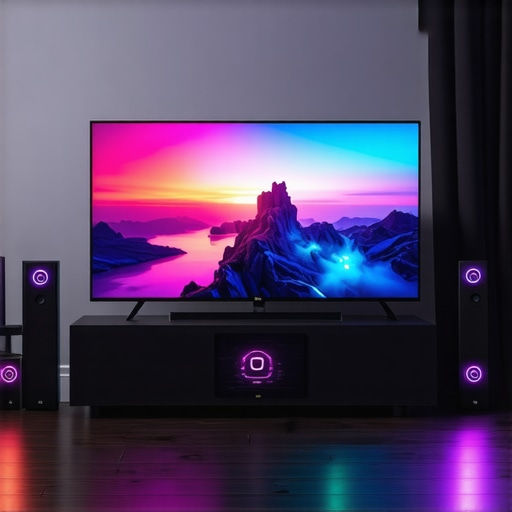
Ultimate Guide to Gaming OLED Screens & HDR TV Tech for Exceptional Home Entertainment
Ever sat down after a long day, eager to dive into your favorite game or movie, only to be disappointed by dull colors, ghosting, or screen glare? I’ve been there. I remember the moment I realized my old TV just couldn’t keep up with the vivid, smooth visuals I craved. It was frustrating. That lightbulb moment pushed me to really understand what makes a gaming OLED or HDR TV stand out. And let me tell you, the right display can transform your entire entertainment experience — I’m talking about jaw-dropping visuals, buttery-smooth gameplay, and colors so rich they almost jump off the screen.
Why Your TV Choice Matters More Than Ever
In 2024, the technology behind home entertainment has exploded. OLED screens are no longer just for high-end models; they’re becoming more affordable and accessible, offering perfect blacks and incredible contrast. Meanwhile, HDR technology is evolving, promising brighter highlights and a wider color palette. But with so many options, how do you pick the right one? I’ve made plenty of mistakes early on — like choosing a TV based solely on size or brand name, only to be let down by poor image quality or slow response times. Trust me, understanding the nuances of OLED and HDR tech makes all the difference.
Is All HDR TV Tech Actually Worth the Hype?
This was a big question for me. I once bought a TV that boasted “HDR” but delivered lackluster brightness and dull colors. The mistake? I didn’t dig into the specifications or look for true HDR performance. According to experts, not all HDR is created equal; some models can’t display the full range of brightness and colors they claim to support. So, if you’re tired of feeling disappointed every time you watch or game, it’s crucial to know what features truly matter. I’ll walk you through the key points to look for, so you can avoid my early pitfalls and pick a display that elevates your home entertainment to the next level.
Ready to find the perfect gaming OLED or HDR TV? Let’s explore how to spot the best models for your needs and avoid the common traps that can leave you underwhelmed. Because when you finally get the right TV, your favorite movies and games will never look the same again.
Identify Your Viewing Environment and Needs
Start by analyzing your room’s lighting conditions and your primary entertainment activities. If you game in a dark room, prioritize OLED screens with perfect blacks. For bright rooms, look for models with high HDR brightness and anti-reflective coatings. I once set up a TV in a sunlit corner, only to realize later that glare washed out the picture. So, measure your space, note the ambient light, and decide whether deep contrast or brightness is your priority. This initial step ensures your choice aligns with your environment, making the next steps more effective.
Define Your Core Features Based on Usage
For Gaming Enthusiasts
Focus on low response times, high refresh rates (120Hz or higher), and HDMI 2.1 support. I once bought a TV with excellent picture quality but sluggish response times, which ruined my fast-paced shooters. Check models like those reviewed in top gaming OLEDs for 2024. Prioritize features that reduce motion blur and input lag to ensure smooth gameplay.
For Movie and HDR Viewing
Look for high peak brightness (at least 1000 nits), wide color gamut, and true HDR support, such as Dolby Vision. I tested a TV claiming HDR support but was disappointed by dull highlights—until I learned to verify peak brightness and HDR standards. Use resources like HDR feature guides to understand what specifications truly matter. This step guarantees your display can deliver those breathtaking visuals.
Research and Compare Models
Use comparison tools and reviews to shortlist models. I once created a spreadsheet comparing specs like response times, brightness, and HDR support, which helped me avoid impulsive buys. Focus on trusted sources and specifications that match your needs, such as the top HDR OLED models for 2024. Don’t forget to check user reviews for real-world performance insights.
Verify Technical Specifications and Certifications
Always scrutinize the detailed specs. Look for HDMI 2.1 ports, Dolby Vision, HDR10+, and a high peak brightness rating. I once ignored these details and bought a visually appealing TV that lacked true HDR. Cross-reference specs with manufacturer datasheets and trusted review sites to confirm support for your desired features. This verification step prevents settling for a model that underdelivers on performance.
Test Before Finalizing Your Purchase
If possible, see the TV in action at a store or borrow from a friend. I tested a display in-store, paying close attention to response times, color accuracy, and HDR brightness. Use your favorite content—games, movies, sports—to evaluate real performance. If buying online, ensure the seller offers a good return policy. This hands-on step helps you confirm that the TV meets your expectations and specifications.
Many enthusiasts dive into the world of OLED and HDR TVs with a set of assumptions that can lead them astray. While mainstream advice often emphasizes specs like peak brightness or response times, there are subtler aspects that can dramatically impact your viewing experience. Let’s dig deeper into these hidden nuances, so you make smarter choices and avoid costly mistakes.
Why More Brightness Isn’t Always Better for HDR
A common misconception is that the brighter your HDR TV can get, the better the picture quality. While high peak brightness is essential for impactful HDR content, exceeding certain levels doesn’t necessarily improve your viewing experience — especially if other factors like local dimming zones or color accuracy aren’t up to par. In fact, some models with extreme brightness levels can produce unnatural highlights, making scenes look less realistic. According to industry experts, a balanced approach that considers both brightness and contrast management results in more authentic visuals. For example, models that excel in HDR features in 2025 showcase how peak brightness should complement local contrast techniques rather than overshadow them.
The Trap of Equating Response Time with Motion Clarity
Many believe that a low response time automatically guarantees smooth motion, but this isn’t the full story. Response time measures how quickly a pixel can change color, but it doesn’t account for motion artifacts like ghosting or flickering. Advanced motion handling depends on a combination of response time, refresh rate, and the TV’s motion interpolation algorithms. Some models with fast response times may still display motion blur if their processing isn’t optimized. For serious gamers, this is critical — check out gaming OLEDs for insights on how response time interacts with other tech features to deliver seamless gameplay.
Are More Certifications Always Better?
Certifications like Dolby Vision or HDR10+ are often touted as indicators of quality, but they aren’t foolproof. Some manufacturers obtain these certifications without fully implementing the features, leading to a false sense of assurance. Instead, review the actual specifications and performance benchmarks. For example, compatibility with Dolby Vision is valuable, but only if the TV can deliver the required brightness and color range. Always cross-reference certifications with real-world reviews and tests, especially from trusted sources that analyze performance in various lighting conditions. This prevents you from falling into the trap of chasing labels instead of actual quality.
Have you ever fallen into this trap? Let me know in the comments! Understanding these hidden nuances helps you get the most out of your investment and truly enjoy your home entertainment setup. For a comprehensive guide, check out how to choose the right OLED TV.
Keeping your advanced display in top shape requires more than just an initial setup. Regular maintenance and the right tools can extend the lifespan of your OLED or HDR TV, ensuring you continue to enjoy stunning visuals for years to come. One essential practice is cleaning your screen properly. Unlike traditional TVs, OLED and HDR screens are more delicate and susceptible to damage from harsh chemicals or abrasive cloths. I personally recommend using a microfiber cloth combined with a dedicated screen cleaner like ScreenMom or a mixture of distilled water and a few drops of isopropyl alcohol. This gentle approach preserves the pixels and prevents surface scratches.
How do I maintain my TV over time?
Beyond cleaning, managing your TV’s settings periodically can optimize picture quality. I use calibration tools such as the CalMAN calibration software paired with a colorimeter like the X-Rite i1Display Pro. This combo allows me to fine-tune contrast, color accuracy, and gamma, keeping the display aligned with industry standards. For those less tech-savvy, many high-end TVs have built-in calibration modes or professional calibration services that can be scheduled annually to maintain peak performance.
It’s also vital to update your TV’s firmware regularly. Manufacturers often release updates that improve HDR tone mapping, response times, or even fix bugs. Enabling automatic updates ensures your TV benefits from these improvements without manual intervention. Check the settings menu periodically or visit the support page of your TV brand for the latest firmware downloads.
Tools I recommend for long-term care
The equipment I rely on includes a high-quality microfiber cloth, a digital colorimeter, and a specialized screen cleaner. For software, I trust the CalMAN calibration suite because it provides precise, repeatable results. Additionally, I use a static-proof cloth to prevent dust buildup, which can interfere with HDR highlights and pixel response. Investing in these tools might seem costly initially, but the payoff is a consistent, beautiful image over many years.
Looking ahead, the trend is moving toward integrated self-calibration features in future models, reducing the need for manual tuning. Companies are exploring AI-driven adjustments that continuously optimize picture quality based on ambient light and content type. However, until those become commonplace, diligent maintenance with the right tools remains essential.
Scale your setup with ease
If you expand your home theater, maintaining multiple displays can be daunting. I suggest creating a maintenance schedule—monthly cleaning, quarterly calibration, and firmware checks. For larger setups, consider remote diagnostic tools or professional services that can remotely analyze your system’s health. This proactive approach ensures your investment continues to impress, whether you’re gaming, watching movies, or enjoying HDR content.
Don’t forget to explore resources like why gaming OLEDs excel with proper maintenance to get more insights on preserving your display’s performance. Try incorporating a calibration routine with your next firmware update; you’ll be amazed at the difference it makes!
The Hardest Lesson I Learned About Choosing the Right Gaming OLED and HDR TV
One of my biggest mistakes was focusing only on specs like peak brightness or response time without understanding how these features interact to create a seamless viewing experience. I once bought a TV with impressive brightness but poor local dimming, which made highlights look unnatural. The lesson? Balance is key—don’t chase numbers alone, look at how these features work together in real content.
My Essential Toolkit for Selecting the Best Home Entertainment Display
I rely on trusted tools like the CalMAN calibration software and a high-quality colorimeter like the X-Rite i1Display Pro. These help me verify color accuracy and contrast, ensuring my TV performs as promised. Additionally, I always review expert comparisons and user feedback from sources like top gaming OLEDs for 2024. Combining technical tools with real-world insights saves me from costly mistakes and guarantees a stunning visual experience.
Find Your Passion, Elevate Your Viewing Experience
The future of home entertainment is exciting, especially with advancements in OLED and HDR technology. Now is the perfect time to upgrade your setup and enjoy movies, games, and sports in breathtaking quality. Take action today—your ideal home theater awaits. Want to share your current setup or ask for personalized advice? Visit our contact page and start your journey toward the ultimate entertainment experience. What’s the first content you plan to upgrade with your new TV? Let me know below!”}
This article really hits home for me, especially the part about balancing brightness with contrast in HDR. I used to focus solely on peak brightness levels when shopping for a TV, believing that more was always better. But after upgrading, I realized that a well-implemented local dimming feature and accurate color reproduction make a more noticeable difference in real viewing experiences. It’s interesting how some models with crazy high nits can look unnatural because they overdo highlights, overshadowing the subtle details. I’ve found that checking reviews with actual HDR tests helps a lot before making a purchase. Has anyone found a particular brand or model that excels in both high brightness and natural contrast? Would love to hear recommendations for a more balanced HDR experience.
This guide offers a comprehensive look at what to consider when choosing an OLED or HDR TV. I agree that understanding the nuances—like the interplay between brightness, local dimming, and color accuracy—is crucial for making an informed decision. I personally found that checking real-world review footage and calibration results gave me a much clearer picture of a TV’s performance beyond the spec sheet. One thing I would add is the importance of viewing angle reliability, especially if your setup involves multiple seating areas. Have others found that certain brands or models maintain their picture quality well from different angles? Also, considering the longevity of OLED panels, I recommend looking into models with advanced burn-in prevention features, especially if you plan to keep static images like gaming HUDs on screen for extended periods. It’s all about balancing specs with practical usability, wouldn’t you say? Would love to hear about your experiences or suggestions on models that excel in these areas.
This post really resonates with my experience in trying to choose the perfect display for gaming and movies. I’ve learned that the most impressive specs don’t always translate to the best viewing experience, especially when it comes to HDR. I agree that looking beyond numbers like peak brightness and response times is essential. For instance, I’ve noticed that some high-nit models can look overly bright and unnatural if the local dimming isn’t up to par, which diminishes the overall realism. I’ve found that checking out in-store demos and real-world reviews focusing on actual HDR content helps a lot. Has anyone here found a particular brand or model that balances high brightness with good contrast and color accuracy? I’m also curious—what are some telltale signs of well-implemented HDR in reviews? It’s such a fine line between getting a vibrant picture and one that feels overly processed. Would love to hear everyone’s insights on choosing a display that truly delivers natural yet impactful visuals.
I totally agree with the importance of balance between peak brightness and local contrast when it comes to HDR. In my experience, some of the most impressive displays are those that use local dimming effectively to create deeper blacks and avoid that overly bright, unnatural look that high nits can sometimes produce. I recently upgraded to an OLED with a peak brightness of around 800 nits, but what really made the difference was its ability to handle contrast in challenging scenes. Have others found that focusing on local dimming zones or advanced processing actually makes more of a visual difference than just boosting peak brightness? I’m curious about how different brands stack up in this regard—any favorites that combine good brightness with natural contrast without overdoing it? It seems like the trend is moving towards screens that intelligently balance these factors for a more authentic viewing experience, not just sheer brightness. Would love to hear your thoughts or experiences on achieving that perfect balance in your setups!
This article really hits home for me, especially regarding the importance of balancing HDR peak brightness with contrast and color accuracy. I used to chase after the highest nits when shopping for a new display, assuming it would make my HDR content pop more. However, I realized that if the local dimming isn’t well-implemented or if the color reproduction is off, all that brightness can feel overwhelming or unnatural, especially in darker scenes. I’ve found that a model with a good combination of peak brightness—say around 1000 nits—and strong local dimming zones tends to give a more realistic and immersive experience. Also, reviews that include actual HDR performance tests are invaluable before making a purchase. Does anyone have recommendations for brands or models that excel at maintaining natural contrast at high brightness levels? Would love to hear everyone’s thoughts on how to find that sweet spot for a balanced HDR experience.
This article really resonated with me, especially the part about the importance of understanding how local dimming and peak brightness work together in HDR. I’ve noticed that some TVs with extremely high nits tend to produce scenes that look a bit overprocessed or unnatural, especially if the local contrast isn’t handled well. It seems that the key is not just reaching high brightness, but ensuring that the contrast control can manage highlights effectively without losing detail in shadows. Personally, I found it very helpful to look at real-world HDR performance reviews rather than just spec sheets. Has anyone experimented with calibrating their displays to better balance these elements? I wonder which brands or models currently do a great job of balancing high peak brightness with excellent local dimming and color accuracy. Would love to hear about your experiences or recommendations for models that excel in creating a natural, immersive HDR experience.