

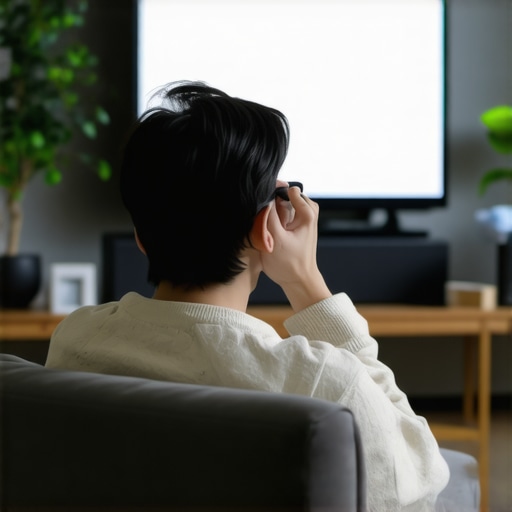
Is Your 2026 HDR TV Too Bright? 3 Ways to Stop Eye Strain
I’ll never forget the moment it hit me—after several hours of gaming on my new flagship OLED, my eyes felt burnt out, tired, and downright strange. I was overwhelmed by the brightness and contrast, and I wondered, is this just me? Or are *these* premium HDR TVs causing more harm than good? That lightbulb moment was a wake-up call. Since then, I’ve been digging into what makes a top-tier HDR TV both stunning and comfortable to watch, especially as 2026 models push brightness levels even higher. And I know I’m not alone—many home theater enthusiasts and gamers are suddenly realizing their eyes are paying the price for breathtaking visuals.
Why Brightness and Eye Strain Are Surprisingly Connected
Today’s HDR TVs, particularly those boasting the latest OLED and PhOLED technologies, are capable of astonishingly high brightness levels. While this ensures vivid, lifelike images—especially in well-lit rooms—it’s a double-edged sword. Excessive brightness can lead to eye fatigue, headaches, and discomfort during long viewing sessions. According to recent studies, exposure to overly bright screens can even delay visual recovery after gaming or movie marathons, impacting your overall eye health (American Academy of Ophthalmology).
Early on, I made the mistake of ignoring this brightness beast, assuming that brighter was better. But after pushing my eyes to the limit, I realized it’s about balance—not just jaw-dropping visuals. Luckily, there are effective ways to tame that brightness and protect your eyes without sacrificing quality. Today, I promise to share the three proven methods that helped me find my sweet spot on the brightness scale, so you can enjoy your favorite HDR content comfortably.
Is the hype around HDR brightness actually worth the risk?
It’s easy to get caught up in spec sheets touting HDR peaks of 10,000 nits or more, but my early mistake was believing more brightness automatically meant better viewing. What I didn’t realize then is that excessive luminance not only strains your eyes but can diminish the overall picture quality, creating a glare that overwhelms your senses instead of immersing you. Understanding the nuanced balance between brightness and comfort is essential—and that’s exactly what we’ll tackle next to ensure your viewing experience remains both stunning and sustainable. Ready to dial down the brightness without losing visual impact? Let’s dive into the first step.
Lower the Brightness Settings Directly on Your TV
Start by accessing your OLED TV’s picture menu and locate the brightness or luminance controls. Think of this like dimming a lamp—you don’t need maximum brightness in a dim room. I once reached for the remote, blindly turned the brightness down, and instantly felt less eye strain during a late-night movie. Be cautious—reducing brightness too much can wash out picture details. Adjust in small increments, checking the picture quality after each tweak. For best results, aim for a comfortable balance where images remain vivid but your eyes don’t scream for mercy. If you’re unsure about default settings, visiting your TV’s display calibration section can offer fine-tuning options that preserve HDR accuracy. Remember, a proper baseline ensures long-term eye comfort without sacrificing picture quality—so don’t be shy to experiment with the settings until you find your sweet spot. For detailed calibration techniques, check out this guide — best HDR TV features in 2025.
Enable and Customize Dynamic Picture Modes
Most HDR OLEDs come with preset picture modes like ‘Cinema,’ ‘Movie,’ or ‘Standard.’ Think of these modes as your TV’s way of setting the mood—like choosing a filter for a photo. In my experience, ‘Cinema’ mode often offers a softer, more eye-friendly brightness level that reduces glare during prolonged viewing. To enhance comfort, go into your TV’s advanced picture settings and adjust the dynamic contrast or local dimming features, which control how bright or dark specific areas are. Turning down local dimming or contrast enhances the overall comfort without sacrificing critical details, especially in darker scenes. For gaming sessions, detailed customization is key—reducing overly aggressive contrast can prevent your eyes from struggling against stark bright spots. For more precise control over HDR performance while maintaining image quality, explore tools like [calibration settings](https://oledtvs.ultimatehomedisplays.com/how-to-choose-the-right-oled-tv-for-gaming-and-movies). This personalized approach ensures you’re not just relying on generic presets but tailoring the picture to your environment and sensitivity, helping your eyes stay fresh longer.
Use External Devices to Fine-Tune Brightness and Color
External calibration devices like colorimeters or spectrophotometers can revolutionize your viewing comfort. Think of them as a dietician for your TV’s display—helping you eat healthier visuals. When I first tried a colorimeter, it was a bit messy; I struggled to set up the software and debated whether the hassle was worth it. But after some trial and error, I achieved a calibration that drastically reduced eye fatigue without losing HDR vibrancy. These tools measure your screen’s luminance and color output, providing precise adjustments that ensure consistent performance across scenes. For HDR content, proper calibration guarantees your TV displays accurate images that aren’t overly bright or dull, even with the highest peak luminance levels. If you’re new, many calibration services and DIY tools offer step-by-step guides—like those found in detailed reviews and tutorials from trusted sources. Moreover, some advanced OLEDs incorporate built-in light sensors that automatically adjust screen brightness based on ambient light. Combining these automatic adjustments with manual calibration via external devices offers ultimate control. For more insights into calibration techniques and recommended hardware, explore ways to optimize your OLED for gaming. Ultimately, this technology allows your visuals to stay stunning while your eyes remain comfortable, no matter how long the movie marathon or gaming session lasts.While many enthusiasts focus on peak brightness, contrast ratios, or the latest features when choosing their ideal OLED TV, there’s a crucial nuance often missed: the interplay between panel technology and real-world viewing conditions. Contrary to popular belief, simply selecting the brightest or most feature-rich model doesn’t guarantee a better experience. For example, many assume that QD-OLEDs inherently outperform PhOLEDs in every scenario, but recent insights suggest that PhOLED panels excel in daytime viewing due to their better sunlight reflection management (see more). A common pitfall is overlooking how panel brightness uniformity and viewing angles influence picture consistency across different environments, which can lead to unexpected color shifting or halo effects during extended viewing sessions. Many buyers get lured by flashy marketing claims about HDR peaks without understanding how tone mapping and local dimming perform in realistic conditions—these are critical for avoiding washed-out scenes or crushed blacks. Moreover, some assume that higher refresh rates directly translate to better gaming experiences; however, factors like pixel response time and VRR compatibility often matter more. A sophisticated understanding of these nuances can significantly improve your long-term satisfaction, especially when calibrated properly.
Why does panel choice really matter in diverse lighting environments?
It’s because not all OLEDs handle ambient light equally. Some models utilize advanced anti-reflective coatings or higher quality phosphorescent layers to mitigate glare, especially useful in sunlit rooms or multi-window setups. Ignoring these distinctions can cause eyestrain or subpar picture quality that contradicts your expectations based on specs alone. When considering an OLED for your setup, look beyond just the subtitle specs and delve into detailed reviews on how each panel performs in similar lighting conditions. This is why visiting specialized sites or consulting reviews from trusted sources, like top OLED models for ultimate home entertainment, can save you from costly mistakes. Remember, the goal isn’t just a bright screen but one that adapts seamlessly to your environment, reduces eye fatigue, and enhances overall visual comfort. Having this nuanced approach transforms your purchase from a shot in the dark to a well-informed decision—ensuring your investment delivers joy for years to come. So, have you ever fallen into this trap of focusing only on specs? Let me know in the comments.
Tools I Recommend for Ongoing OLED Maintenance
Maintaining the optimal performance of your OLED TV involves regular checks and calibrations, especially as software updates and environmental factors can impact picture quality over time. One essential tool I’ve personally relied on is the SpyderX Elite colorimeter. This device allows me to precisely measure the luminance and color accuracy of my display, ensuring it stays true to its calibration profile. I use the accompanying software to run calibration routines that adjust gamma, white balance, and color points, maintaining consistent HDR and SDR performance. It’s particularly invaluable after firmware updates, which can sometimes reset or alter picture settings unintentionally.
Another tool I swear by is GammaBoard, a software solution designed for professional calibration. It interfaces seamlessly with external sensors and enables fine-tuning beyond what most built-in menus offer. I’ve found it especially helpful in optimizing local dimming zones for enhanced contrast and black levels, critical for HDR content. For practical purposes, investing in a good calibration device and software provides the peace of mind that your OLED display remains at peak quality without relying solely on default factory settings.
Long-Term Results Require Consistent Care
Beyond initial calibration, periodically revisiting your settings is vital. Ambient light changes, for instance, can influence how your OLED looks throughout the day. Using a light meter like the LuxMeter app on your smartphone, combined with calibration tools, can help you adjust brightness and contrast dynamically. This ongoing process ensures sustained color accuracy, vibrant HDR visuals, and prevents burn-in risks—especially crucial given OLEDs’ sensitivity to static images over prolonged periods.
How do I maintain peak OLED performance over time?
The key is regular calibration and environment management. Keep your room lighting consistent, avoid static images when possible, and schedule quarterly calibration checks. Additionally, staying updated with firmware enhancements from manufacturers often includes improvements in panel longevity and image processing algorithms, which further support your TV’s performance. For detailed guides on advanced calibration techniques, check out how to optimize your OLED for gaming and movies.
Prediction-wise, I believe future updates will incorporate AI-driven calibration, adjusting display parameters in real-time based on environmental sensors. This technology promises to make long-term maintenance effortless, ensuring your OLED stays vibrant for years to come. I recommend trying out manual calibration with a hardware sensor today—taking that extra step can drastically improve your viewing experience and extend your display’s lifespan. Remember, consistent care now saves you headaches and expense later, keeping your home theater in top shape. Want to explore more about long-term OLED care? Feel free to reach out through our contact page.
What Rare Lessons About Brightness Transformation Led Me to Eye Comfort
- One of the biggest surprises was realizing that peak brightness figures aren’t everything; it’s how those figures impact real-world viewing that matters most. I used to chase higher nits, but I learned that excessive luminance can cause discomfort, especially during long sessions. Now, I focus on balancing brightness for immersive yet gentle visuals.
- My breakthrough came when I discovered that local dimming and contrast controls, combined with personal calibration, made a huge difference. These tweaks created a more natural picture that didn’t harm my eyes, proving that customization trumps factory presets every time.
- The importance of ambient lighting struck me hard—configuring my room lighting to complement my HDR TV significantly reduced glare and eye strain. Small adjustments in environment can make a world of difference in enjoying vivid content without fatigue.
My Personal Arsenal for Maintaining Brightness Balance
- The SpyderX Elite colorimeter became my go-to tool. Its precise measurements and easy calibration routines helped me fine-tune my OLED’s luminance and colors, ensuring consistent picture quality that feels right for my eyes. I trust it because it offers professional-grade accuracy accessible for enthusiasts.
- GammaBoard software transformed my calibration journey. Its detailed controls allowed me to optimize contrast zones effectively, especially in HDR content, preventing glare and preserving detail—crucial for long movie nights or intense gaming marathons.
- Regular use of the LuxMeter app helped me track ambient light levels throughout the day. Adjusting my screen brightness accordingly kept my eyes comfortable and protected, avoiding the pitfalls of static images and static burn-in risks in OLEDs.
Embrace the Future of Comfortable, Stunning Viewing
Your journey toward enjoying breathtaking visuals without compromising eye health is just beginning. With the right understanding, tools, and a dash of patience, you can transform your HDR experience into something truly personal and sustainable. Don’t hesitate—start experimenting today, and rediscover content the way it was meant to be experienced. What’s your next step in mastering OLED calibration for eye comfort? Share your thoughts below and keep the conversation going!
I completely relate to the experience of eye fatigue after long gaming or movie sessions on high-brightness OLED TVs. Finding the right balance between stunning visuals and eye comfort is crucial, especially with the increasing brightness levels in newer models. I’ve started using custom picture modes and external calibration tools to fine-tune my display, which made a noticeable difference in reducing eye strain. What’s interesting is how ambient lighting also plays a role—dimming the room lights or using indirect lighting can significantly lessen glare and fatigue. I’m curious, has anyone tried integrating ambient light sensors that automatically adjust brightness? Do they truly help maintain eye comfort over extended periods? I’d love to hear other tips or personal experiences about maintaining long-term eye health with high-end HDR TVs.