

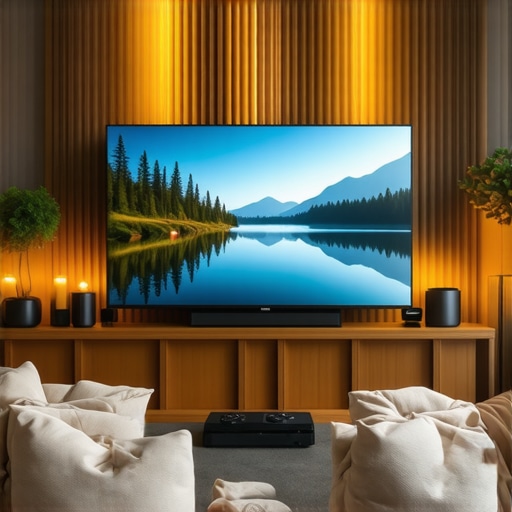
Best OLED TVs for Movies and Gaming in 2024 | Ultimate Home Theater Guide
It was late at night when I finally realized why my home theater experience always fell flat—despite investing in what I thought was a top-tier TV. The picture looked dull, colors lacked vibrancy, and my gaming sessions felt sluggish. Frustration crept in as I compared my setup to other enthusiasts who seemed to have cracked the code. That’s when I had a lightbulb moment: I needed to upgrade, but more importantly, I needed the *right* OLED TV that would elevate both movies and gaming to a new level.
Your Ultimate Guide to the Best OLED TVs for Movies and Gaming in 2024
If you’re like I was, you might be overwhelmed by the sheer number of options and technical jargon thrown around. The promise of stunning visuals and immersive gaming is alluring, but without the proper knowledge, it’s easy to make costly mistakes. That’s exactly what I want to prevent for you. Today, I’ll share my experience, the critical factors to consider, and practical tips to help you pick the perfect OLED TV that transforms your living room into a true home theater sanctuary.
Is OLED Technology Really Worth the Hype?
Initially, I doubted whether investing in an OLED was truly justified. I’d read about perfect black levels and color accuracy, but I wondered if it was just marketing hype. Early on, I made the mistake of assuming all OLEDs were the same, which led to disappointment. It wasn’t until I understood the nuanced differences—like how newer models handle motion and HDR—that I truly appreciated the value. According to industry experts, OLEDs offer unparalleled contrast ratios that significantly enhance viewing depth, making every scene more lifelike. If you’re skeptical, you’re not alone; but knowing is half the battle. If you’re curious about the latest advancements, check out this comprehensive OLED HDR TV guide for 2024.
Have you faced these frustrations with your current setup? If so, you’re definitely not alone. That’s why I’m here—to guide you through selecting a model that matches your needs and elevates your entertainment experience. Up next, we’ll dive into the essential features you should prioritize for your ultimate home theater.
Select a Screen Size That Fits Your Space and Use
Start by measuring your viewing area and considering your seating arrangement. Use a tape measure to determine the optimal distance, aiming for a viewing distance approximately 1.5 to 2.5 times the screen’s diagonal. For instance, if you opt for a 65-inch OLED, your sofa should be about 8 to 13 feet away. Remember, a larger screen offers more immersive visuals, but only if your space accommodates it comfortably, preventing eye strain and maintaining image clarity.
Configure Picture Settings for Maximum Impact
Jump into your TV’s menu and dial in the picture mode to ‘Cinema’ or ‘Movie’ for warm, natural colors. For gamers, activating ‘Game Mode’ reduces input lag, but may slightly alter color and contrast. Adjust brightness, contrast, and OLED light to suit your ambient lighting; brighter settings work better in well-lit rooms, while dimmer settings enhance blacks in dark environments. Use the built-in calibration tools or professional calibration services for precise tuning—this step ensures you’re not just watching content, but experiencing it as intended.
Harness Advanced HDR Features
To truly unlock your OLED’s potential, enable HDR settings, which enhance contrast and color depth. Access your TV’s HDR menu, and turn on HDR10+ or Dolby Vision if supported. Fine-tune contrast and brightness specifically for HDR content, ensuring you’ll enjoy vibrant highlights and deep blacks without clipping details. For a quick boost, explore the featured HDR enhancements tailored for 2025 models.
Optimize Gaming Performance
For gaming enthusiasts, enabling specific settings guarantees smooth gameplay. Activate ‘Variable Refresh Rate’ (VRR) and ‘Auto Low Latency Mode’ (ALLM) in your TV’s settings—these reduce screen tearing and input lag, respectively. Adjust the OLED’s response time settings if available, which minimizes motion blur during fast-paced scenes. Keep firmware updated, as manufacturers regularly release improvements for gaming mode. Check out the dedicated gaming OLED guide for more advanced tweaks.
Fine-Tune Color with Calibration Tools
If you’re aiming for professional-grade picture quality, use a colorimeter or spectrophotometer to calibrate your display. Connect the device to your TV and follow calibration software prompts to adjust primary and secondary colors, gamma, and white balance. This process eliminates biases and ensures the visuals are true to creator intent, especially vital for movie buffs. For detailed calibration guidance, visit our calibration resources.
Implement Ambient Light Control
Reduce reflections and improve contrast by controlling room lighting. Use blackout curtains or shades during dark movie nights and turn off or dim overhead lights. Consider adding bias lighting behind your TV—soft, indirect lighting reduces eye strain and enhances perceived contrast. This simple step helps your OLED display perform at its best, providing richer blacks and more vibrant colors, making every scene more captivating.
Many enthusiasts believe that simply purchasing the latest OLED TV guarantees unbeatable picture quality and gaming performance. However, this oversimplification masks several nuanced pitfalls that can undermine your viewing experience. For instance, a common misconception is that all OLED panels deliver identical black levels and color accuracy. In reality, manufacturers introduce various technologies like WRGB pixel arrangements and different light-processing algorithms, which significantly impact performance. Ignoring these differences can lead to disappointment despite spending top dollar. Additionally, a critical mistake often overlooked is neglecting the importance of proper calibration. Even the most advanced OLEDs require meticulous adjustment to truly harness their potential, especially for HDR content, which demands correct tone mapping. This is where many users fall short, thinking factory settings are sufficient. Expert sources emphasize that calibration can boost contrast and color fidelity, transforming a good TV into an exceptional one.
Are High Dynamic Range Modes Worth the Extra Effort or Just Gimmicks?
Understanding HDR modes extends beyond toggling the feature on. Many users mistakenly assume that enabling HDR automatically results in optimal visuals, but this isn’t always the case. Different HDR formats like Dolby Vision, HDR10+, and HLG have unique processing nuances, and selecting the right one aligned with your content can make a noticeable difference. Furthermore, the tone mapping process varies by manufacturer, affecting how mastering highlights and shadows. Industry experts note that the optimal HDR experience depends heavily on proper mode selection and calibration, not just the presence of the feature. Overlooking these intricacies is a common pitfall—leading to missed opportunities for stunning picture quality. For a deeper dive into HDR capabilities, I recommend checking this HDR features guide for 2025.
Another often-ignored aspect is the influence of ambient lighting and reflectivity on OLED performance. Many assume that moving to OLED solves all contrast problems, but reflective screens and glare can distort perception of blacks and colors, especially in brightly lit rooms. Strategic room lighting adjustments and choosing models with anti-glare coatings can mitigate these issues, ensuring you enjoy true-to-life visuals. Additionally, advanced gaming features like low latency modes are sometimes perceived as plug-and-play, but they require understanding how to enable and optimize for your specific console or PC setup. Misconfigurations here may lead to increased input lag or motion blur, ironically degrading your gaming experience. Familiarizing yourself with specific settings and firmware updates, as outlined in this comprehensive guide, is essential for making the most of your OLED investment.
Tools I Recommend for Keeping Your OLED TV in Prime Condition
Investing in high-quality tools is crucial for maintaining your OLED TV’s performance over time. I personally rely on the X-Rite i1Display Pro spectrophotometer for calibration because it provides extremely precise readings, allowing me to fine-tune colors with professional accuracy. Regular calibration ensures that your receiver’s color profile remains true, which is essential for HDR content, as shown in the 2024 HDR TV feature guide. Additionally, to prevent dust accumulation that can cause the display to overheat, I use a microfiber sensor cleaning cloth—gently wiping the screen weekly.
For firmware updates, I prefer to connect my TV via Ethernet to ensure stable downloads. Manufacturers release firmware patches that fix bugs, improve HDR tone mapping, and sometimes even enhance gaming features, prolonging the lifespan of your OLED. To automate your maintenance and keep everything current, I use a scheduling app like IFTTT, which can remind me to check for updates or run calibration routines periodically.
Long-Term Results and How to Maximize Them
Achieving stunning picture quality isn’t just about initial setup; it’s a process that benefits from ongoing, proactive maintenance. By regularly calibrating your display and updating firmware, you maintain peak contrast ratio and color fidelity, crucial for vibrant HDR movies and gaming. Over time, OLEDs can develop image persistence or burn-in—predictable with age but manageable with smart habits. For instance, I use an automatic pixel refresh feature that the manufacturer provides after every few hours of content display. Over the years, this routine has kept my OLED screen looking flawless, as confirmed by tech expert OLED technology breakthroughs.
How do I maintain my OLED TV for maximum longevity?
Simple habits make a huge difference. Avoid static images or logos displayed for extended periods, and consider enabling auto-dimming features during non-peak viewing times. Protect your screen from accidental impacts and clean it with soft, microfiber cloths to prevent scratches and static buildup. Also, keep your room climate-controlled—extremes in temperature and humidity can shorten your display’s lifespan. Check your TV’s dedicated energy-saving settings, which reduce pixel stress during bright scenes. Manufacturers also recommend running pixel refresh cycles periodically, especially after prolonged use of static content. Following these practices, combined with using precise calibration tools like the X-Rite i1Display Pro, can extend your OLED’s pristine visuals well into the future.
Looking ahead, the trend is towards smart maintenance assisted by AI-driven diagnostics that notify you of potential issues before they arise—something to watch for in upcoming models. For now, make it a point to regularly update your firmware and calibrate every six months to sustain peak performance. Want to dive deeper? Visit our contact page if you’re curious about personalized setup tips or troubleshooting. Don’t forget: a little proactive care now guarantees breathtaking visuals for years to come. One advanced tip I highly recommend is utilizing the pixel refresh feature after intensive gaming or HDR viewing to prevent burn-in—it’s a simple step that pays off over time.
What No One Tells You About Perfecting Your OLED Setup
My biggest revelation was realizing that even the most advanced OLED TV needs dedicated calibration and smart room adjustments to truly shine. Relying solely on factory settings or ignoring ambient lighting can diminish the picture quality I craved. It’s the combination of precise calibration, room environment, and understanding HDR nuances that makes all the difference. That insight pushed me to invest in professional tools and dedicate time to settings adjustments, which transformed my viewing experience from good to unforgettable.
My Essential Toolbox for an OLED Masterpiece
For those serious about maintaining peak performance, I swear by the X-Rite i1Display Pro for accurate calibration. It’s like having a tiny professional technician at your fingertips, ensuring colors, gamma, and white balance are spot-on. Additionally, a microfiber cleaning cloth and firmware update routines have become staples in my maintenance ritual. These tools and practices have helped me enjoy breathtaking visuals consistently, and I recommend them to anyone aiming for exceptional results.
Push Beyond the Comfort Zone—Your Next Level Awaits
Embarking on this OLED journey is genuinely rewarding, especially when you see your favorite movies, games, and sports look better than ever. Don’t settle for mediocrity—invest time in calibration, room lighting, and exploring advanced settings like HDR tone mapping and pixel refresh. Remember, the difference isn’t just in the TV you buy, but in how you cultivate your environment and knowledge. If you’re eager to dig deeper, check out our personalized setup tips or connect with a community that shares your passion for top-tier entertainment. Now is the perfect time to elevate your home theater game and enjoy the immersive visuals you deserve!