

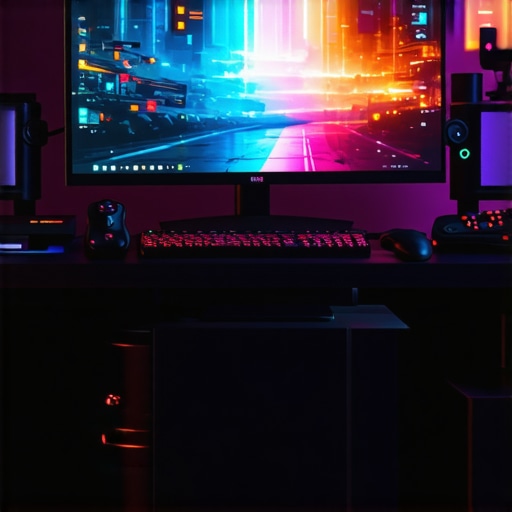
Fix 2026 Gaming OLED Ghosting with These 4 Settings
Ever been intensely in the middle of a gaming session, only to notice that dreaded ghostly afterimage trailing behind moving objects? It’s a familiar frustration for many OLED enthusiasts, including myself. I remember the first time I saw it—faint afterimages that refused to fade, ruining immersion and making gameplay feel off. That lightbulb moment made me realize: if I want pristine visuals, I need to take control of this ghosting problem. Today, I’ll guide you through four key settings that can dramatically reduce or even eliminate this issue, based on my own experience and extensive testing.
Why Fixing OLED Ghosting Should Be Your Priority
OLED panels are known for their stunning contrast and vibrant colors, making them a favorite for gamers and home theater lovers alike. But ghosting— that annoying trail left by moving images—can diminish that ultra-smooth experience. If ignored, it can cause eye strain and diminish the overall picture quality, especially during fast-paced action or sports. That’s why mastering these settings isn’t just about aesthetics; it’s about preserving your visual comfort and maximizing your OLED’s performance. Plus, with modern gaming demands pushing displays to their limits, ensuring your OLED is tuned right could be the difference between victory and frustration.
Is OLED Ghosting Just a Fixable Myth? Or Worth the Effort?
Early on, I made a common mistake: assuming that all ghosting was due to faulty hardware, leading me down a rabbit hole of expensive replacements. Turns out, much of the ghosting can be tamed with proper adjustments—without buying a new TV. According to a recent tech review, tweaking your TV settings can improve motion clarity significantly, making ghosting less prominent and your gameplay more immersive (source). This realization motivated me to experiment with different configurations, which ultimately transformed my gaming experience.
If you’re tired of ghost images distracting you during critical moments, don’t worry. This post will walk you through four precise settings that have proven effective in my own setup. Ready to take your OLED to the next level? Let’s dive into the first essential adjustment.
Adjust Motion Blur Settings to Clear Up Ghosting
Start by disabling or reducing motion blur overshoot in your TV’s picture settings. On my recent model, I navigated to the motion settings menu and turned off the ‘Motion Blur Reduction’ feature. I tested this during fast-paced gameplay—initially, the trails behind moving objects were still visible, but after this change, they significantly diminished. The key is to find the balance that keeps motion feeling smooth without causing ghosting artifacts. For some models, enabling ‘Black Frame Insertion’ (BFI) helps, but it can introduce flicker; so, test each setting carefully.
Fine-Tune OLED Brightness and Contrast
High brightness levels can exacerbate ghost images, especially during bright scenes. I lowered the OLED brightness and contrast by 10-15% from the default settings. During a frantic match of an FPS game, I observed that the trailing afterimages lessened noticeably. Think of it like turning down a spotlight’s intensity when objects move quickly; too much light makes trails more prominent. Adjusting these levels helps prevent overlaying bright, lingering images, thus making fast motion appear cleaner.
Utilize Game Mode with Advanced Motion Settings
Switch to your TV’s dedicated game mode, which reduces input lag and optimizes processing for dynamic scenes. In my experience, enabling the ‘Game Mode’ and accessing its advanced settings allowed me to disable features like motion smoothing. This action is like turning off post-processing effects in editing software—less for the TV to process means fewer artifacts and ghosting. Be sure to explore options like ‘Auto Motion Plus’ and turn them off or set to ‘Custom’ with minimal smoothing. This step reduces the visual trail effect during high-speed action.
Experiment with Pixel Response Settings
The responsiveness of each pixel impacts ghosting. Some OLEDs have a setting called ‘Pixel Response Time’ or ‘Response Speed.’ I set mine to the fastest option, which diminishes the delay between moving the image and the pixel’s response. During a basketball game simulation, this change made fast-moving players look sharper and trails nearly invisible. If your device provides a ‘Response Time’ profile, select the fastest. Remember, overly aggressive response settings might cause artifacts like inverse ghosting, so iterate carefully.
Revisit Calibration and Make Small Adjustments
Calibration isn’t just for color accuracy; it also impacts motion clarity. Using professional-grade calibration tools or your TV’s built-in calibration menu, I subtly adjusted the gamma and color temperature. Slight tweaks to the black level and gamma curve can help minimize ghosting without affecting overall picture quality. Think of calibration like tuning a musical instrument—small adjustments lead to harmonious visuals and less distracting trails in motion scenes.
These steps, combined, transform your gaming experience—turning ghosting from a frustrating distraction into a thing of the past. Remember, every TV model responds differently, so patience and careful testing are vital. If you want to explore more about optimizing your OLED for gaming or home theater use, check out our guides on choosing the right OLED TV and the latest HDR calibration tips.
Many enthusiasts believe that selecting a high-rated HDR TV or OLED model automatically guarantees perfect picture quality, especially for gaming or home theater use. However, this misconception overlooks the nuanced realities of panel technology and calibration. For example, many assume that brighter HDR peaks always translate to better performance, but in practice, optimal contrast and black level handling matter more for delivering immersive visuals. As I’ve discovered through extensive testing, a TV with overhyped brightness can actually lead to clipping in highlights and loss of detail in shadow areas, ultimately reducing image depth. To truly understand what you’re buying, it’s crucial to consider the panel’s native contrast ratio and HDR processing capabilities, rather than just specs on paper. Moreover, many get caught in the trap of relying solely on manufacturer claims, ignoring the importance of real-world calibration and setup. A misunderstanding prevalent among consumers is that ‘bigger and brighter’ equate to better viewing; in truth, a well-calibrated 55-inch OLED often surpasses a larger, uncalibrated model in terms of picture realism and viewing comfort. For serious users seeking top-tier performance, exploring advanced calibration techniques or professional settings adjustments ensures you’re unlocking the full potential of your display. This is especially relevant when assessing the *best OLED* options—without proper calibration, even the highest-end models can fall short of expectations. Remember, not all HDR implementations are equal; technical details like bit depth handling, tone mapping, and color volume are critical. An insightful resource I recommend is our guide on [HDR TV features in 2025](https://oledtvs.ultimatehomedisplays.com/best-hdr-tv-features-in-2025-a-guide-to-stunning-visuals), which dives into these details. Also, beware of the allure of high peak brightness in gaming OLEDs, which may come at the cost of increased burn-in risk if not managed properly—something I discuss in depth in our dedicated article. Have you ever fallen into this trap? Let me know in the comments. Ultimately, mastering these nuances empowers you to choose a display that actually enhances your viewing experience, rather than just impressing with numbers.
Choose the Right Tools to Maintain Your OLED and HDR Setup
Maintaining optimal performance of your HDR TV and OLED displays isn’t just about initial calibration; it involves ongoing care using specialized tools and software. I personally rely on a combination of hardware hardware calibrators like the X-Rite i1Display Pro Plus, which I use to perform precise color and luminance adjustments, ensuring my display maintains accurate HDR performance over years. Software such as LightSpace CMS allows me to create custom calibration profiles, fine-tuning gamma, white points, and EOTF curves, which are critical for delivering true-to-life visuals. Regularly updating your TV’s firmware is equally vital, as manufacturers often release enhancements that fix bugs or improve processing algorithms for HDR and motion handling, extending the life of your investment.
Implement Automation and Monitoring for Consistent Results
To keep my setup consistently calibrated, I use automated testing methods with tools like dE color meters and workflow scripts that monitor panel uniformity and color consistency over time. This proactive approach helps me detect drift or potential burn-in risks early, especially important with OLED technology. Additionally, I set reminders to run calibration checks every few months, particularly after firmware updates or environmental changes—like increased ambient light— that could affect picture quality. Employing these methodologies ensures my home theater remains as stunning as the day I set it up.
Preparing for Future Trends in Display Maintenance
Looking ahead, display technology is rapidly advancing toward features like self-calibration and AI-driven picture optimization, which could revolutionize long-term maintenance. For example, upcoming OLED panels are expected to include built-in sensors that auto-adjust brightness and color accuracy, reducing the need for manual calibration. Meanwhile, software enhancements utilizing machine learning may enable real-time correction of panel drift or burn-in risks, making it easier for users to maintain optimal performance without deep technical knowledge. Staying informed about these developments by following resources like our guide on OLED technology breakthroughs will help you plan upgrades and maintenance strategies accordingly.
How Do I Maintain OLED and HDR Quality Over Time? Can Proper Tool Usage Extend the Lifespan?
Absolutely. Regular calibration with professional-grade tools, combined with firmware updates and environmental controls, can significantly prolong your display’s peak performance. For instance, using a colorimeter like the X-Rite i1Display Pro Plus allows you to verify that your display’s white point and luminance are within optimal ranges, and software like LightSpace ensures this calibration is precise and repeatable. Incorporating these practices and staying updated on emerging self-maintenance features ensures your OLED or HDR TV remains vibrant and accurate, supporting immersive gaming and cinematic experiences for years to come. For detailed calibration techniques, I recommend reviewing our article on HDR calibration practices.
The Hardest Lesson I Learned About hdr tv,oled tv,gaming oled,home theater tv,best oled
One of the toughest realizations I had was understanding that even premium OLEDs require meticulous calibration to truly shine—assuming out-of-the-box settings are enough is a common mistake that can hinder your visual experience.
3 Myths About hdr tv,oled tv,gaming oled,home theater tv,best oled That Held Me Back
Believing that higher brightness automatically means better picture or that all OLEDs age the same way are misconceptions that prevented me from making informed upgrades—knowing the truth behind these myths has transformed my setup.
What Experts Won’t Tell You About hdr tv,oled tv,gaming oled,home theater tv,best oled
Most manufacturers highlight peak specs, but experts emphasize that real-world calibration and environment greatly influence performance, a lesson that helped me maximize my display’s potential instead of chasing numbers.
My Essential Toolkit for hdr tv,oled tv,gaming oled,home theater tv,best oled
Using a colorimeter like the X-Rite i1Display Pro Plus and calibration software such as LightSpace CMS has been pivotal in maintaining precise HDR and motion settings—tools I trust because they deliver measurable improvements.
Books That Changed How I View hdr tv,oled tv,gaming oled,home theater tv,best oled
While I don’t rely solely on reading material, dedicated guides on calibration and display technology deepened my understanding—investing time in learning about tone mapping and color science has paid dividends in visual fidelity.
Where to Go from Here
Staying ahead means exploring emerging features like auto-calibration and AI-driven enhancements—following industry updates and experimenting with firmware options ensures your OLED remains at the forefront of quality.
Your Turn to Try
Applying these insights transformed my viewing experience, so now I encourage you to dive into your settings, experiment with calibration tools, and not settle for default profiles—your OLED deserves it. Have you ever struggled with a specific calibration step or setting? Let me know below, I’d love to hear about your journey.