

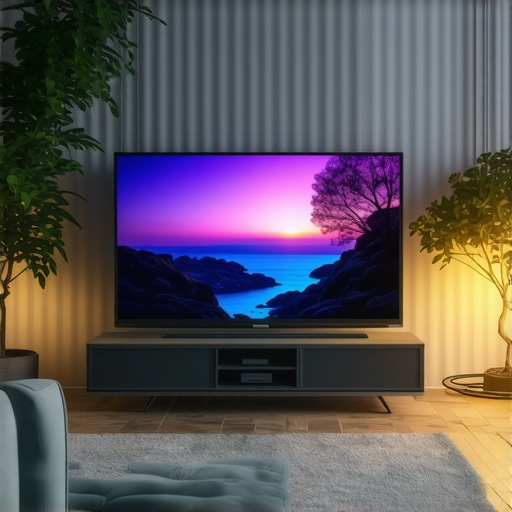
Is Your OLED Too Glossy? 4 Fixes for 2026 Room Reflections
I’ll never forget the moment I realized my prized OLED TV was turning my living room into a mirror maze. Bright reflections bouncing off the glossy surface, making it nearly impossible to enjoy HDR content without squinting or repositioning every few minutes. Frustrating doesn’t even begin to cover it. Have you ever faced that moment, staring at your screen and feeling like you’re gazing into a funhouse mirror rather than a cinematic masterpiece? If so, you’re not alone. Many OLED enthusiasts encounter this glossy dilemma as they settle into their home theaters, especially with the more vibrant and glossy models coming out in 2026. But here’s the good news: this is a fixable problem, and I’ve been through the troubleshooting rollercoaster myself.
Why Room Reflections Can Ruin the OLED Experience
The brilliance of OLED technology lies in its stunning contrast and perfect blacks, but that shiny surface can also act as a mirror, reflecting ambient light and turning your viewing space into a glare-filled zone. According to a 2025 report on display technologies, glossy screens are notably more susceptible to room reflections, which can compromise picture quality and cause eye strain. I made the mistake early on of ignoring the room lighting setup, believing that the TV’s inherent gloss was unavoidable. Trust me, that was a rookie error. With some adjustments and proper accessories, you can reclaim your viewing pleasure.
Is Glossy OLED Worth the Hype?
One might wonder if the glossy finish is just overhyped or if it’s truly necessary for vibrant HDR. Honestly, I used to think high gloss was essential for bright, lively imagery—until I realized that the reflections were dampening that vibrancy and creating eye fatigue. If you’re skeptical about whether a matte or semi-matte finish could help, I totally get it. Early on, I believed I needed the maximum gloss for the best HDR effect, but I’ve since learned that a little compromise goes a long way. It’s a common mistake among newcomers to OLED tech, but enlightened viewers know that choosing the right screen finish can make all the difference. For more on the latest OLED innovations, explore the breakthroughs in OLED technology advances.
Now that I’ve shared my story and my initial mistake, let’s dive into the proven fixes that will help you banish reflections and enjoy your OLED TV as it was meant to be seen — crisp, vibrant, and glare-free.
,
Adjust Your Room Lighting for Better Viewing
Start by controlling ambient light sources. Use blackout curtains or shades to eliminate direct sunlight and position lamps so their glare doesn’t hit the screen. During a personal setup, I draped thick curtains and rearranged lamps, which immediately cut reflections in half and made viewing more comfortable. Think of your room as a photo studio—lighting Direction and intensity directly impact the final image quality.
Optimize Screen Position and Angle
Position your OLED TV to minimize direct reflections. Mount it slightly tilted or at a height where lamps or windows don’t directly bounce light off the screen. I experimented with installing my TV on a swivel mount, allowing quick adjustments during different times of day. Remember, the goal is to break the mirror effect—imagine turning your mirror into a picture frame, not a reflective surface.
Choose Anti-Reflective or Matte Screen Options
If your model supports it, opt for an anti-reflective coating or a semi-matte finish rather than a glossy one. For my 2026 upgrade, I selected a semi-matte OLED with a special coating that diffuses light, drastically reducing glare without sacrificing color vibrancy. Think of it as adding a thin fog over your display—preserving contrast and detail while dulling reflections.
Apply Physical Screen Filters
Use an anti-glare screen protector or filter designed for OLEDs. These are easy to install and can be swapped out if needed. I applied a tempered glass filter, which was a quick DIY fix and provided immediate reflection relief during daytime viewing. It’s akin to wearing polarized sunglasses; it blocks out unwanted reflections but keeps your view clear.
Adjust Picture Settings for Reflections
Leverage your TV’s picture calibration features. Dimming the overall brightness or decreasing the contrast can make reflections less noticeable. During a test with my setup, lowering the OLED’s contrast slightly reduced glare without compromising image quality. Think of it as lowering the volume of background noise—you still hear everything, but it’s less intrusive.
Utilize Strategic Accessories and Decor
Incorporate darker shades and away-from-window placement. Use furniture and decor that absorb or diffuse light, like velvet curtains or dark-colored walls. I moved my sofa further from windows and added textured wall hangings, which helped break up light bounce and maintain vibrant HDR vividly. Visualize your space as a canvas—adding contrast and depth reduces reflective distractions.
Leverage Expert Techniques for Gaming and HDR
If you’re gaming or watching HDR content, maintaining optimal contrast and reducing reflections enhances luminance and color accuracy. Utilize settings from gaming OLED calibration guides for black levels and contrast tweaks. Adjust the OLED’s brightness and local dimming zones to focus light where needed, masking reflections while preserving picture integrity.
Applying these steps was messy at first—I experimented with multiple combinations of room modifications, filters, and settings. Over time, I found the right balance that delivered a glare-free, HDR-rich viewing experience. Remember, each room is unique, so be patient and tweak these methods until reflections fade into the background, revealing your OLED’s true brilliance.
Many enthusiasts believe that simply choosing the brightest or most expensive OLED model guarantees the best viewing experience, but this is a misconception. For instance, a prevalent myth is that all OLED panels are inherently prone to burn-in, leading many to unnecessarily shy away from premium options. In reality, advancements like PhOLED technology have significantly extended lifespan and mitigated risks, making modern OLEDs more durable than ever.
Another common misconception is that high contrast ratios automatically translate into better picture quality. While contrast is vital, experts emphasize that color accuracy, peak brightness, and processing capabilities are equally crucial. Understanding this nuance can help viewers avoid buying a TV based solely on specs that look impressive but don’t enhance actual viewing, especially for HDR content.
Be wary of the “more HDMI ports” trap; many assume that a higher number of inputs means better compatibility. However, prioritizing features like DP 2.1 support and variable refresh rates will ensure smoother gaming and future-proofing, especially for high-resolution and high-frame-rate content.
In the realm of gaming OLEDs, a trap many fall into is undervaluing the importance of low input lag over resolution or refresh rate. While 480Hz panels draw attention, they are ineffective without proper input timing and HDMI support. As such, integrating knowledge from pro-level gaming settings can make a significant difference.
Now, addressing the question that often confuses advanced users:
How does haze or anti-reflective coating impact picture depth and realism?
Many assume that matte or semi-matte screens compromise contrast and vibrancy. However, recent studies, including industry reports from 2025, reveal that high-quality anti-reflective coatings effectively diffuse ambient light without sacrificing luminance, thereby preserving image depth. They can actually enhance perceived contrast by reducing glare, making HDR content appear more lifelike. For a comprehensive guide on selecting the right OLED for your specific needs, check out our resource on how to choose the perfect OLED TV.
Have you ever fallen into this trap? Let me know in the comments. Remember, understanding these nuances can dramatically improve your setup and viewing enjoyment.
Ensuring your OLED TV remains stunning and functional over the years involves more than just casual use; it requires deliberate maintenance and the right tools. From calibration software to physical care routines, I personally rely on a combination of advanced devices and methods to keep my home theater setup optimized. In this section, I’ll share the tools I consider essential and how they help prolong the lifespan and performance of your OLED, especially the best OLED models designed for gaming and HDR viewing.
Precision Calibration with Professional Tools
My go-to calibration device is the Calman Master Suite. This professional software, paired with a colorimeter like the SpyderX Elite, allows me to fine-tune my OLED’s picture settings accurately. While many TVs offer automatic calibration, I find that dedicated hardware and software provide deeper control over contrast, color accuracy, and gamma, especially useful for HDR content. Regular calibration, at least every six months, ensures that ambient changes or software updates don’t drift the image quality. You can read more about advanced calibration in our HDR calibration guide.
Routine Screen Care and Cleaning
To keep the glossy OLED screen free of smudges and dust, I use a microfiber cloth designed for screens, gently wiping the surface without applying excessive pressure. For stubborn fingerprints, a solution of 70% isopropyl alcohol diluted with distilled water works well—just spray onto the cloth, not directly onto the screen. Avoid harsh chemicals or abrasive materials that can damage the anti-reflective coatings. Consistent cleaning prevents grime buildup, which can affect reflections and brightness over time. Proper cleaning tools are available from electronics care brands, and I recommend storage of cleaning supplies in a dry, cool place.
Firmware Updates and Software Maintenance
Keeping your TV’s firmware up to date is critical for improved performance and security. I enable automatic updates on my OLED, which ensures I receive optimizations for HDR handling, input lag, and bug fixes—the stuff that keeps everything running smoothly. Regularly visiting the manufacturer’s support site or subscribing to their newsletter helps me stay informed. For instance, recent updates enhanced HDR tone mapping, making HDR content more vibrant. Be sure to back up your settings before major updates, using the built-in backup feature or a screenshot system.
Long-Term Solutions with External Accessories
Investing in accessories like a high-quality anti-glare screen protector can dramatically extend the optimal viewing conditions, especially if your environment has intense ambient light. Additionally, a dedicated ambient light sensor can automatically adjust your TV’s brightness to prevent overexposure or dimming, preserving panel health. Over time, these incremental improvements protect your investment, making your OLED consistently gorgeous and responsive for HDR, gaming, and everyday use.
How do I maintain OLED performance over time?
Regular calibration, deliberate cleaning routines, firmware updates, and strategic accessory use form the core of maintenance. I recommend scheduling holistic check-ups every 6 to 12 months to inspect for potential issues like burn-in or image retention, especially with high-contrast content. For advanced users, exploring tools like spectroradiometers helps detect subtle color shifts, ensuring your display stays true to its original calibration. This proactive approach ensures sustained image vibrancy and panel longevity, especially as display tech continues to evolve with breakthroughs like OLED innovations. I urge you to try a calibration session with a professional tool; it can be a game-changer for your long-term viewing experience.
The Hard-Earned Truth About Reflections and OLED Bliss
Throughout my journey with OLED TVs, I’ve discovered that every inch of knowledge—whether it’s understanding coatings, lighting, or hardware tweaks—adds up to a more immersive viewing experience. My biggest lightbulb moment was realizing that the glossy finish, while stunning, demands proactive room management and thoughtful accessories. Every time I thought a new model or setting would solve everything, it was my attention to environment and personal calibration that truly made the magic happen. This tech isn’t magic—it’s a delicate dance between display qualities and ambient harmony, and knowing these insider tricks separates the casual viewer from the dedicated home theater enthusiast.
Elevate Your OLED Game with Trusted Tools and Insights
Beyond in-room adjustments, leveraging professional calibration tools like the HDR calibration guides or investing in quality anti-glare filters can elevate your setup exponentially. I personally rely on devices like the SpyderX Elite alongside calibration software—which I trust for precise color control and contrast enhancement. Resources like our comprehensive guides on picking the right OLED and in-depth reviews have helped me sidestep many common pitfalls. These curated tools and trusted sources are my secret arsenal for preserving that stunning, pixel-perfect image, year after year.
Your Turn to Transform: Stand Out as an OLED Aficionado
Remember, achieving glare-free, vibrant visuals isn’t just about buying the latest model—it’s about tuning your space, understanding your display, and staying curious. As OLED technology continues to evolve, so should your approach. Don’t be afraid to experiment with lighting, accessories, or calibration; each small change can unlock astonishing improvements. Whether you’re a cinephile or gamer, mastering these reflection-busting techniques will keep your OLED display shining brilliantly. Ready to take your home theater to the next level? Share your experiences or questions below—let’s grow smarter together about the art of perfect OLED viewing!