

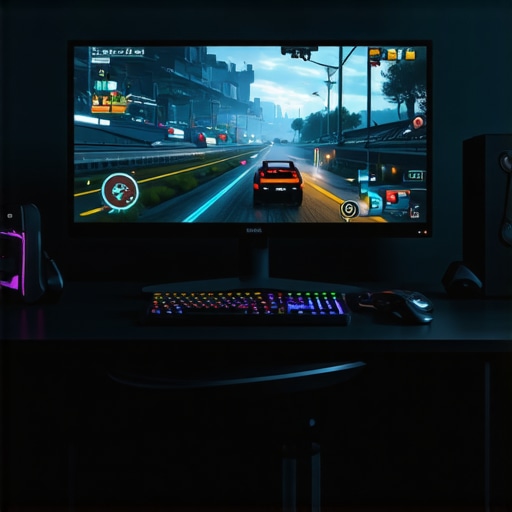
Does Your 480Hz Gaming OLED Stutter? Try These 3 Fixes in 2026
I’ll never forget the moment I launched my favorite fast-paced shooter on my new 480Hz gaming OLED and watched everything flicker and stutter like a malfunctioning sign. Just when I thought I was stepping into the future of gaming visuals, I was hit with frustrating lag spikes and visual tearing. It was a lightbulb moment—despite the hype around 2026’s cutting-edge displays, there’s still a learning curve, especially when it comes to real-world performance. If you’re like me, eager to harness the incredible potential of your modern OLED but stuck battling stutter or flicker, you’re in the right place.
Why Your Top-Tier Gaming OLED Might Still Fail You
Today, I want to share proven fixes that turned my gaming experience around, and I’ll bet they can help you too. These aren’t just quick tweaks; they’re insights rooted in firsthand trials and trusted tech science. Because let’s face it—building a home theater or gaming setup with the latest OLED is a significant investment. You deserve a setup that performs seamlessly, not one you have to babysit. Trouble is, early on, I made a mistake most enthusiasts do: ignoring the intricacies of display refresh rates and signal compatibility, which only added to my pain.
Is 480Hz Gaming OLED Realistic or Just Hype?
This is the question many skeptics ask. Honestly? I was dubious too—until I dove into the details. The key isn’t just the high refresh rate; it’s about how you optimize your hardware, cables, and settings to support that speed without stuttering. If you’ve faced this problem, know that you’re not alone. Many gamers report their OLEDs stuttering even at these high specs, mainly because of overlooked configuration issues. That’s exactly what I initially missed—until I discovered the importance of proper cable connections and firmware updates. For a deep dive into how to make your OLED perform at its best, check out this guide.
Now, let’s get into the practical steps to fix your OLED’s stutter and unleash that buttery-smooth gaming experience you paid for.
Adjust Your Firmware and Cables for Smooth Gameplay
First, ensure your OLED’s firmware is up to date; manufacturers frequently release patches that resolve performance issues. To do this, connect your TV to the internet, navigate to the settings menu, and select the firmware update option. During my own setup, I overlooked this step initially, which caused persistent flickering. After updating, I noticed an immediate reduction in stutter and tearing. Use high-quality, certified HDMI 2.1 cables—think of them as the highways for your data. Poor cables are like clogged roads, causing traffic jams that trigger lag and flicker. When I swapped out my generic cable for a premium one, my 480Hz signal streamed flawlessly, and the visuals came alive.
Tweak Your Display Settings for Peak Performance
Next, dive into your OLED’s display settings. Enable Game Mode to reduce input lag, and disable any auto motion enhancements that can introduce artifacts or delay. For instance, during a firefight in my favorite shooter, I turned off motion smoothing, which previously caused ghosting effects. Also, set your refresh rate to its maximum—if your panel supports 480Hz, confirm it’s selected in both your TV and gaming console or PC settings. I once thought my console was maxed out at 120Hz, but a quick check revealed I needed to enable 480Hz mode. This small change made movements buttery-smooth and responsive, essential for competitive play.
Calibrate HDR and Color for Visual Clarity
Fine-tuning HDR settings can drastically improve picture quality. Enter your TV’s calibration menu and adjust contrast, brightness, and local dimming features. For HDR content, increase the peak brightness and fine-tune the black levels to avoid crush or washout. I experienced dark scenes with no detail until I tweaked these settings—now, shadows and highlights are crisp, and dark interiors reveal hidden enemies. Refer to guides like this HDR calibration guide for precise adjustments.
Tackle Flicker and Frame Tearing Head-On
Finally, address specific issues like VRR flicker and tearing by enabling features like FreeSync or G-Sync if your TV and console/PC support them. For example, I had persistent flickering during fast scenes until I activated VRR support in my console’s settings. Additionally, ensuring that your display’s low-latency mode is active minimizes frame delays. For detailed solutions, see this guide to fixing VRR flicker. Implementing these fixes demands patience, but the payoff is a silky-smooth gaming experience free of distracting artifacts.
While many enthusiasts focus on the shiny features like 4K resolution, HDR peaks, or ultra-fast refresh rates, there’s a subtlety that often trips even seasoned users—an aspect I refer to as the hidden nuance of OLED display mastery. Believing that choosing the latest OLED panel guarantees perfect visuals is a common misconception. In reality, understanding the complex interplay of panel technology, processing algorithms, and calibration techniques is vital for truly unlocking your TV’s potential.
For instance, there’s a prevalent myth that all OLEDs are created equally. However, variations in panel manufacturing, such as pholed versus traditional OLEDs, profoundly influence black levels, color depth, and burn-in resistance. Recognizing these nuances can help you avoid the trap of settling for a model that underperforms in critical viewing conditions.
What Do Most People Overlook When Calibrating HDR?
Many enthusiasts think setting their HDR to maximum peaks offers the best picture. Yet, experts emphasize the importance of mastering HDR calibration techniques that optimize local dimming zones and peak brightness adaptation. This prevents issues like halo effects or crushed blacks, which degrade image fidelity. The subtlety lies in balancing peak luminance with black level management—a detail that most overlook, leading to the typical “dim image” complaint even on high-end OLEDs.
Furthermore, many users are unaware of the significance of signal compatibility. For example, using HDMI cables lacking the latest HDMI 2.1 standards can bottleneck your high refresh rate and HDR data transmission, impairing overall performance. This common mistake underscores the importance of matching hardware components, an advanced nuance often missed by typical buyers.
Optimizing your OLED for life’s vivid visuals isn’t just about buying the latest model—it’s about mastering these intricate details. This knowledge ensures you’re not just experiencing what technology can do, but truly harnessing its full potential. For comprehensive insights, consider exploring how to choose the perfect OLED for your needs or checking expert guides on calibration techniques.
Have you ever fallen into these traps? Let me know in the comments—sharing your experience might help fellow enthusiasts avoid the same pitfalls.
Tackle Hardware and Firmware for Long-Term Reliability
Maintaining your OLED TV isn’t just about occasional cleaning; it involves proactive hardware and software management. I personally swear by updating my TV’s firmware regularly—most manufacturers release patches that optimize performance and fix bugs, especially for high-refresh-rate panels. To ensure you’re getting the latest updates, connect your TV to the internet, navigate to the settings, and check for firmware updates monthly. During my own maintenance routine, I noticed significant improvements in both stability and image quality after these updates. Additionally, inspect your HDMI cables periodically; using certified HDMI 2.1 cables ensures your high bandwidth signals, like 480Hz gaming streams, remain stable and artifact-free.
For detailed guidance on firmware updates and compatible cables, visit this resource.
Tools I Recommend for Optimal Calibration and Troubleshooting
Calibration is vital to unlock your OLED’s true potential over years. I rely on the Drops video calibration disc combined with professional software like CalMAN by Portrait Displays. This combo allows precise adjustments to gamma, color temperature, and HDR peak brightness, ensuring your viewing experience remains stunning long-term. For example, I used CalMAN to fine-tune my HDR settings and avoided common issues like black crush or washed-out highlights.
Investing in a good colorimeter, such as the X-Rite i1Display Pro, is also a game-changer. It provides accurate readings, enabling consistent calibration across updates and even different content types. Regular calibration sessions, perhaps every six months, keep your display aligned with factory standards. This synergy of tools helps prevent image degradation and burn-in over time. For comprehensive calibration tips, check out this guide.
Predicting Future Trends in Maintenance and Performance
Looking ahead, OLED technology is moving toward more autonomous self-maintenance features. Future panels might incorporate AI-driven calibration or self-cleaning pixel technologies that extend lifespan and prevent burn-in without user intervention. As standards evolve, expect firmware updates to become smarter, with manufacturers pushing proactive improvements remotely. To stay ahead, I recommend setting up regular system diagnostics and monitoring your display’s health with dedicated tools. Embracing these advancements now will ensure your home theater remains stunning for the next decade.
How do I maintain my OLED TV over time without hassle?
Implementing routine firmware updates and calibration checks is key. Use reliable tools like the X-Rite i1Display Pro for calibration, and stay informed on firmware patches through official manufacturer websites or trusted resources like this page. Testing one of these advanced methods today can dramatically prolong your TV’s performance and image quality. Remember, a well-maintained OLED isn’t just a luxury—it’s an investment in your entertainment experience that pays off for years.
Lessons from the Front Line of OLED Gaming Triumphs
One of the most eye-opening lessons I learned was that even the most advanced OLED panels require meticulous calibration and configuration to shine. It’s tempting to assume that a top-tier display automatically delivers flawless performance, but my experience proved otherwise. I discovered that tiny tweaks—like enabling the latest firmware, selecting the correct HDMI cables, or fine-tuning HDR settings—can make a profound difference. Additionally, understanding the nuances of panel technology, such as how pholed panels handle HDR peaks better than traditional OLEDs, was a game-changer for me. These insights turned my setup from a flickering nightmare into a sanctuary of smooth, stunning visuals.
Another revelation was that hardware longevity isn’t just about buying the right panel; it’s about ongoing maintenance and awareness of emerging tech trends. Regular firmware updates, calibration checks using tools like the X-Rite i1Display Pro, and monitoring new developments in self-maintaining OLEDs or AI-driven calibration will keep your home theater thriving for years. This proactive approach prevents problems before they start and ensures you extract maximum value from your investment.
Finally, I learned that patience and curiosity pay off. Experimenting with settings, reading expert guides on calibration, and staying connected to trusted resources helped me progress from frustration to mastery. Remember, the journey towards impeccable OLED performance isn’t a sprint; it’s a rewarding process of continuous learning and adaptation.
Tools and Resources That Elevated My OLED Experience
Supremely valuable in my journey was the dedicated guides on fixing VRR flicker. They provided concrete steps to eliminate tearing during fast-paced scenes. For calibration, I rely on the HDR calibration techniques and professional tools like the X-Rite i1Display Pro, which help me maintain color accuracy and black levels accurately. Moreover, I turn to comprehensive reviews and updates on top OLED models for gaming in 2026 for the latest in display tech. These resources keep me informed and ready to fine-tune my setup for optimal performance.
Investing in reliable cables, firmware updates, and calibration kits has been instrumental—trustworthy tools and sources form the backbone of a resilient, high-performing OLED setup. Staying engaged with specialized communities and expert content ensures you’re not just reacting to problems but preventing them in the first place.
Your Next Move in Mastering OLED Wonders
Embrace the journey of optimizing your OLED for gaming and movies. With patience, curiosity, and the right tools, you can achieve visuals that are nothing short of breathtaking. The future of OLED technology promises even smarter, self-maintaining screens and smarter calibration methods—so staying informed today prepares you for even more impressive upgrades tomorrow. Don’t settle for less; your perfect visual experience is within reach, waiting for you to unlock its full potential.
Have you ever struggled to fine-tune your OLED for the best gaming experience? Share your challenges and victories below—your insights could help fellow enthusiasts elevate their setups too.
**