

Why Your 2026 HDR TV Still Looks Dim: 3 Calibration Fixes
If you’ve ever sat down to enjoy your brand-new high-end OLED or gaming TV and been hit with an unexpected wave of disappointment—seeing colors that are muted, shadows that lack depth, and highlights that just don’t pop—you’re not alone. I remember the moment I realized my latest 2026 HDR display was not living up to its promise. It felt like I’d wasted thousands, and I couldn’t figure out why everything looked so dull, even in a bright room. That lightbulb moment led me down a rabbit hole of settings, calibrations, and tweaks, ultimately uncovering simple fixes that transformed my viewing experience.
The Struggle with Dim HDR: Why It Matters More Than Ever
Today’s TVs are packed with incredible features—ultra-bright panels, powerful processors, and dynamic contrast technologies. Yet, many users report their HDR content still appears dim or washed out, especially in the year 2026 when new standards push for even better visuals. Why is this happening? Well, despite advances, improper calibration remains a common pitfall. If your TV’s picture settings aren’t optimized, you miss out on the stunning contrast, vibrant colors, and lifelike details that HDR promises.
Personally, I spent months troubleshooting why my OLED looked muted, even after trying all the
Fine-Tune Your Brightness and Contrast First
Start with your TV’s basic picture settings—adjust the brightness to make blacks deep without losing details in shadows. I once set mine too high, washing out subtle details. Reset to the default and gradually lower until blacks stay rich but shadows are still visible. Use calibration discs or native test patterns available online to find that sweet spot.
Adjust HDR-Specific Settings for Peak Performance
Most high-end OLEDs have dedicated HDR modes. Switch to these and disable any ‘Eco’ or ‘Power Saving’ modes that dim the display unnecessarily. Tweak the HDR contrast and brightness sliders; aim for maximum luminance without crushing blacks. Consistently monitor during scene changes—highlight details should pop without overexposing highlights. I recommend blocking a few minutes to compare before-and-after settings, focusing on scenes with bright skies or dark interiors to fine-tune dynamic range.
Calibrate Color Accuracy for Vivid Yet Natural Hues
Use a color calibration tool or test patterns to set the white balance. Adjust the color temperature towards ‘Warm’ for cinematic warmth or ‘Neutral’ for accurate color reproduction, depending on your preference. I once neglected this step, resulting in overly saturated reds that skewed skin tones. Take your time; small tweaks can significantly impact overall realism and color fidelity.
Implement Motion and Sharpness Settings to Reduce Artifacts
Enable motion smoothing features only if they don’t cause soap opera effects. Use ‘True Motion’ or similar options, setting them to a mild level. For gaming OLEDs, disable sharpness enhancements as they can introduce unwanted halos. During my setup, I disabled all unnecessary post-processing, resulting in cleaner, more natural motion especially during fast-paced scenes.
Use External Tools and Test Patterns for Precision
Leverage professional calibration discs or software with test patterns for gamma, white balance, and color accuracy. Launch these tools on your device, observe the results, and adjust your TV’s settings accordingly. For example, I used a pattern to identify gamma shifts and counteract them with the built-in controls, achieving a more cinematic image. Remember, calibration is an iterative process—small adjustments over time yield the best results.
Regularly Review and Update Settings
Display environments change—lighting, viewing distance, and even room decor can affect perceived quality. Revisit your calibration periodically, especially when upgrading firmware or changing your viewing environment. I found that after a few months, minor tweaks improved my OLED’s picture clarity and HDR impact, keeping the experience consistently stunning.
Many enthusiasts and first-time buyers alike enter the world of HDR and OLED displays with misconceptions that can hinder their satisfaction and understanding. One prevalent myth is that simply increasing peak brightness or contrast guarantees a superior viewing experience. In reality, this oversimplification ignores critical nuances like color accuracy, processing algorithms, and panel technology. For instance, many assume all OLEDs are created equal, but differences in their pixel structure, luminance capabilities, and longevity profoundly affect performance. Contrary to popular belief, brighter isn’t always better if it compromises color fidelity or introduces unwanted artifacts.
Another classic mistake is relying solely on manufacturer specifications without considering how these translate into real-world usage. High HDR luminance numbers may seem impressive, but if the display cannot sustain those levels without blooming or black crush, the visual quality suffers. A comprehensive feature analysis reveals that contrast ratio, local dimming, and panel uniformity are often more indicative of performance than peak brightness alone.
Is Peak Brightness Truly the Holy Grail for HDR?
Many consumers equate higher peak brightness with better HDR, but this approach misses the mark. Experts like CNET’s review team emphasize that how a TV manages its luminance across different scenes, especially in dark environments, matters more. Excessively bright highlights can wash out shadow details or create an inconsistent picture. In fact, advanced TVs incorporate tone mapping and local dimming to produce more natural and detailed HDR images, regardless of maximum luminance. An expert guide highlights that the most valuable feature is the panel’s ability to deliver deep blacks alongside vibrant highlights without compromises.
Additionally, high-end OLEDs from brands like Sony and LG are now adopting new pixel architectures that enhance contrast and color volume organically, rather than just boosting peak brightness. This demonstrates that understanding the nuances and technological underpinnings can save you from falling for flashy specs that don’t translate into real visual excellence. While it might be tempting to chase the latest specifications, focusing on actual panel quality, processing capabilities, and calibration potential yields a much more satisfying experience.
Remember, optimizing your HDR experience isn’t just about settings—it’s about understanding what makes a display truly perform at a professional level. Regular calibration, aware selection of features, and skepticism of
Tools That Keep Your Display Running Smoothly
To ensure your HDR and OLED TV continues delivering stunning visuals over the years, investing in the right calibration hardware is essential. I personally rely on a professional-grade colorimeter like the X-Rite i1Display Pro Plus, which provides highly accurate measurements of luminance, gamma, and color gamut. Coupled with calibration software such as DisplayCAL, I can fine-tune my display’s settings with precision, ensuring color accuracy and optimal contrast are maintained consistently. Regular calibration sessions—every six months or after firmware updates—help prevent drift in picture quality and keep the image crisp and vibrant. For those seeking a more automated approach, reference-grade pattern generators like the Waltz 59 make it easier to generate test patterns and evaluate the display’s performance comprehensively. As HDR standards evolve, having proper measurement tools becomes increasingly vital to adapt your settings and guarantee that your display’s peak performance isn’t compromised over time.
Leveraging Software for Ongoing Calibration and Adjustment
Beyond hardware, software solutions like CalMAN Studio or HCFR are invaluable. These programs allow you to create detailed calibration reports, monitor color fidelity over time, and make precise adjustments to your display’s settings. I use HCFR for its affordability and open-source flexibility, especially when fine-tuning my OLED for HDR content. Using test patterns and spectral measurements, I regularly verify that my display conforms to the standards I desire. Additionally, some TVs now support firmware-based calibration tools, allowing for firmware updates that enhance image processing and HDR performance. Staying updated with the latest firmware from manufacturers like LG or Sony ensures you benefit from feature improvements and bug fixes, often correcting issues like black crush or local dimming artifacts that can degrade long-term viewing quality.
Future Trends in Maintaining Your HDR and OLED Setup
Looking ahead, the integration of AI-assisted calibration could revolutionize long-term display management. Companies are exploring machine learning algorithms that auto-calibrate screens based on room lighting and content type, reducing the need for manual adjustments. Moreover, some upcoming OLED models will include self-healing technologies that automatically detect and mitigate burn-in risks, extending panel lifespan. As the industry progresses, expect a shift toward smarter, more intuitive maintenance tools embedded directly within your smart TV interface, making ongoing optimization easier than ever. To stay ahead, I recommend familiarizing yourself with the latest calibration tools and firmware updates, and consider investing in a professional measurement device if you’re serious about picture perfection.
How do I maintain my HDR and OLED TV over time?
Regular calibration using tools like a colorimeter combined with calibration software such as DisplayCAL ensures your display remains accurate and vibrant. Scheduling semi-annual calibration sessions, updating firmware promptly, and monitoring your room lighting can significantly prolong optimal performance. For gaming enthusiasts, exploring high-frequency test patterns, like those covered in this guide, can help preserve smooth motion and prevent image artifacts over years of use. Additionally, keep an eye on upcoming innovations, such as AI-based auto-calibration and self-healing panels, which promise to make long-term maintenance even more effortless and effective. Incorporate these practices early, and your HDR and OLED television will reward you with stunning visuals for years to come.
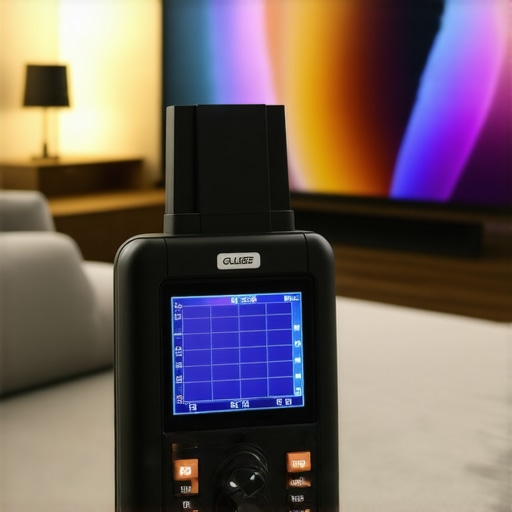
Imagine a high-end calibration setup with a professional colorimeter, monitor, and calibration software displayed on a neat workspace—signifying the importance of precise tools for maintaining your display’s performance.
Mastering the Art of HDR: What’s the Little Trick That Changed Everything
One of the most surprising lessons I learned was the importance of scene-specific calibration. Instead of setting a uniform brightness or contrast across all content, adjusting settings based on the scene type—bright outdoor scenes versus dark interiors—brought depth and vibrancy that felt truly cinematic. This approach, often overlooked, ensures every frame gets the treatment it deserves, elevating your viewing experience considerably.
Real-World Calibrations Trumps Default Settings Every Time
Chasing peak brightness numbers is tempting, but actual calibration with tools like the X-Rite i1Display Pro Plus and software such as DisplayCAL revealed the magic behind accurate colors and deep blacks. I found that using genuine test patterns and dedicating time to iterative adjustments paid off more than any manufacturer preset or marketing spec. Dedicate yourself to a periodic review, and your display will reward you with consistent picture quality.
Speed Matters, but Not in the Ways You Expect
High refresh rates like 480Hz are impressive on paper, but understanding the nuances of how motion techniques and frame interpolation work helped me avoid common pitfalls like unnatural soap opera effects. Instead, I fine-tuned the motion smoothing features to enhance clarity without sacrificing natural motion, creating a smoother yet authentic experience during gaming and movies. Sometimes, less is more—know when to turn off certain features for the best results.
Technology Is Advancing Faster Than Ever—Stay Ahead
With innovations like self-healing panels and AI-assisted calibration, the future of HDR and OLED technology promises easier maintenance and longer lifespan. I’ve noticed that firmware updates from brands like LG and Sony often include HDR enhancements or black level improvements; staying current ensures you don’t miss out on the latest performance boosts. Investing some time in understanding these features now will keep your setup feeling fresh and vibrant.
Lighting the Path Forward for Enthusiasts
Optimizing your HDR experience requires more than just settings tweaks—it’s about embracing a mindset of continual learning and adaptation. Bringing a critical eye, leveraging sophisticated tools, and keeping up with cutting-edge technology transforms your entertainment setup from average to spectacular. Remember, your display is a canvas; with patience and precision, you can craft a visual masterpiece that rivals the cinema.
Curated Recommendations for Elevating Your HDR and OLED Journey
- DisplayCAL: An open-source calibration software I trust for its flexibility and precision, helping me achieve accurate colors and gamma correction with ease.
- X-Rite i1Display Pro Plus: My go-to hardware device for detailed luminance and color measurements, vital for the best calibration results.
- CalMAN Studio: A professional-grade calibration suite that offers comprehensive tools to fine-tune my display and verify performance.
- Best HDR TV Features Guide 2025: A resource that keeps me informed about the latest advancements and what truly matters in choosing a premium HDR display.
Your Next Step Toward Visual Excellence
Don’t let misconceptions hold back your satisfaction with HDR and OLED technology. By actively calibrating, staying informed, and understanding the subtle art of display setup, you can unlock visuals that are vivid, natural, and breathtaking. It’s an exciting journey—embrace it, and your home theater will thank you for it.
What’s the biggest challenge you’ve faced when trying to optimize your HDR experience? Share your thoughts below and let’s learn together.