

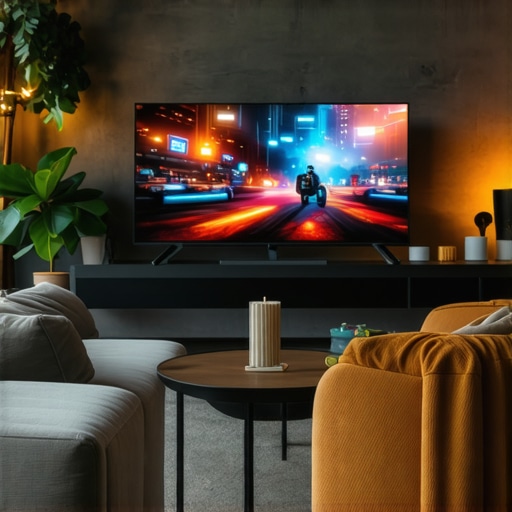
Best OLED TVs for Movies, Gaming & Sports in 2024 | Ultimate Entertainment Guide
It was a frustrating Saturday night. I had just settled in to binge-watch my favorite movies on what I thought was a top-tier OLED TV, only to be disappointed by dull colors and inconsistent brightness. The vivid scenes I was longing for felt muted, and that vibrant color palette I paid a premium for seemed to vanish in the shadows. That’s when I realized: I’d been overlooking the most crucial aspects of choosing the right OLED TV for my home entertainment setup.
Why Picking the Right OLED TV in 2024 Matters More Than Ever
In a market flooded with options, making an informed decision can be overwhelming. The truth is, a great OLED TV can transform your movie nights, elevate your gaming sessions, and provide an immersive sports-viewing experience—all at the same time. But with so many models and features, how do you know what truly delivers? The stakes are higher now because technology has advanced so rapidly. According to DisplayMate Technologies, modern OLED panels boast up to 1,000 nits of peak brightness and near-perfect black levels, which create stunning visual contrast that was unimaginable a few years ago. Yet, many consumers end up disappointed because they miss out on key factors like HDR performance or gaming-specific features.
Trust me, I learned this the hard way. Early on, I bought a popular OLED model mainly because of its sleek design and high ratings, only to realize later that without proper understanding, I was missing out on critical specs like refresh rate and color accuracy. That mistake made me question whether I was truly getting the best experience for my investment.
If you’ve ever faced similar frustrations—struggling to find an OLED TV that excels across movies, gaming, and sports—you aren’t alone. In this guide, I’ll walk you through the essential considerations and recommended models for 2024, so you can make a confident choice and enjoy your content at its absolute best.
Skeptical About the Hype? You’re Not Alone
Many people wonder if all the talk about OLED’s superior picture quality is just marketing hype. Honestly, I was skeptical too. It wasn’t until I experienced the vibrant colors and perfect blacks firsthand that I became convinced. But here’s the thing: not all OLEDs are created equal. Some models are optimized for cinema-quality viewing, while others are tuned for gaming performance. Knowing what to prioritize will make or break your satisfaction. If you’re unsure about whether investing in an OLED TV is worth it, I recommend checking out detailed reviews and comparing features across models like those listed in top OLEDs for 2024.
Ready to learn how to select the perfect display for your home? Let’s dive into the practical steps to find your ideal OLED TV.
Assess Your Viewing Needs and Priorities
Start by clearly defining what you’ll use your OLED TV for most—be it gaming, movie nights, sports, or a blend of everything. This helps prioritize features like refresh rate, HDR performance, and size. For instance, I once tried to pick a model emphasizing cinema qualities, but later realized I needed higher refresh rates for gaming. Identifying your main use case ensures you focus on specifications that deliver real value, making your decision much more straightforward.
Compare Screen Sizes and Room Compatibility
Measure your space before shopping. Larger screens provide immersion, but if your room is small, they can overwhelm the space. As an example, I once purchased a 75-inch OLED without considering room proportions—turns out, it dominated the room, and I sat too close. Use a tape measure or visual aids to visualize the size in your environment. Remember, optimal viewing distance is roughly 1.5 to 2.5 times the diagonal size of the screen, depending on resolution.
Prioritize Picture Quality Features
Focus on core specs like peak brightness, contrast ratio, and color accuracy. OLED panels are known for perfect blacks, but some models offer higher peak brightness — critical for HDR content. I learned this when comparing models; the one with superior HDR brightness showcased brighter highlights, making scenes pop vividly. For immersive visuals, check out HDR performance and ensure your chosen model excels there.
Understand Gaming-Specific Benefits
If gaming is a priority, look for high refresh rates (120Hz or higher), low input lag, and technologies like VRR (Variable Refresh Rate) and G-Sync or FreeSync support. I once tested a top-rated OLED with only 60Hz refresh rate for gaming; it felt choppy compared to a model with 120Hz. For detailed comparisons, visit gaming OLED features. Ensuring these specs guarantees smooth gameplay without tearing or lag.
Evaluate Smart Platform and Connectivity
Smart TV functionality matters—choose an interface that’s intuitive and supports your favorite apps. Also, check for sufficient HDMI ports, including HDMI 2.1 for gaming or 4K HDR devices. I once overlooked this and struggled with connection options, leading to a frustrating setup. An organized list of your preferred apps and devices helps you select a model with compatible ports and features. For the latest insights, refer to smart features.
Compare Models and Read Expert Reviews
Research reputable sources and user reviews to gauge real-world performance. Don’t just rely on specs—look for reviews highlighting issues like screen uniformity, burn-in risk, or firmware updates. I once bought a highly-rated OLED expecting perfection, only to find LCD-like banding; reviews saved me from another costly mistake. Create a shortlist based on your needs, then cross-reference reviews at top OLEDs to make an informed choice.
Visit Local Showrooms Before Buying
If possible, see the models in person. This helps assess picture quality, color accuracy, and general impression. I once ordered online without seeing the TV and ended up disappointed with color vibrancy. Visiting a store allows you to compare side-by-side and ask questions about panel technology or updates. Use this opportunity to test viewing angles, remote usability, and sound quality—often overlooked but vital for a complete home theater experience.
Finalize Your Choice and Plan Your Setup
Once you’ve selected your ideal OLED TV, plan your placement and AV setup accordingly. Ensure your furniture layout complements viewing angles, and invest in a quality sound system if needed. Remember, proper calibration can maximize your TV’s potential—consider professional calibration or use recommended settings from trusted sources. Picking the right model is just the start; optimizing your space ensures you get the most out of your investment, transforming your entertainment experience into something extraordinary.
Many enthusiasts and first-time buyers alike fall prey to misconceptions about OLED TVs, HDR performance, and home theater setups that can inadvertently lead to subpar experiences. One common myth is that brighter always equals better; however, that’s a simplification that overlooks the importance of how brightness interacts with contrast and color accuracy. For instance, an OLED with excessive brightness may wash out subtle details in shadows or highlights, which are crucial for cinematic realism. According to industry experts, peak brightness alone isn’t a sufficient measure of a TV’s overall picture quality, especially in HDR content—comprehensive performance across various factors matters more.
Is Higher Brightness Always Better for HDR Content? It Depends
This misconception can tempt viewers into prioritizing peak lumens over factors like local dimming precision and color volume. The most convincing HDR visuals emerge from a harmonious balance of high brightness, excellent black levels, and rich color reproduction, not just raw lumens. Overlooking this can make you settle for a TV that looks great in bright showrooms but falls short in your own room, where ambient lighting and viewing angles play vital roles. Additionally, many get caught up in the chase for the latest models with shiny specs, neglecting the importance of proper calibration and room setup — often the hidden keys to enjoying true OLED magic. If you’re curious about optimizing your setup or exploring better models, check out best HDR TV features for 2025. A mistake I often see is assuming all OLEDs are equally resilient to burn-in. While modern panels have advanced significantly, certain usage patterns—like static UI elements or long gaming sessions—still pose risks if not mitigated properly. Choose models with features like pixel shift or screen saver modes to prevent this, and always calibrate your TV to avoid unnecessary static elements that can cause image retention over time. Want to master long-term OLED health? Reach out through contact us for expert advice. Beyond technical specs, nuanced understanding of panel technology can elevate your home theater game. For example, microLED displays are emerging with promises of even greater brightness and durability, but they’re currently cost-prohibitive for most consumers. Meanwhile, advanced OLEDs continually improve in color accuracy, viewing angles, and anti-burn-in capabilities—so choosing a trusted brand with proven tech becomes crucial. Dive deeper into future innovations with latest OLED breakthroughs. Remember, the path to a stellar home theater isn’t just about buying the latest model but understanding the nuanced features that make a real difference. Are you falling into any common traps? Share your experience below, and let’s make sure your investment helps you enjoy premium visuals for years to come.
Maintaining the optimal performance of your OLED TV requires more than just installation; it involves regular care, the right tools, and staying updated with technological advancements. I personally emphasize using a combination of professional calibration software and hardware tools to keep my home theater setup pristine. One such tool I swear by is the CalMAN software by Portrait Displays. It allows me to fine-tune my display’s color accuracy and gamma settings with precise control, ensuring that every scene looks just as the director intended. For hardware, a colorimeter like the Datacolor SpyderX Pro provides accurate readings of your display’s color output, enabling consistent calibration over time. These tools help identify issues early, such as color shifting or contrast loss, which can occur with prolonged use.
Another essential maintenance practice is periodic cleaning to prevent dust buildup, especially around vents and ports which can cause overheating and performance degradation. Using a microfiber cloth and compressed air, I gently remove debris without risking damage. Additionally, ensuring your TV’s firmware is always updated is critical, as manufacturers often release patches that improve performance, fix bugs, or even enhance features like HDR handling. Regularly checking the manufacturer’s website or enabling automatic updates can prevent these issues from going unnoticed.
Looking ahead, the trend in OLED technology points toward increased durability and smarter calibration techniques. Some upcoming models are integrating self-calibrating features powered by AI, which could make ongoing maintenance even easier. Expect future OLEDs to incorporate more comprehensive health monitoring systems that alert you to potential panel issues before they become visible or costly to repair.
Wondering how to maintain your OLED TV over time?
One effective method is to set up scheduled calibration routines using a quality colorimeter coupled with calibration software. I recommend performing a full calibration every six months—this keeps your picture consistent and prevents the dreaded burn-in from static UI elements or gaming HUDs. Additionally, avoid static content for long periods, and enable built-in pixel-shift or screen saver modes if your TV offers them. Remember, consistent care extends your TV’s lifespan and ensures it continues to impress with vibrant colors and deep contrast. For a detailed guide on upgrading your setup, visit our recommended models and tips. Give these tools and practices a try, and you’ll notice your OLED TV performing like new for years to come.
What I Wish I Knew About OLED Magic Beforehand
- Sometimes, focusing solely on specs like peak brightness can mislead you; I overlooked contrast and color accuracy, which are just as vital for true cinematic experience.
- Buying online without visiting a showroom might save time, but it can cost you in color fidelity and viewing angles—I learned the hard way.
- Burn-in risks are real, but with proper features like pixel shift and smart usage habits, you can enjoy your OLED for years without worry—don’t ignore this aspect.
- Involving myself in calibration routines, even with DIY tools, drastically improved my picture quality, proving that ongoing care is key to long-term satisfaction.
- Sometimes, the most advanced models are not the best for your needs; aligning your expectations with actual features ensures you get maximum value.
Tools and Tips That Elevated My OLED Experience
- My favorite calibration software, CalMAN, has been indispensable for maintaining color accuracy and contrast—if you’re serious about picture quality, it’s worth exploring.
- A quality colorimeter like the Datacolor SpyderX Pro is a game-changer for regular calibration, helping keep your display at peak fidelity—trust me, it’s an investment in your home theater.
- Staying updated with firmware is often overlooked but essential. Manufacturers frequently release updates that improve HDR handling and prevent issues like burn-in, so make it a habit to check regularly.
- Visiting local showrooms allowed me to compare models side by side, providing insights that specs alone can’t offer—don’t skip this step if possible.
The Drive to Experience Better Visuals Never Ends
The journey to mastering your home theater, especially with an OLED TV, is ongoing but incredibly rewarding. Embrace the learning curve and make informed choices—your future movie nights and gaming sessions will thank you. Remember, the emotional impact of vivid colors and deep blacks is worth the effort. So, why settle for less? Dive into that calibration routine, explore the latest models, and transform your viewing space into a personal cinema. Ready to elevate your visual experience? Share your biggest lessons or burning questions below—let’s learn together and make 2024 the year you master the art of perfect home entertainment.