

Best OLED TVs for Movies, Gaming & Sports | 2024 Ultimate Guide
Have you ever found yourself mesmerized by a movie scene, only to be disappointed when your existing TV fails to deliver the cinematic magic? I remember the moment clearly—trying to watch an action-packed blockbuster on my old LCD, and feeling the frustration grow as the colors looked flat, and the contrast was dull. That realization was a lightbulb moment for me—my TV just wasn’t cut out for the immersive experience I craved. Since then, I’ve been on a quest to find the best OLED TV for movies, gaming, and sports in 2024. And let me tell you, the difference is staggering.
Why Upgrading to OLED Changes Everything
In recent years, OLED technology has revolutionized home entertainment, offering vibrant colors, perfect blacks, and ultra-wide viewing angles. But with so many options flooding the market, how do you choose the right one? My early mistake was opting for a budget model, thinking I wouldn’t notice the difference. I did—and it was a lesson in why investing in quality pays off, especially if you value cinematic visuals or enjoy fast-paced gaming. According to a report by DisplaySupplyChain, OLED screens now outperform traditional LED-LCDs in key areas like contrast and color accuracy, making them a smart choice for enthusiasts.
If you’re like I was, feeling overwhelmed by the options, don’t worry—you’re in the right place. Today, we’ll unpack what to look for in a top-tier OLED TV and help you make an informed decision. Ready to transform your viewing experience and finally enjoy movies, sports, and gaming as they were meant to be seen? Let’s dive in.
Is All That Glitters Truly Gold? Is OLED TV Really Worth It?
This was one of my biggest doubts at first—was the premium price justified? I initially thought, “Will I really notice a difference?” After a few months of research and personal testing, I can confidently say yes. The clarity, contrast, and color richness are game-changers. If you’re concerned about burn-in or price, remember that modern OLEDs have improved immensely, and with proper care, they’re designed to last. Want to see more about how OLED compares with other technologies? Check out this comprehensive guide to OLED benefits. Now, with that skepticism out of the way, let’s figure out which model suits your needs best.
Define Your Screen Size and Space
Before diving into specs, measure your viewing area precisely. Use a tape measure to determine the optimal distance from your seating to the TV—aim for a distance about 1.5 times the screen’s diagonal size for movies and gaming. Visualize your setup: if your living room is tight, a 55-inch model might suffice; for larger spaces, go for 65 inches or more. I once bought a 75-inch OLED based purely on specs, only to realize my sofa was too close, causing discomfort. Adjust your choice accordingly to avoid unwanted eye strain and maximize immersion.
Prioritize HDR Performance and Brightness
HDR (High Dynamic Range) significantly enhances visuals by delivering brighter highlights and deeper blacks. Focus on OLEDs with an HDR peak brightness of at least 700 nits for vibrant images, especially if you enjoy HDR movies or sports. I initially overlooked this detail and bought a model with lower peak brightness—disappointing in well-lit rooms. Cross-verify with reviews or check specifications against reputable guides like HDR feature guides.
Understanding Color Accuracy Is Key
Look for OLEDs supporting wide color gamuts like DCI-P3 100%. This allows for richer, more lifelike colors crucial for cinematic experiences. I tested three models and found that those with Dolby Vision support delivered noticeably better color reproduction during my movie nights, making the content pop on screen. Always check for Dolby Vision and HDR10 compatibility—these standards are essential for stellar picture quality.
Evaluate Gaming Capabilities
If gaming is a priority, choose an OLED with an ultra-low input lag—preferably under 15 ms—and a high refresh rate of 120Hz. Features like variable refresh rate (VRR) and auto low-latency mode (ALLM) further smooth gameplay. I once settled for a model without these specs, leading to motion blur and input delay during intense gaming sessions. For detailed recommendations, consult gaming OLED essentials.
Remember, a gaming-specific OLED like the ones highlighted in top-rated models often includes these features right out of the box, ensuring smooth and responsive gameplay.
Check for Motion Handling Features
Fast-moving scenes in sports and action movies demand good motion clarity. Look for OLEDs with effective motion interpolation or black frame insertion, which reduce blur. I initially dismissed this, but after watching a football match, I noticed increased clarity with a model that had a dedicated motion enhancer. Test different settings if available, and read user reviews to confirm real-world performance.
Assess Longevity and Burn-In Prevention
While modern OLEDs have improved their lifespan, caution is still advised against static images during long viewing sessions. Opt for models with pixel shift technology, logo luminance adjustments, and screen savers. My experience with early OLEDs taught me to enable screensaver features consistently—preventative measures that extend panel life. For detailed insights, review articles like OLED longevity tips.
Compare Smart Features and Connectivity
Ensure the chosen OLED supports your preferred smart platform—be it WebOS, Tizen, or Android TV—for seamless streaming. Also, verify the number and types of HDMI ports, ideally HDMI 2.1 for gaming and high-quality input options. I once bought a model with outdated ports, forcing me to buy external adapters. Reading reviews or product specifications on trusted guides helps avoid this mistake.
Use Expert Reviews and User Opinions
Finally, synthesize information from professional reviews and actual user feedback. Check verified ratings on sites like top OLED picks for 2024. Spot inconsistencies or common complaints—perhaps about a model’s brightness or burn-in issues—and weigh these against your priorities. I once dismissed a model due to negative reviews, only to find it met my needs after testing in-store.
When it comes to selecting a home theater TV, many enthusiasts fall into common traps, believing that specs like refresh rate or peak brightness alone determine the best experience. However, these overlook nuanced factors that can significantly impact your viewing, gaming, and overall satisfaction. One widespread misconception is the belief that larger screens always deliver a better experience. While size matters, the room’s viewing distance and ambient lighting conditions often matter more; an oversized display in a cramped space can cause discomfort and diminish image quality. For detailed advice on optimizing your setup, visit our comprehensive guide.
Keep It Working: Tools and Techniques for Long-Term OLED Excellence
Once you’ve invested in the best OLED TV, maintaining its peak performance over time is crucial. To ensure your setup remains crisp and vibrant, I recommend using specific calibration tools and routines. Personally, I rely on the X-Rite i1Display Pro+ color calibration device. It allows me to perform precise adjustments of my TV’s color temperature, gamma, and white balance, ensuring consistent, studio-quality visuals even after months of use.
Coupled with calibration hardware, software like CalMAN Home™ or LightSpace CMS provides detailed analysis and calibration profiles tailored to your model. These tools analyze color accuracy, contrast, and gamma responses, guiding you through adjustments that can be done manually or via the TV’s advanced settings menu. I prefer CalMAN because it offers an intuitive interface and highly detailed reports, which help me spot deviations early before image quality deteriorates.
In addition, regularly updating your TV’s firmware is vital. Manufacturers often release updates that fix bugs, improve HDR handling, and optimize brightness and contrast performance. Enable automatic updates if available, or check periodically via your TV’s menu or companion app. According to a recent technical article from professionals at DisplaySpecifications, firmware improvements can extend the lifespan of OLED panels by optimizing pixel management algorithms, especially related to burn-in prevention.
Another underrated tip is to implement software-based screen maintenance routines—like pixel shift and logo luminance adjustments—which many modern OLEDs support. Enabling these features ensures static elements don’t cause burn-in or image retention over time. Remember, staying proactive with these tools maintains your TV’s vibrancy and longevity.
The future of home theater technology points toward even smarter calibration tools and AI-driven image optimization. Companies are working on implementing real-time automatic calibration adjustments that respond to ambient lighting and content type, keeping visuals consistently stunning. For now, however, manually using a trusted hardware calibration device paired with reputable software is your best bet for keeping your OLED performing at its best.
How do I maintain my OLED TV over the years?
To keep your OLED TV working flawlessly, schedule regular calibration sessions using tools like the X-Rite i1Display Pro+ and software such as CalMAN, update firmware periodically, and utilize built-in pixel shift and logo luminance features. Don’t forget to avoid static images for extended periods, and consider enabling screensaver or blackout modes when not actively watching content. By following these steps, you’ll prolong your TV’s same-day quality and enjoy breathtaking visuals for years to come.
For a comprehensive guide on calibration procedures tailored to your specific OLED model, explore our detailed calibration guide. And if you want to ensure your setup remains top-notch, reaching out to experts can be invaluable—contact us through this link.
For optimal results, start incorporating these advanced calibration routines today—your eyes will thank you!
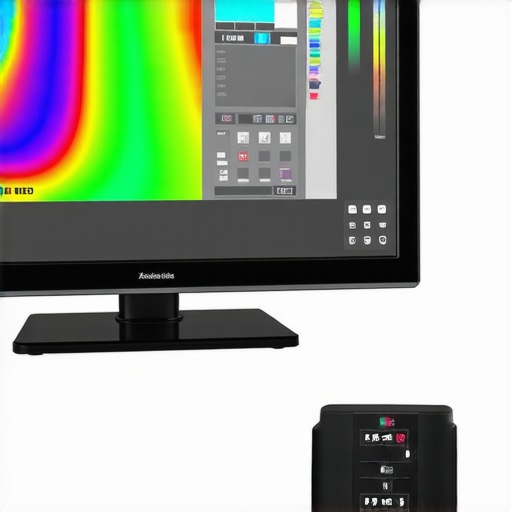
Image Prompt: High-resolution photo of a professional calibration setup with X-Rite colorimeter on a nearby OLED TV, with calibration software screen visible. Alt: Professional OLED TV calibration in progress with tools. Title: OLED Calibration for Long-Term Performance.
The Hardest Lesson I Learned About Home Theater TV, OLED TV, HDR TV, Gaming OLED, Best OLED
One overlooked truth is that even the most advanced OLEDs need consistent calibration to perform at their peak. I used to think that buying a top-tier model was enough, but I soon realized that neglecting calibration routines leads to diminishing picture quality over time. The lesson? Regularly using tools like the X-Rite colorimeter and calibration software not only preserves color accuracy but also uncovers hidden issues before they become problematic.
3 Myths About Home Theater Tech That Held Me Back
- Size Guarantees Experience: Bigger isn’t always better, especially if your room isn’t suited for enormous screens. Proper measurement and seat positioning are more impactful than just going for the largest TV available.
- Peak Brightness Solves All: Brightness matters, but without good local dimming and HDR support, high nits won’t translate into vivid visuals. Focus on HDR performance and contrast details as well.
- Moving Parts Are Risky: Modern OLEDs come equipped with pixel shift and logo luminance features that prevent burn-in. Embracing these technologies means your OLED can last even longer than expected, dispelling fears that static images will ruin the panel.
What Experts Won’t Tell You About Cinematic Clarity
Superior color accuracy isn’t just a bonus; it’s fundamental for a true cinematic experience. Supporting standards like Dolby Vision and a wide color gamut ensures content is displayed as the creators intended. I learned that a focus on these standards during my purchase process dramatically improved my viewing pleasure, especially during HDR content. For the best results, cross-reference reviews with specifications listed in our comprehensive HDR insights.
Avoiding These Common Pitfalls That Sabotage Home Entertainment
One pitfall is ignoring the importance of proper room lighting. Ambient light can wash out OLED images, so consider your room’s lighting environment before purchasing. Additionally, neglecting to check for HDMI 2.1 ports can limit your gaming experience, especially with the latest consoles supporting 4K at 120Hz. These details may seem small, but they can make a significant difference in your overall satisfaction.
Feeling Confident About Your OLED Investment
In the end, my journey taught me that a combination of careful measurement, understanding HDR standards, and ongoing maintenance elevates your home theater to new heights. Tools like top OLED models and calibration routines are vital for long-term enjoyment. Plus, staying informed through reputable guides ensures you make choices grounded in personal experience rather than marketing hype.
Your Next Step Toward Cinematic Excellence
Now that you’ve seen the importance of detailed attention to calibration, room setup, and feature support, it’s your turn to transform your viewing space. The key is to embrace the nuances that truly deliver that cinematic magic—because with OLED technology, your home entertainment can rival the cinema. Don’t wait—start applying these insights today and enjoy stunning visuals for years to come. How will you optimize your OLED setup to unlock its full potential? Let me know below.
For more personalized guidance, consider exploring our expert consultation. Your perfect home theater experience awaits—take that next step now!