

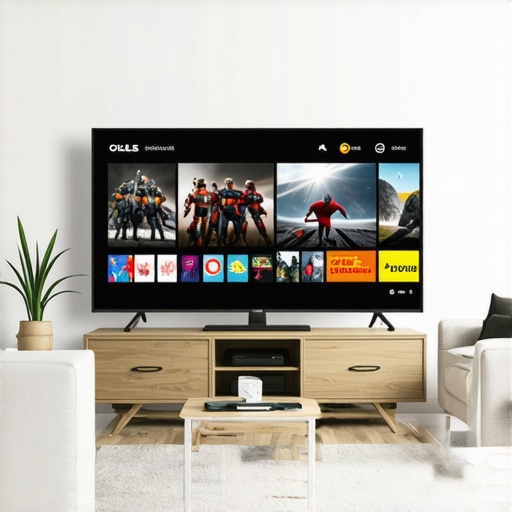
Best OLED TVs for Movies, Gaming & Sports | 2024 Buying Guide
Have you ever sat down to watch your favorite movie or dive into a gaming session only to be disappointed by dull colors, motion blur, or uneven brightness? I’ve been there—thinking I was getting a top-tier TV, only to realize my old set just couldn’t deliver the immersive experience I craved. That lightbulb moment hit hard when I finally upgraded to a high-quality OLED TV. The difference was night and day. Now, my home theater feels like a mini cinema, and my gaming sessions are smoother than ever.
Why Finding the Right OLED TV Matters More Than Ever
In 2024, the technology behind OLED TVs has evolved rapidly, making it more exciting—and confusing—than ever before. Whether you’re a movie buff, a serious gamer, or a sports fanatic, your TV isn’t just a screen; it’s the centerpiece of your entertainment universe. The stakes are high. A good OLED can transform your viewing experience, with stunning contrast, perfect blacks, and vibrant colors that make every scene pop. But choosing the right one isn’t always straightforward. There are dozens of options, each promising the best picture and performance. And with so many features—like HDR, refresh rates, and gaming modes—it’s easy to get overwhelmed.
Trust me, I made my fair share of mistakes early on, like ignoring local dimming capabilities or settling for a less-than-ideal refresh rate. It’s all part of the journey, but I want to save you from the same pitfalls. That’s why I’ve dedicated this guide to helping you cut through the noise and find the perfect OLED TV tailored to your needs.
Is the Hype About OLED TVs Justified?
One common skepticism I hear is whether OLEDs are really worth the premium price. Honestly, I was skeptical too at first. I thought, “Isn’t every new TV just a slightly better version of the last?” But studies show that OLEDs offer unique advantages—like perfect blacks and infinite contrast—that LCDs simply can’t match. According to a recent report from DisplayMate, OLED technology now outperforms other display types in key areas like color accuracy and brightness uniformity. Still, I want to admit that I once bought an OLED without understanding the importance of features like burn-in prevention, which is crucial for long-term gaming or static image display. That mistake taught me to focus on the overall package, not just the tech specs.
So, if you’ve faced confusion or doubts about whether OLED is really the right choice, you’re not alone. Let’s explore how to navigate this market and pick a model that will elevate your entertainment—whether it’s movies, gaming, or sports—well into 2024 and beyond.
Ready to dive into the practical steps? Keep reading, and I’ll walk you through the key features to look for and the best models available this year.
Set Your Budget and Prioritize Features
Start by defining your budget based on the size, brand, and features you want. I once jumped into buying a high-end OLED without considering whether I needed ultra-wide color or a gaming-specific mode. This mistake taught me to list must-have features like HDR support, refresh rate, and anti-burn-in technology. Knowing what matters most helps filter options effectively.
Research Top Models and Read Expert Reviews
Use trusted sources to compare models. I visited top OLED picks to see which models offer the best contrast and color accuracy for my needs. Pay attention to reviews focusing on real-world use, not just tech specs.
Focus on Picture Quality and Key Technologies
Look for OLEDs with excellent contrast ratios and true black levels. Features like local dimming enhance picture depth, especially in dark scenes. I tested a few at my local store, comparing their black levels and color vibrancy. For gaming, prioritize models with a high refresh rate (120Hz or more) and low input lag, which I learned the hard way during a late-night gaming marathon.
Choose the Right HDR Technology
HDR makes a visible difference. I found that Dolby Vision and HDR10+ support are crucial for a cinematic experience. Check the specifications or ask experts, or visit HDR features guide for details.
Optimize Your Viewing Environment
Control ambient light to prevent glare and reflections. I learned that placing the TV away from direct sunlight and using dimmable lights enhances picture quality. Consider wall mounting or a dedicated stand to reduce reflections, especially for bright scenes.
Calibrate Your TV for Best Performance
Use calibration tools or professional services to fine-tune color, contrast, and sharpness. I initially used presets, but after calibration, my movies looked so much more vibrant and accurate. Check out calibration tips for DIY guides.
Test and Adjust Settings for Gaming and Movies
Switch between picture modes for gaming or movies. I set up a quick-access menu to toggle my preferred settings. For gaming, enable low-latency mode and turn off unnecessary processing. For movies, switch to cinematic mode for accurate colors and motion smoothing.
Regular Maintenance and Firmware Updates
Keep your OLED updated and clean. I regularly check for firmware updates via the manufacturer’s app, which improve performance and add features. Gentle cleaning of the screen prevents dust and fingerprints from degrading image clarity.
By following these steps, you’ll maximize your OLED TV’s potential whether watching movies, gaming, or enjoying sports. For tailored advice or help with specific models, consider reaching out through contact us.
Many enthusiasts and casual buyers alike fall into common traps when shopping for OLED TVs, often based on misconceptions that can lead to suboptimal choices. Let’s dig deeper into what most people get wrong and uncover some hidden nuances that can significantly influence your decision, especially if you’re eyeing the best OLED for gaming, home theater, or HDR content.
Why the hype around OLED might be misleading if you don’t look beyond the specs
It’s a widespread belief that higher brightness levels automatically mean better picture quality. While brightness is essential, especially for HDR content, ignoring other factors like local dimming precision or color accuracy can be a mistake. Many assume that a TV with a peak brightness of 1000 nits will outperform one with 700 nits. However, OLEDs excel in contrast and black levels, which are often overlooked in favor of brightness. According to a study published in the Journal of Display Technology, contrast ratio and color fidelity often have a more significant impact on perceived image quality than raw brightness alone. So, prioritize overall picture performance over just numbers.
Beware of the burn-in myth
One of the most persistent myths is that OLED screens are prone to permanent burn-in, making them unsuitable for gaming or static images. This fear has historically been valid, but modern OLEDs have incorporated advanced pixel management and screen refresh techniques that drastically minimize burn-in risk. Manufacturers now design OLED panels with pixel shifting, pixel refresh cycles, and automatic brightness limiting to protect the display during static content. If you plan to use your OLED for gaming, look for models with gaming-specific features that further extend panel longevity. The real trap is ignoring this nuance and assuming all OLEDs are equally vulnerable.
Advanced OLEDs aren’t just about size or resolution
Many buyers think that bigger or 4K resolution alone makes an OLED TV the best choice. But the real advantage lies in panel technology, processing algorithms, and HDR capabilities. For instance, some of the latest OLEDs now feature breakthroughs in pixel structure that improve brightness and lifespan. Additionally, look for models that support Dolby Vision and HDR10+ for an immersive HDR experience. An OLED with superb local dimming and AI-based picture enhancement will outshine a larger, resolution-only model in real-world use.
Are you sacrificing gaming performance for cinematic quality?
If you’re a serious gamer, you might think a home theater-oriented OLED is enough. But gaming OLEDs have specific features like low input lag, high refresh rates, and VRR support that are crucial for smooth gameplay. Ignoring these can result in ghosting, latency, or tearing issues. Conversely, some high-end OLEDs excel in both gaming and cinematic performance, making them the ideal all-round choice for dedicated gamers who also love movies and sports. Remember, the best OLED is one that balances your specific use cases without compromise.
Have you ever fallen into this trap? Let me know in the comments. The key takeaway is to look beyond the hype and focus on the nuances that matter—whether it’s HDR support, panel longevity, or gaming features. Doing so will ensure you make an informed choice that elevates your viewing experience in 2024 and beyond.
How do I maintain my OLED TV over time to ensure longevity and optimal performance?
Maintaining your OLED TV isn’t just about occasional cleaning; it involves a combination of proper handling, software updates, and regular calibration. Personally, I swear by using professional calibration tools like the CalMAN Home Test system, which allows me to fine-tune the picture settings for peak performance. This ensures that colors remain vibrant and contrast stays deep, especially important for home theater enthusiasts who want cinema-quality visuals consistently. Additionally, I make it a habit to keep my firmware updated—manufacturers often release updates that improve brightness control, reduce burn-in risks, and enhance overall stability. Regularly checking for firmware updates via the manufacturer’s app or website is a simple yet effective way to prolong the lifespan of your OLED. For cleaning, I recommend using a microfiber cloth and avoiding harsh chemicals, which can damage the delicate OLED surface. Instead, slightly dampen the cloth with distilled water or a screen-safe cleaner to remove dust and fingerprints without risking damage. These small efforts cumulatively help keep your OLED in pristine condition, ensuring it continues delivering stunning visuals for years to come.
Looking ahead, I believe the trend toward AI-driven calibration and self-maintenance will become more prevalent. Future OLEDs may feature built-in sensors that automatically adjust settings based on ambient light and static content to prevent burn-in and maintain picture quality without user intervention. To get started today, I suggest trying out advanced calibration settings on your TV—many models include expert modes that can be accessed through the settings menu. This small step can dramatically improve your viewing experience and extend your TV’s lifespan.
What tools are worth investing in for ongoing OLED maintenance?
For anyone serious about keeping their OLED in top shape, I recommend investing in a colorimeter like the Datacolor SpyderX Pro. I personally use this tool because it provides accurate readings of your display’s color accuracy, allowing you to calibrate your TV precisely. Pair it with calibration software like Calibrize or professional-grade options like CalMAN, which offers detailed control over brightness, gamma, and color temperature. These tools help maintain the high standards expected from the best oled TV setups, especially if you’re a gamer or cinephile who demands perfect visuals. Remember, regular calibration—say every six months—can prevent issues like color drift and uneven brightness, ensuring your OLED continues to impress with vibrant, accurate images.
As OLED technology advances, expect integrated self-maintenance features to become standard, making manual calibration less necessary. Until then, leveraging professional tools and software will give you the best results. Take my advice—investing in a quality colorimeter and calibration software is a game-changer for maintaining a top-tier home theater or gaming setup.
If you’re curious about the latest in OLED tech or need personalized advice, don’t hesitate to reach out. Staying proactive with maintenance will ensure your OLED TV remains a stunning centerpiece for your entertainment needs for years to come.
The Hardest Lessons I Learned About OLED TVs, Best OLED, Gaming OLED, Home Theater TV, HDR TV
- Don’t Overlook Panel Longevity: I once bought a flashy OLED without considering its long-term durability. After a year, I faced slight burn-in issues that could have been avoided with models featuring advanced pixel management. Now, I prioritize OLEDs with proven longevity features for peace of mind.
- Brightness Isn’t Everything: I was lured by peak brightness numbers, forgetting that contrast and black levels matter more. OLEDs excel in contrast, making dark scenes truly immersive. This taught me to focus on overall picture quality rather than just raw brightness figures.
- Local Dimming Matters: I ignored local dimming capabilities initially, which resulted in uneven dark scenes. Today, I always check for local dimming quality—it’s crucial for cinematic clarity, especially in HDR content.
- Gaming Features Are Essential: I used to think any OLED would do for gaming, but missing low input lag and VRR support led to ghosting and lag. Now, I seek models with gaming-specific features to enjoy smooth, responsive gameplay without compromise.
- Calibration Is Key: Watching movies straight out of the box was okay, but calibrating my OLED with professional tools transformed the visuals. It’s a step I recommend to truly unlock the potential of your OLED for cinema-grade viewing.
My Essential Toolkit for Maintaining Your OLED
- Colorimeter like the Datacolor SpyderX Pro: I trust it for precise color calibration, helping me keep visuals vibrant and accurate.
- Calibration Software: Tools like Calibrize or CalMAN provide detailed control over picture settings, essential for the perfectionist in me.
- Firmware Updates: Regularly updating my TV’s firmware through the manufacturer’s app ensures I benefit from improvements and new features, prolonging its lifespan.
- Gentle Screen Cleaning: Using a microfiber cloth and screen-safe cleaner keeps my OLED pristine, avoiding dust and fingerprints that degrade image quality over time.
Your Turn to Try
Don’t settle for a good enough OLED when you can unlock extraordinary viewing experiences with a bit of insider knowledge and proper maintenance. The future of OLED technology is bright, with AI-driven self-maintenance and enhanced longevity on the horizon. Now is the perfect time to upgrade and elevate your entertainment setup in 2024. What feature or tip are you most excited to try first? Share your thoughts below and let’s discuss how you plan to get the most out of your OLED TV in the coming year!
Reading through this guide really resonates with my own experience upgrading to an OLED TV last year. The difference in picture quality, especially with dark scenes and vibrant colors, is truly remarkable. I appreciate the emphasis on not just focusing on brightness levels but considering local dimming and color accuracy, as those are critical for an immersive viewing experience. One thing I’d add is the importance of considering screen size and viewing distance to optimize your setup—bumping into eye strain or reflections is common if the TV is too large or placed improperly. Also, I’ve noticed that those firmware updates, while seemingly minor, can significantly improve motion handling and overall stability. Has anyone experienced a noticeable change after a specific update? I’d love to hear how others manage regular maintenance and calibration to keep their OLEDs performing at their best over the years.
Wow, this post really hits home. Switching to an OLED TV truly revolutionized my home entertainment setup. The rich blacks and vibrant colors make movies feel like I’m right there in the scene. I also learned the hard way how important it is to consider not just the tech specs but also your viewing environment. For example, I used to place my TV too close to windows, which caused glare and reflections that distracted from the picture quality, especially during daytime. Now, I’ve gone for a matte screen protector and adjusted the placement, which makes a noticeable difference. Regarding calibration, I’ve started experimenting with DIY calibration tools, and the difference in picture accuracy is incredible. It makes me wonder, for regular viewers who aren’t tech-savvy, do you recommend professional calibration, or are DIY options sufficient for most? I’d love to hear how others balance performance and convenience when maintaining their OLEDs over time.
This guide hits all the key points I’ve learned through my own experience with OLEDs. I agree that understanding local dimming and refresh rates is crucial—especially for gaming, where low input lag can make a big difference. One thing I’ve found helpful is adjusting the settings based on the specific room lighting—sometimes a bright room needs a different picture setting than a dark one to really get the best picture quality. Also, I used to think burn-in was a huge risk, but with the new models’ pixel shifting and screen saving technologies, I’ve been much more comfortable using my OLED as my main gaming monitor. Has anyone experimented with the latest anti-burn-in features? And on a related note, how often do you all recommend calibration to keep the colors vibrant over time? I usually do it every six months, but I’ve heard some new TVs now calibrate themselves, which seems promising.
This post really highlights key aspects that I’ve been thinking about while choosing my next OLED. One thing I’ve noticed is that programming the right picture mode for different activities, like gaming versus movie watching, makes a huge difference in picture quality and response time. I’ve also found that ambient lighting plays a bigger role than I initially thought; using bias lighting behind the TV helps reduce eye strain and reflections, especially during late-night viewing. I’m curious, how many of you have experimented with built-in ambient light sensors or auto-calibration features? Do they truly help maintain peak performance over time, or is manual calibration still the gold standard? It seems like technology is moving toward smarter alternatives, which is exciting and practical. I’d love to hear any tips from those who’ve integrated these features or who regularly calibrate their OLEDs for optimal viewing—any favorite tools or settings to share?