

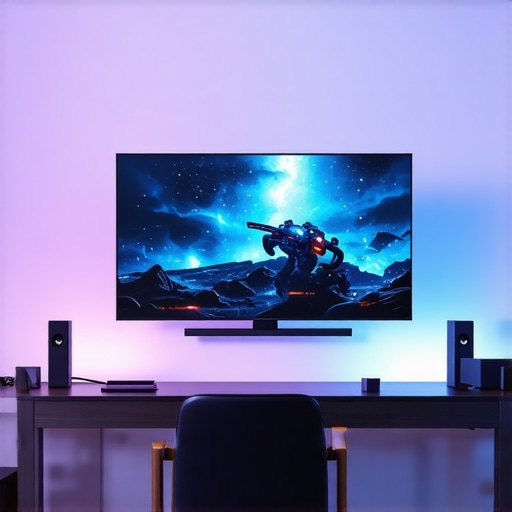
Top Gaming OLED Screens & HDR OLED TV Models for 2024 | Enhance Your Entertainment Setup
Have you ever been in the middle of an intense gaming session or a gripping movie night, only to be disappointed by dull colors, ghosting, or washed-out visuals? I’ve been there. It’s frustrating when your entertainment setup falls short just when you’re expecting that immersive experience. The moment I realized my old TV wasn’t cut out for modern gaming or HDR content, I knew I had to upgrade. That lightbulb moment led me down a rabbit hole of researching the best OLED screens for gaming and home theater in 2024. And let me tell you, the difference a high-quality OLED can make is nothing short of stunning.
Why Upgrading to a Gaming OLED or HDR OLED TV Matters Now
In 2024, the technology behind OLED TVs has advanced rapidly. These screens offer unparalleled contrast, perfect black levels, and vibrant colors that truly pop. If you’re serious about gaming, HDR movies, or sports, a top-tier OLED can transform your viewing experience from average to breathtaking. Plus, with the latest models boasting faster refresh rates, lower input lag, and better motion handling, gaming on OLED has never been more seamless. The real challenge? Choosing the right model among so many options.
Have you ever felt overwhelmed by the sheer number of choices?
When I first started looking, I made the mistake of focusing solely on brand names and price. That led to buying a model that looked great but underperformed in real gaming scenarios. It wasn’t until I dug into reviews and specs—like response times and HDR capabilities—that I truly understood what to look for. For an in-depth guide, I recommend checking out this resource. It helped me avoid the common pitfalls and made my upgrade worthwhile.
If you’re tired of blurry images, motion blur, or just want to enjoy your favorite content in stunning clarity, stay tuned. In the next sections, I’ll share the top models for 2024, what features matter most, and how to pick the perfect OLED tailored to your needs.
Choose Your Ideal Screen Size and Placement
Start by assessing your room size and viewing distance. For gaming and movies, a 55 to 65-inch OLED is usually ideal. Mount the TV at eye level, ensuring minimal neck strain. I once bought a massive 75-inch model, only to realize I had to sit too close, which caused eye fatigue. After repositioning, everything felt more immersive and comfortable.
Optimize Your Room for Brightness and Contrast
Dark rooms enhance OLED contrast, making blacks truly black. I used blackout curtains and dimmed ambient lighting during my setup. This small change immediately boosted picture quality. For the best HDR experience, eliminate reflections and ensure your walls are neutral in color. A well-lit room can wash out OLED’s perfect black levels, so plan accordingly.
Calibrate Your TV Settings for Peak Performance
Proper calibration unlocks OLED potential. Use a calibration disc or dedicated software to set brightness, contrast, and color. For HDR content, enable “HDR Gaming” or “Movie Mode”—these presets optimize tone mapping. I spent an afternoon tweaking settings and was amazed at the difference in color accuracy and motion clarity. For expert tips, check out this guide.
Leverage Gaming Features for Smooth Play
Activate the game mode on your OLED to reduce input lag. Many models now support HDMI 2.1 features like VRR (Variable Refresh Rate) and ALLM (Auto Low Latency Mode). I tested these features with a new gaming console, and the response times improved dramatically, making fast-paced shooters feel more responsive. For detailed model comparisons, see this resource.
Enhance Your Home Theater with Sound and Accessories
Pair your OLED with a soundbar or home theater system for cinematic audio. I added a compact soundbar under my TV, which filled the room without overwhelming it. Also, consider a universal remote or smart home integration for convenience. Proper cable management and calibration ensure a clutter-free, immersive environment. Dive into top home theater tips for more ideas.
Many enthusiasts believe that selecting the latest OLED TV with high contrast and vibrant colors guarantees an optimal experience. But in reality, there are nuanced pitfalls and misunderstandings that can significantly impact your setup’s performance. Let’s dig deeper into what most people get wrong about OLED TVs, especially when aiming for gaming, HDR, or home theater excellence.
Are all OLED panels created equal for gaming and HDR?
Contrary to popular belief, not every OLED is optimized for high-speed gaming or HDR content. Some models prioritize image quality for movies but compromise on response times or VRR (Variable Refresh Rate). For instance, many assume that a high peak brightness alone makes an OLED ideal for HDR, but without good local dimming or processing, the contrast in HDR scenes may not be as stunning as expected. Experts recommend scrutinizing response times, input lag, and HDR peak brightness—key factors that influence gaming fluency and HDR vividness. Check out this resource for detailed comparisons.
Another common myth is that OLEDs are immune to burn-in. While modern models have mitigated this risk, it’s essential to understand usage patterns to avoid long-term image retention. Many users overlook the importance of pixel shifting, screen savers, or avoiding static UI elements during extended gaming sessions. This oversight can lead to permanent image retention, especially on OLEDs with higher brightness settings. For a comprehensive guide on maintaining OLED longevity, see this article.
How does calibration affect your OLED’s performance in a home theater?
Calibration is often underestimated. Many assume that factory settings are sufficient, but fine-tuning contrast, gamma, and color can unlock hidden potential. An improperly calibrated OLED can display washed-out whites or overly dark blacks, diminishing HDR impact. Advanced users should consider professional calibration or use tools like calibration discs or software. Proper calibration ensures your OLED displays the intended cinematic experience, especially in dark rooms where black levels are critical. For expert calibration tips, visit this guide.
Furthermore, many overlook the importance of room lighting and screen placement. Even the best OLED can underperform if glare or reflections are not managed. Ambient lighting should be controlled to prevent washing out the picture, especially for HDR content. Darker rooms tend to maximize contrast and black levels, making your OLED shine.
Have you ever fallen into this trap? Let me know in the comments. Remember, choosing the right OLED TV involves more than just specs; understanding these nuances ensures you get the most out of your investment.
Maintaining your OLED TV’s stunning performance over time requires more than just initial setup. From calibration to cleaning, using the right tools can significantly extend your TV’s lifespan and ensure your viewing experience remains top-notch. In this guide, I’ll share the specific tools and methods I personally use to keep my OLED in pristine condition, along with insights into future trends in TV maintenance.
How do I maintain my OLED TV over time?
One of the most effective ways to preserve your OLED’s picture quality is through regular calibration. I rely on the CalMAN calibration software paired with a Colorimeter device. This combo allows me to fine-tune contrast, gamma, and color accuracy precisely. I personally use the SpyderX Elite because it’s highly accurate and easy to operate, even for enthusiasts. Regular calibration ensures blacks stay deep, colors stay vibrant, and HDR content pops just as intended.
In addition, I recommend using a screen cleaning kit designed for OLED screens. My go-to is the EcoMoisture Screen Cleaning Kit. It’s alcohol- and ammonia-free, preventing damage while removing dust and fingerprints. I clean my screen at least once a month, especially after long gaming or movie marathons, to maintain clarity and prevent buildup that can cause glare or reflections.
Why invest in a power surge protector and UPS?
Power fluctuations can damage sensitive OLED components over time. I’ve seen firsthand how a quality surge protector and a UPS (Uninterruptible Power Supply) can safeguard my TV during thunderstorms or power outages. This small investment prevents unexpected surges from degrading internal electronics, helping your OLED last longer and perform consistently.
Looking ahead, I believe that integrated AI-powered calibration tools will become more common, automating adjustments for color, brightness, and even burn-in mitigation. Manufacturers are also exploring advanced pixel-shifting algorithms and self-healing panels that can repair minor image retention issues over time. Staying updated with these innovations will be crucial for enthusiasts seeking long-term performance.
Try this advanced tip to enhance your OLED’s longevity
One tip I highly recommend is enabling the pixel shifting feature—a built-in setting on most high-end OLEDs. This subtly moves the image at set intervals, preventing static UI elements or menus from causing burn-in. I’ve turned this feature on permanently, especially when gaming or using the TV for extended periods. It’s a simple yet effective way to protect your investment. For more detailed info, check out this article.
Implementing these practices with the right tools will ensure your OLED TV remains vibrant and flawless for years to come. Don’t forget to schedule regular calibrations and keep your software up to date—these small steps make a big difference in sustaining optimal performance. Now that you’re equipped, go ahead and try out one of these tips today and enjoy a consistently breathtaking viewing experience.
What I Wish I Knew Before Going All-In on OLED
- One of my biggest surprises was realizing that not all OLEDs handle fast-paced gaming equally. Response times and VRR support vary significantly, and choosing a model without these features can leave you frustrated with lag and ghosting. My lightbulb moment was discovering how crucial these specs are, not just the contrast and color quality.
- Burn-in worries are often overstated, but understanding usage patterns is key. I learned to activate pixel shifting and avoid static images during long gaming sessions, which has kept my OLED pristine over the years. It’s these small adjustments that make a big difference in longevity.
- Calibration is more than just a fancy term; it’s essential. Fine-tuning contrast and gamma using professional tools like the SpyderX Elite has transformed my viewing experience, revealing details I didn’t know were there. Factory settings are just the starting point.
- Room lighting plays a bigger role than I initially thought. Controlling ambient light and minimizing reflections turned my dark room into a perfect OLED showcase, especially for HDR content. It’s about creating the right environment for those vibrant colors and deep blacks.
My Top Picks for OLED Gear in 2024
For those looking to take their setup to the next level, I highly recommend exploring tools like the SpyderX Elite for calibration. It’s been a game-changer for me. Pair that with a quality screen cleaning kit to keep my display spotless. A surge protector and UPS from trusted brands shield my investment from power fluctuations. And for a deeper dive into the latest OLED models and gaming features, I consult the comprehensive guides at Ultimate Home Displays.
Take Action and Elevate Your Viewing Experience Today
The future of OLED technology is bright, with innovations like self-healing panels and AI-driven calibration on the horizon. But the real magic happens when you apply what you’ve learned—calibrate properly, protect your investment, and optimize your environment. Your perfect gaming and movie nights are within reach. Don’t wait—start upgrading your home theater now and experience the difference that expert knowledge makes.
What’s been your biggest challenge in setting up or maintaining an OLED TV? Share your story below—I’d love to hear your experiences and tips!
,
Reading through the post really resonated with me, especially the part about calibration making such a difference in picture quality. I recently upgraded to a high-end OLED and found that spending some time tweaking the settings using professional calibration tools like the SpyderX significantly improved my HDR experience. It’s incredible how much detail and depth become visible once you get the calibration just right. Have any of you experimented with different presets like ‘Cinema’ or ‘Game Mode’ before calibrating? I’ve noticed that starting with these presets and then fine-tuning can save a lot of time and yield better results. Also, managing ambient lighting has been a game-changer for me—dimming the room really makes blacks look deeper and enhances contrast. What’s your setup like, and do you have any tips for minimizing glare and reflections, especially in well-lit rooms? Would love to hear what’s worked for others to get the most out of their OLEDs in various environments.
This is such a comprehensive post! I recently upgraded to a 2024 OLED model mainly for gaming, and I can attest to the importance of response times and VRR support. Before, I used to focus only on peak brightness and contrast, but after reading more about specs like input lag and motion handling, I realized how critical these features are for a seamless gaming experience. I also found that enabling game mode and calibrating the settings specifically for gaming made a huge difference. As for room setup, I invested in blackout curtains and make sure to reduce ambient light as much as possible to get that perfect black level and contrast—especially when playing in HDR. Have others here tried using any automatic calibration tools, or do you prefer manual tweaking? I’m curious to hear about different approaches, especially if they’ve helped improve your experience without professional calibration equipment. Overall, the combination of choosing the right model, proper calibration, and optimizing room conditions seems to be the winning formula for enjoying the full potential of OLED TVs.
I totally agree with everything shared here. For my own setup, I’ve found that adjusting the OLED’s picture mode to something like ‘Cinema’ or ‘HDR’ initial preset really helps gauge the overall tone before fine-tuning. The room lighting, especially controlling ambient glare, has been a game changer for me—dimming the lights or using matte screen protectors can make a noticeable difference. I’ve also started experimenting with automatic calibration tools, like the CalMAN software paired with a colorimeter, and it has simplified the process significantly without sacrificing accuracy.
What about others who have used these tools? Do you think automation can match the precision of manual calibration? Also, has anyone tried the pixel shifting feature if burn-in is a concern? I’ve noticed it’s surprisingly effective, but I’d love to hear other users’ experiences or tips for the best practices to prolong OLED lifespan while enjoying vivid HDR scenes and fast-paced gaming. The key seems to be a combination of proper calibration, room environment, and smart settings—what’s been your most impactful tweak so far? Would be great to gather more insights from fellow enthusiasts.