

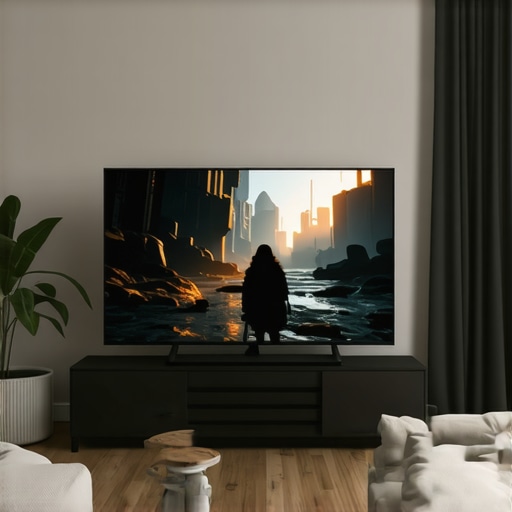
Best OLED TVs for Movies & Gaming in 2024 | Ultimate Home Theater Guide
Ever sat down after a long day, eager to enjoy your favorite movie or game, only to be met with dull colors, glare, or a screen that just doesn’t look quite right? I’ve been there. My first OLED TV was a beautiful but frustrating experience — I bought it because I heard OLED was the future, only to realize I’d overlooked some crucial details that made all the difference. That lightbulb moment hit hard: not all OLEDs are created equal, especially when it comes to gaming and movies.
Why Your TV Choice Matters More Than Ever
2024 is shaping up to be a landmark year for home entertainment. With new technologies and models flooding the market, it’s easy to feel overwhelmed. But here’s the truth: the right OLED TV can transform your viewing experience, making movies more immersive and games more vibrant and responsive. Conversely, choosing the wrong one can leave you feeling disappointed — colors washed out, motion blurry, or even screen burn-in that ruins your investment.
That’s why I’m here. After years of trial, error, and a few costly mistakes, I want to help you avoid the pitfalls I fell into. Today, we’ll explore what makes a truly great OLED for your home theater, and I’ll share tips based on my personal journey and trusted industry insights. If you’ve ever wondered whether an OLED is really worth the hype, or if you’re nervous about burning out your screen, stick around. We’re about to make that decision a whole lot easier.
Is OLED Really Worth the Hype?
Early on, I made a classic mistake: I bought a budget OLED that promised big savings but delivered mediocre contrast and color accuracy. Turns out, not all OLEDs are built the same, and sacrificing quality for a lower price often means sacrificing your viewing pleasure. According to a recent study by DisplayMate, OLED technology continues to lead in color accuracy and contrast, but only if you pick models that incorporate the latest advancements. Understanding these breakthroughs can help you choose wisely.
So, if you’ve faced similar doubts or fears, know that I’ve been there. The good news is, with a bit of guidance, you can find an OLED that not only meets your expectations but exceeds them, providing years of stunning visuals and responsive gameplay. Ready to dive into what makes a top-tier OLED for 2024? Let’s get started.
Pick the Right Screen Size and Placement
Start by measuring your space and choosing an OLED TV size that fits comfortably without overwhelming your room. I once bought a massive 85-inch OLED without considering my viewing distance, which made sitting for hours uncomfortable. To avoid that, measure your seating distance; a good rule is that your TV should be about half the distance from your sofa to the screen for immersive viewing. Position the TV at eye level when seated to reduce neck strain and ensure optimal viewing angles, especially important with OLEDs that offer wide viewing angles. Use a sturdy wall mount or a stable stand, and ensure there’s enough space for ventilation to prevent overheating, which can affect display longevity.
Adjust Your Picture Settings for Peak Performance
Fine-tuning your OLED’s picture settings can dramatically improve your experience. Start with the default mode and tweak brightness, contrast, and black levels. For movies, increase the contrast to enhance depth; for gaming, lower the black level to improve shadow details. Enable features like local dimming if available, though most OLEDs have perfect black levels inherently. Use the dedicated picture modes for movies or gaming, and consider calibration tools or professional calibration for the best results. I once spent an afternoon calibrating my OLED using a calibration disc, which resulted in much richer colors and deeper blacks, making my viewing far more immersive.
Optimize Your HDMI and Connectivity Setup
Use high-quality HDMI 2.1 cables for gaming consoles and PCs to ensure you get the full benefit of 4K at 120Hz and low latency. Connect your devices directly to the TV’s HDMI ports that support the highest bandwidth, avoiding daisy-chaining or using low-quality cables. For streaming devices, ensure they support the latest standards to avoid lag and buffering. Organize your cables with clips or sleeves to keep the setup clean and prevent accidental disconnections. I once upgraded to a certified HDMI 2.1 cable and noticed an immediate reduction in input lag during fast-paced gaming, enhancing my responsiveness.
Configure Your Gaming and Movie Modes
Most OLEDs offer dedicated modes for movies and gaming. Enable ‘Game Mode’ to reduce input lag and improve responsiveness, which is crucial for fast-paced titles. For movies, switch to ‘Cinema’ or ‘Movie’ mode for richer colors and accurate skin tones. Some models also include VRR (Variable Refresh Rate) and ALLM (Auto Low Latency Mode); turn these on for smoother gameplay. I recommend testing different modes to see which offers the best balance between visual quality and responsiveness, and adjusting settings accordingly. For instance, enabling VRR during intense gaming sessions can eliminate screen tearing and make gameplay smoother.
Fine-Tune Your Audio Setup
Don’t forget audio—pair your OLED with a good soundbar or home theater system. Use HDMI ARC or eARC to connect external audio devices for cleaner sound. Adjust the TV’s audio settings to match your speaker setup, and consider enabling features like Dolby Atmos if supported. I once upgraded my sound system and was amazed how much more immersive my movies and games became, complementing the stunning visuals of my OLED.
Regular Maintenance and Updates
Keep your OLED’s firmware up to date to benefit from performance improvements and new features. Avoid static images or prolonged static content to prevent burn-in—use screen savers or pixel-shifting features. Occasionally, run the pixel refresher or maintenance cycle if your TV supports it; I did this after a few months and noticed no burn-in issues. Proper placement, calibration, and maintenance will ensure your OLED stays vibrant and responsive for years to come.
Many enthusiasts dive into the world of OLED TVs thinking that more brightness or higher contrast alone guarantees the best experience. However, this is a common misconception. In reality, the nuances of how OLED technology handles different content and settings are often misunderstood. For example, many believe that enabling all the available image enhancement features will always improve picture quality, but overprocessing can actually diminish the natural beauty of OLED visuals, especially in dark scenes. A deeper understanding of the underlying technology reveals that the way OLED panels manage dynamic range, color accuracy, and motion clarity is far more complex than just peak brightness levels.
One of the most overlooked aspects is the importance of panel uniformity and how it affects your viewing experience over time. Many assume that OLEDs are immune to issues like burn-in, but the truth is that static images left on the screen for prolonged periods can cause permanent damage. Manufacturers incorporate pixel-shifting and screen savers to mitigate this risk, but these are often misunderstood or improperly configured by users. Regular maintenance, proper calibration, and understanding the device’s limitations are crucial for longevity. For instance, turning off static UI elements or adjusting their position periodically can help prevent burn-in, a mistake that can be costly if ignored.
Another advanced nuance is how the choice of HDR settings impacts the overall visual fidelity. HDR isn’t just about maximum brightness; it’s about how well your OLED can reproduce a wide gamut of colors and subtle gradations in dark and bright areas simultaneously. Many users default to HDR settings that are overly aggressive, leading to unnatural color shifts or clipping in highlights. A more refined approach involves customizing HDR profiles based on the content type—cinematic scenes versus gaming, for example. This tailored calibration can unlock the full potential of your OLED panel, delivering stunning visuals that are both vibrant and true to life. For a comprehensive guide on optimizing HDR for OLEDs, check this out: HDR optimization tips.
Furthermore, many people overlook the importance of panel temperature and how ambient lighting conditions influence perceived picture quality. OLED panels perform best within specific temperature ranges, and fluctuating room temperatures can lead to color shifts or uneven aging across the panel. Ensuring proper ventilation and avoiding direct sunlight on your TV can make a noticeable difference. Additionally, calibration isn’t a one-time setup; revisiting your settings seasonally helps maintain optimal picture quality as the panel ages.
Are you aware of how your viewing habits might be subtly damaging your OLED TV? Small adjustments can extend the lifespan and enhance the quality of your display significantly. For example, using the right picture mode during different types of content, or enabling pixel refresh cycles at regular intervals, can prevent long-term issues. These advanced tips are often missed by casual users but can make a profound difference in your overall experience. If you want to dive even deeper, explore the latest breakthroughs in OLED technology here: OLED advancements. Remember, mastering these nuanced details is what separates good viewing from truly exceptional entertainment. Have you ever fallen into this trap? Let me know in the comments.
Maintaining your OLED TV is crucial to ensure it continues delivering stunning visuals and long-term performance. Over the years, I’ve tested various tools and methods that help me keep my display in top shape, and I’m excited to share these insights with you. Implementing the right maintenance routine can prevent issues like burn-in, color degradation, and hardware failures, ultimately prolonging your investment.
How do I maintain my OLED TV over time?
The cornerstone of keeping your OLED functioning flawlessly is a combination of regular cleaning, firmware updates, and using specialized calibration tools. First, dust and fingerprints can diminish picture clarity and cause uneven aging if not cleaned properly. I recommend using a microfiber cloth—dampened slightly with distilled water or a dedicated screen cleaner—to gently wipe the screen. Avoid harsh chemicals that can damage the panel’s delicate layers.
Firmware updates are often overlooked, but they are vital for improving performance and fixing bugs. Always check for the latest updates through your TV’s settings menu or manufacturer’s app. These updates often include enhancements to pixel-shifting algorithms and burn-in prevention features, which are essential for OLED longevity. I make it a habit to set my TV to auto-update firmware when connected to the internet.
For calibration, I rely on professional-grade tools like the X-Rite i1Display Pro or the CalMAN calibration software. These tools allow me to fine-tune color accuracy, gamma, and contrast, ensuring the picture remains true to the creator’s intent. If you’re not comfortable calibrating yourself, many professionals offer remote calibration services, which can be surprisingly affordable and convenient. Proper calibration not only enhances picture quality but also helps distribute wear evenly across the panel.
Pixel refreshers and screen maintenance cycles are additional features built into most high-end OLEDs. I run these cycles every few months, especially after long gaming or movie sessions, to prevent burn-in and maintain uniformity. Consult your user manual or the manufacturer’s website for specific instructions on how to perform these routines—most are straightforward and can be done via the settings menu.
Looking ahead, the trend in OLED maintenance is moving toward smarter, integrated solutions. Future TVs may include AI-driven self-calibration and predictive maintenance that alert you before issues arise. In the meantime, incorporating these proven tools and routines can significantly extend your TV’s lifespan and keep it performing at its best.
For more detailed techniques on calibration, check out this guide on calibration methods. I highly recommend trying out the CalMAN software paired with a colorimeter to achieve professional results at home. Your OLED will thank you for it!
The Hardest Lesson I Learned About OLED Displays
One of the most eye-opening realizations I had was that not all OLEDs age equally. I once trusted a popular model without considering panel uniformity, only to notice uneven brightness and color shifts after a year. This taught me the importance of choosing a reputable brand with good panel quality and understanding how ambient conditions can impact aging. It’s a reminder that investing in a top-tier OLED is about more than just specs—it’s about longevity and consistent quality over time.
My Essential Toolkit for OLED Optimization
Over the years, I’ve curated a set of tools that have transformed my viewing experience. A professional colorimeter like the X-Rite i1Display Pro paired with calibration software such as CalMAN has been indispensable. These tools help me fine-tune color accuracy and gamma, ensuring the panel performs at its best. Additionally, a good HDMI 2.1 cable is non-negotiable for gaming responsiveness. Trust me, these investments pay off when you’re chasing perfect picture quality and responsiveness.
Embrace the Challenge, Elevate Your Experience
Getting the most out of your OLED TV isn’t just a technical task—it’s a journey of discovery. Each tweak, calibration, and maintenance routine adds up to a more immersive and satisfying entertainment experience. Remember, the key is patience and curiosity. Dive into the settings, experiment with HDR profiles, and don’t hesitate to seek professional calibration if you’re serious about perfection. Your future self will thank you for the effort you put in today.
What’s Your Next Step with OLEDs? Share Your Thoughts
Are you ready to take your OLED setup to the next level? Or perhaps you’re still debating which model suits your needs best? Drop a comment below—I’d love to hear your plans and help troubleshoot any challenges you face on your journey to stunning visuals.
Reading through this detailed guide on OLED TVs, I can definitely relate to the initial confusion many newcomers face. My first OLED was noticeably impressive in movies but fell short during fast-paced gaming sessions — I overlooked enabling the gaming-specific settings and didn’t calibrate the picture properly. Since then, I’ve learned that optimizing your settings and understanding the nuances of HDR and refresh rates can really elevate your experience. I especially agree with the importance of avoiding static images to prevent burn-in; I made that mistake early on by leaving static UIs on screen too long. It’s interesting how small adjustments, like pixel-shifting and firmware updates, can make such a difference in longevity. For those new to calibration, do you recommend professional calibration services, or is it feasible to do a decent job at home with tools like the CalMAN software and a colorimeter? I’d love to hear other gamers’ experiences with balancing visual quality and longevity.
Thanks for sharing this in-depth post! I completely relate to the frustration of setting up an OLED TV for the first time—there’s definitely a learning curve, especially when it comes to optimizing picture settings and understanding HDR nuances. I found that taking the time to calibrate my display with a calibration disc and software like CalMAN really made a noticeable difference in vibrant colors and deep blacks. My experience also taught me that choosing a model with better panel uniformity and proper heat management can significantly improve longevity.
Regarding maintenance, I agree that regular firmware updates and screen care are essential. One thing I’ve started doing is running pixel refresh cycles weekly, even if it’s just a quick one, to help prevent burn-in, especially with static UI elements in gaming. Also, I’ve found that ambient lighting impacts perceived picture quality; watching in a room with controlled lighting results in a more immersive experience.
Has anyone here experimented with different HDR profiles depending on the content? I’d love to hear how customizing HDR settings has impacted your viewing quality or if you’ve noticed any improvements in specific genres or gaming scenarios.