

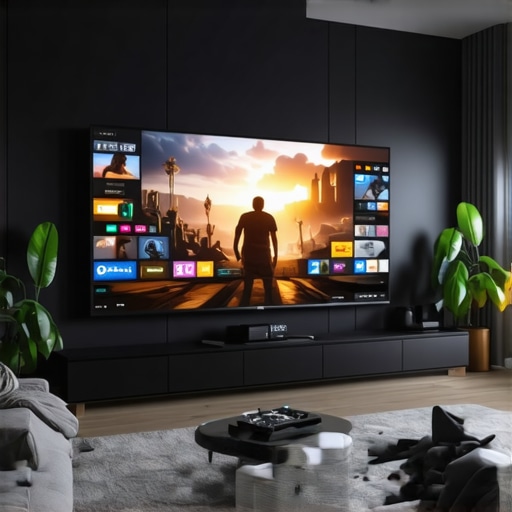
Best OLED TVs for Movies, Gaming & Sports in 2024 | Ultimate Home Theater Guide
Have you ever sat down to enjoy your favorite movie or game, only to be greeted by dull colors, motion blur, or uneven lighting that ruins the experience? I know I have. There was a time when I thought I had a decent TV, but once I upgraded to an OLED, everything changed. Suddenly, movies looked more vivid, gaming became immersive, and sports events felt like front-row seats. That lightbulb moment made me realize how crucial the right display technology is for true entertainment. If you’re tired of settling for less and want to elevate your home theater setup, you’re in the right place. Today, I’ll guide you through how to choose the best OLED TV for your needs in 2024, so you never miss out on the magic of a perfect picture again.
Why Choosing the Right OLED TV Matters More Than Ever
In 2024, the market is flooded with options that claim to be the best, but not all screens are created equal. OLED technology has matured into the gold standard for cinematic quality, gaming responsiveness, and sports viewing. Why? Because OLEDs can produce perfect blacks, vibrant colors, and have faster refresh rates—crucial for fast-moving scenes or competitive gameplay. According to a recent report, OLED TVs now outperform traditional LED/LCDs in every visual metric that matters for home entertainment, making them the top choice for enthusiasts and casual viewers alike.
But here’s the catch: not every OLED is ideal for everyone. I made the mistake early on of assuming that a high price tag meant I was getting the best. It wasn’t until I learned about specific features—like peak brightness, HDR capabilities, and input lag—that I truly started to enjoy my setup. If you’re feeling overwhelmed by the options or worried about whether OLED is worth the hype, I get it. I’ve been there. That’s why I want to help you avoid my rookie mistakes and find the perfect TV that matches your viewing habits and budget.
Is OLED Technology Actually Worth the Hype?
Many skeptics ask whether OLEDs are truly better or just a marketing gimmick. Well, I once bought a cheaper OLED without doing enough research, and I paid the price—cloudy colors and poor durability. It took me some trial and error to discover that not all OLEDs are equal in longevity or performance. For a detailed breakdown of what makes OLEDs stand out, check out this breakthrough guide on OLED technology. The reality is, when chosen wisely, OLED TVs can deliver a stunning visual experience unmatched by other display types, especially when watching movies, gaming, or sports.
So, if you’ve faced the frustration of a less-than-perfect picture or simply want to enjoy your content at the highest quality, stay tuned. I’ll walk you through the key features to look for and how to avoid common pitfalls—so your next TV purchase truly transforms your entertainment world.
Prioritize Your Viewing Environment
First, optimize your room lighting to prevent glare and reflections that diminish OLED picture quality. Use blackout curtains or adjustable lighting to keep ambient light controlled. This step is crucial because OLED screens excel in dark rooms, offering deep blacks and contrast. I once tried setting my OLED in a brightly lit room, and the image looked washed out. After switching to a darker environment, the colors became richer, and details popped. Remember, your environment plays a significant role in how your OLED TV performs.
Pick the Right Size and Position
Measure your space carefully and choose a TV size that fits comfortably without overwhelming your room. Mount your OLED at eye level for the best viewing angle, especially for movies and sports. During my last upgrade, I initially placed a large OLED too high on the wall, which caused discomfort during long viewing sessions. Lowering it to eye level dramatically improved immersion and reduced neck strain. Think of your TV like a window; positioning it correctly ensures you see the whole picture clearly and comfortably.
Adjust Picture Settings for Peak Performance
Fine-tune your OLED’s contrast, brightness, and color settings to match your content. Start with the manufacturer’s picture mode—like Cinema or Movie—and tweak from there. For gaming, you want a low input lag setting; for movies, focus on accurate color and contrast. I experimented with different presets until I found a balance that suited my preferences. For example, enabling HDR and setting the peak brightness to around 700 nits made HDR content look stunning. Use calibration tools or professional guides to get the most out of your display—these resources can be found at this link.
Optimize HDR Settings for Dynamic Content
HDR (High Dynamic Range) unlocks vibrant colors and deep blacks. Make sure your OLED supports the latest HDR standards like Dolby Vision or HDR10+ and enable them in your settings. Adjust the peak brightness to suit your room lighting; higher brightness enhances HDR impact but may reduce contrast if overdone. I learned this firsthand when I increased HDR brightness, and the picture became dazzling but lost some of its depth. To truly enjoy HDR content, ensure your source device (Blu-ray player, streaming box, or gaming console) is configured correctly and matches your OLED’s capabilities.
Focus on Gaming-Specific Settings
If gaming is your priority, activate low latency or game mode to reduce input lag. Many OLEDs come with dedicated gaming profiles—use them to get the smoothest response. Additionally, enable VRR (Variable Refresh Rate) and G-Sync if supported, to prevent tearing and stuttering. I tested these features with my favorite game, and the difference was night and day—faster reactions and crisper visuals. For more detailed gaming optimization tips, visit this resource.
Calibrate Your Screen Regularly
Consistent calibration ensures your OLED maintains optimal picture quality over time. Use professional calibration tools or calibration discs to fine-tune your display periodically. I started doing this after noticing colors drifting slightly over months; calibration restored the vividness and accuracy. This process might seem technical, but simple calibration apps can provide excellent results. Regular calibration keeps your viewing experience sharp and true to the creator’s intent, especially important for movies and critical gaming sessions.
Test and Tweak for Your Content
Finally, spend time watching different genres of content—movies, sports, and games—and adjust settings accordingly. What works for a dark horror film might not be ideal for bright sports broadcasts. I found that tweaking contrast and color saturation for each type of content significantly enhanced my viewing pleasure. Don’t be afraid to experiment; your perfect setup is a personal journey. Keep notes of what settings work best for each scenario, and revisit them periodically to adapt to changes or new content.
Many home theater enthusiasts fall into traps or misconceptions when choosing or setting up their OLED TVs. Let’s dig deeper into some of the most overlooked nuances that can significantly impact your experience. First, a widespread myth is that all OLED panels are equally durable and long-lasting. In reality, the longevity of an OLED depends heavily on the quality of the panel and the manufacturer’s technology. Some cheaper models may suffer from burn-in issues or reduced brightness over time. To avoid disappointment, research specific models and look for those with advanced pixel shifting and burn-in prevention features. For more insights, visit this detailed guide.
Why do many people overlook the importance of refresh rate and response time in OLED TVs?
This is where advanced users can really benefit from understanding the nuances. A common mistake is assuming that OLEDs are only about perfect blacks and vibrant colors. While they excel there, refresh rate and response time are critical for fast-paced gaming or sports. Higher refresh rates (120Hz or more) combined with low response times create smoother motion and reduce blur, which many casual users underrate. Manufacturers often tout their OLED panels as gaming-ready, but the real difference lies in these specs. For serious gamers or sports fans, investing in an OLED with a high refresh rate and low input lag can make all the difference. Check out this resource for detailed comparisons.
Common Mistakes in Calibration and Settings
Many users believe that the out-of-the-box picture mode is optimal. This is a trap. Proper calibration tailored to your environment and content type is essential. For instance, setting your OLED to Cinema mode and tweaking contrast, brightness, and color balance can drastically improve image quality. Also, neglecting HDR calibration can result in dull highlights or washed-out shadows. Keep in mind that ambient lighting influences how your OLED performs; adjusting local dimming and contrast accordingly ensures you get the most out of your investment. For advanced calibration tips, see this guide.
Have you ever fallen into this trap? Let me know in the comments. Avoiding these pitfalls can truly elevate your home entertainment setup, ensuring you enjoy the stunning visuals OLED technology offers at its fullest potential in 2024.
How do I maintain my OLED TV over time?
Keeping your OLED TV in top shape requires a combination of regular maintenance routines and the right tools. One of the most effective strategies I personally use is employing calibration software to ensure consistent picture quality. For instance, CalMAN Studio has become my go-to because it offers professional-grade calibration that I can perform myself, saving me from costly technician visits. This software allows me to fine-tune color accuracy, gamma, and grayscale, ensuring my OLED always displays content as intended.
Additionally, investing in a high-quality calibration probe like the X-Rite i1Display Pro helps me get precise readings for brightness, contrast, and color settings. These tools are invaluable for maintaining peak performance, especially as OLED panels can drift in calibration over months.
Another crucial maintenance step involves protecting the screen from burn-in. I use a pixel-shifting mode, which most modern OLEDs support, to subtly move static images and prevent ghosting. This simple feature extends the lifespan of your panel significantly. For added safety, I also recommend setting a screensaver that activates after a short period of inactivity.
Long-term, keeping firmware updated is vital. Manufacturers regularly release updates that improve performance and fix bugs. I set my TV to automatically check for updates via Wi-Fi, ensuring my device benefits from the latest improvements without hassle.
Looking to future-proof your setup? As OLED technology evolves, I predict that integrated AI calibration tools and adaptive brightness algorithms will become standard. These innovations will help maintain perfect picture quality effortlessly, even as panels age.
To get started with professional calibration at home, I suggest trying tools like CalMAN and investing in a quality calibration probe. These steps will ensure your OLED TV remains a stunning centerpiece for your entertainment for years to come. Want to explore more advanced features? Check out this comprehensive guide for additional tips and tricks.
The Hardest Lesson I Learned About OLEDs
One of my biggest mistakes was overlooking the importance of proper calibration. I thought just turning on the TV and choosing a preset would suffice, but I was missing out on vivid colors and perfect contrast. The moment I calibrated my OLED using professional tools, everything changed. This taught me that investing time in calibration is essential for truly experiencing what OLED technology can offer.
3 Myths About OLEDs That Held Me Back
I used to believe that all OLEDs suffer from burn-in and short lifespans. After doing thorough research and choosing a model with advanced pixel-shifting technology, I realized these fears are largely outdated. Separating fact from fiction helped me select a durable OLED that provides stunning visuals without worry.
What Experts Won’t Tell You About OLED Performance
Many overlook the significance of refresh rate and response time for gaming and sports viewing. I discovered that models with higher refresh rates and lower input lag significantly enhance motion clarity, making fast-paced scenes smoother and more immersive. This insight transformed how I set up my TV for different types of content.
Curated Recommendations for Your OLED Journey
My Essential Toolkit for Optimal OLED Experience:
- CalMAN Studio calibration software: Trusted for its precise calibration capabilities, it keeps my TV display sharp and true to life.
- X-Rite i1Display Pro: A calibration probe I rely on for consistent color accuracy and brightness calibration over time.
- Top-rated OLED models like the LG C3 and Sony A95K: Each offers excellent performance, durability, and features suitable for various budgets.
- Expert articles to stay updated on the latest OLED innovations and gaming-specific features.
Your Turn to Shine with an OLED
Now that you understand the nuances of setting up and maintaining your OLED TV, it’s your chance to craft a viewing experience that’s truly breathtaking. Take your time, experiment with settings, and enjoy the process of transforming your home entertainment. With the right approach, OLED in 2024 can redefine what you expect from your screen.
What’s been your biggest challenge when setting up a new OLED TV? Share your story below—I’d love to hear how you’re making the most of this incredible technology!
I completely agree with the importance of calibration for OLED TVs; I’ve found that even minor tweaks can make a huge difference in picture quality, especially when viewing different content types. One thing I’ve struggled with is maintaining brightness levels without causing burn-in over time. I’ve heard that using pixel-shifting features and screensavers helps, but do you have specific tips for balancing vividness with longevity? Also, I’m curious about your thoughts on the latest models, like the LG C3 or Sony A95K—have you noticed a significant difference in their durability or features for gaming and cinematic experiences? Personally, I felt that investing in a good calibration tool and regularly updating firmware really extended my TV’s lifespan and kept the picture stunning. I’d love to hear how others are managing long-term care or if they’ve tried newer AI-based calibration systems that promise to make maintenance easier.