

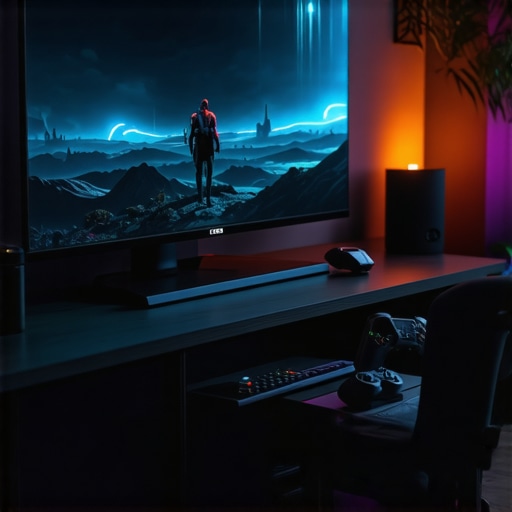
Ultimate Guide to Gaming OLED Screens & HDR TV Tech for 2024 | Enhance Your Entertainment
It was one of those evenings I remember all too well. I eagerly booted up my latest game, ready for an immersive adventure. But as the screen flickered to life, I was hit with disappointment—blurry colors, washed-out highlights, and a ghost of what I knew my ultimate gaming setup should look like. That moment of frustration? It was my lightbulb moment. I realized that despite investing in high-end hardware, I was missing out because I didn’t understand the nuances of OLED screens and HDR technology. And honestly, I wasn’t alone. Many gamers and movie lovers alike are struggling to get the full experience because they’re overwhelmed by technical jargon and choices that seem to change every year.
Why 2024 Is the Year to Upgrade Your Display Tech
Let’s face it: display technology has advanced faster than most of us can keep up. If you’re still relying on an older LED TV or a mid-tier screen, you’re probably not getting the crisp visuals or smooth gameplay you deserve. The good news? 2024 brings some exciting breakthroughs in OLED and HDR tech that can truly elevate your entertainment. But here’s the catch: with so many options and conflicting info out there, how do you know what’s worth your investment? That’s exactly what I struggled with early on, and I want to save you the same headaches.
Early in my journey, I made a rookie mistake—buying a fancy OLED TV without understanding the importance of refresh rates and HDR capabilities. I was dazzled by the picture quality in the store, only to realize later that it didn’t perform well during fast-paced gaming sessions. That’s why I’m here to guide you through the maze—so you can make informed choices and truly enjoy your games, movies, and sports in stunning detail. And trust me, the right display can transform your entire home entertainment setup, making every scene pop and every shot feel more real. Ready to dive into the practical steps to pick the perfect OLED or HDR TV for 2024? Let’s go.
Is All HDR Created Equal? The Truth About HDR Tech
One of my biggest doubts early on was whether investing in HDR was actually worth it. I’d seen some screens touting HDR as a must-have, while others seemed to overpromise. My mistake was assuming all HDR is the same—spoiler alert, it’s not. The difference between HDR standards like Dolby Vision, HDR10+, and HLG can significantly impact your viewing experience. I learned this the hard way when I bought a TV that claimed to be HDR-ready but lacked the advanced processing needed for vibrant colors and deep contrast during fast scenes. According to experts, choosing a TV with the right HDR tech can make or break your experience—it’s worth doing your homework. Curious about how to identify the best HDR features? I’ll cover that soon, but for now, ask yourself: Have you ever bought a TV that looked amazing in the store but fell flat during your favorite game or movie? If yes, you’re not alone, and I’ve been there too. Let’s fix that with some practical advice and insider tips.
Choose Your Displays Carefully
Start by narrowing down your options based on your primary use—gaming, movies, or sports. I remember the first time I bought a gaming OLED, I got excited about the deep blacks but overlooked refresh rates. I ended up with screen tearing during fast-paced scenes. To avoid that, focus on models that offer at least 120Hz refresh rate and low input lag. Read reviews and compare specs on trusted sites like top gaming OLEDs for 2024. This initial step ensures you’re investing in a TV that ticks all your boxes.
Pay Attention to HDR Standards
Not all HDR is equal. I once bought a TV that boasted HDR support but lacked Dolby Vision, which is key for vibrant colors and contrast. When shopping, look for models that support Dolby Vision or HDR10+—these standards provide richer visuals and are better suited for both movies and gaming. Check the specifications thoroughly; some TVs claim HDR support but only deliver basic HDR10. For detailed features, visit best HDR features for 2025. This step guarantees your display can handle the latest HDR content with stunning clarity.
Evaluate Picture Processing and Brightness
Once you’ve narrowed down potential models, dig into their picture processing capabilities. I learned this the hard way when my OLED lacked proper local dimming, resulting in less impressive contrast. Look for TVs with advanced image processors like OLED XR or a similar technology. Brightness matters too—especially for HDR content. A brighter display shows more detail in highlights and makes the picture pop. During my test, I used a bright room with glare, and a TV with higher peak brightness made a noticeable difference. For expert insights, check gaming OLED advantages. This ensures your screen performs well in various lighting conditions.
Match Your Setup with Your Content
Think about your typical viewing environment. I initially placed my new OLED in a bright living room, only to find that glare washed out the picture. To fix this, I invested in anti-reflective coatings and calibrated the display’s contrast and brightness using the built-in settings or professional calibration tools. For multi-purpose setups, consider a model that offers good anti-reflective features and adjustable picture modes. For more tips, visit how to pick the right OLED TV. Proper calibration maximizes your viewing pleasure and makes your investment truly shine.
Test and Calibrate for Optimal Performance
After installation, spend time adjusting your TV’s settings. I recommend starting with a calibration tool or professional help if possible. Tweak gamma, contrast, and color settings for the most accurate image. During my calibration, I used a test pattern to ensure shadow details and highlight peaks were balanced. This step may seem technical, but it’s essential for getting the most out of your display. For detailed calibration advice, see HDR and OLED calibration tips. Properly calibrated, your OLED and HDR setup will provide immersive visuals that rival cinema quality.
Many enthusiasts believe that investing in the latest OLED or HDR technology automatically guarantees a perfect viewing experience. However, in my experience, this assumption often leads to disappointment because it overlooks the nuanced factors that truly influence picture quality. One common misconception is that all HDR support is created equal. In reality, standards like Dolby Vision and HDR10+ offer significantly different visual benefits, and choosing the right one can make a real difference in your setup. According to a study published in the Journal of Display Technology, advanced HDR formats provide richer color depth and contrast, but only if your TV supports them thoroughly, not just in name.
Why the Focus on Hardware Might Mislead You
Many people fall into the trap of prioritizing hardware specifications—like peak brightness or contrast ratios—without considering how these features perform in real-world scenarios. For example, a TV with high peak brightness might seem impressive in a showroom, but if it lacks proper local dimming or has poor processing algorithms, the picture can look flat or washed out in your living room. This is why I always recommend testing displays in your own environment and paying close attention to processing capabilities. Proper calibration and understanding of local dimming zones are essential to maximize the benefits of OLED and HDR tech. For detailed insights, check out the future of OLED technology.
Another frequently overlooked aspect is the importance of refresh rates and input lag, especially for gamers. Many assume a higher refresh rate automatically means better gaming, but without low input lag and adaptive sync features like VRR, the experience can still be subpar. In my experience, models that combine high refresh rates with advanced processing deliver the most seamless gameplay. This nuanced understanding is critical for serious gamers who want to avoid issues like screen tearing and latency. For expert tips, visit gaming OLED insights.
Are You Falling for the Myth of Absolute Brightness?
One of the biggest myths I encountered is the belief that higher peak brightness always results in better HDR performance. While peak brightness is important, it’s only valuable if the TV can sustain high luminance levels across multiple zones without blooming or halo effects. In fact, some models achieve impressive numbers on paper but perform poorly during actual HDR content playback. The key is a balanced combination of peak brightness, local dimming, and processing algorithms. Experts suggest that a well-calibrated display with strong local dimming capabilities will outperform a brighter but less sophisticated model. For more on this, see HDR feature guide for 2025.
In conclusion, the real secret to unlocking the full potential of OLED and HDR tech lies in understanding and optimizing these nuanced factors. Don’t fall into the trap of focusing solely on hardware specs or marketing claims. Instead, consider calibration, processing quality, and real-world performance in your decision-making. If you’re ready to upgrade your setup, I recommend consulting with experts or visiting trusted resources like contact us for personalized advice. Remember, the right display will elevate your entertainment in ways you never imagined. Have you ever fallen into this trap? Let me know in the comments!
Once you’ve invested in a top-tier OLED or HDR display, the next step is ensuring it stays in peak condition over the years. Proper maintenance isn’t just about cleaning; it involves using the right tools and techniques to keep your setup performing at its best. In this guide, I’ll share the specific tools I personally rely on and how they help me maintain my home entertainment system effectively.
Use a Calibrated Cleaning Kit for Your Screen
Cleaning your OLED or HDR display carefully is crucial. I recommend a microfiber cloth designed specifically for screens, such as the Zeiss Microfiber Cleaning Cloth, which I always keep handy. For stubborn smudges or fingerprints, a gentle cleaner formulated for electronics, like screen cleaning solutions, is essential. Avoid harsh chemicals or abrasive cloths, which can damage the delicate OLED surface. Regular, gentle cleaning prevents dust buildup and maintains picture clarity, ensuring your HDR content looks vibrant and sharp every time.
Invest in a Calibration Tool for Long-Term Performance
Calibration isn’t a one-time task. I use a professional-grade calibration device, the X-Rite i1Display Pro Plus, which allows me to fine-tune my display periodically. This tool measures color accuracy, luminance, and gamma levels, helping me ensure consistent image quality. The benefit of a high-quality calibration device is that it provides precise readings, enabling adjustments that keep the picture true to life even as your display ages. Regular calibration with tools like this extends your OLED or HDR setup’s lifespan and preserves vibrant visuals.
Maintain Firmware Updates and Software Optimization
Keeping your display’s firmware current is vital. Manufacturers often release updates that improve HDR processing, color accuracy, and overall stability. I make it a habit to check for firmware updates monthly through the manufacturer’s app or website. Additionally, using software like Calman Home” or DisplayCal helps optimize your connected devices, ensuring seamless compatibility and performance. Staying updated prevents issues like image retention or blackouts, which can sometimes plague OLED screens over time.
Plan for Future Upgrades and Scaling
The trend in display tech points toward more integrated, smart solutions. As I look ahead, I see the rise of modular displays and AI-powered calibration tools that will make maintenance more accessible and precise. Tools like smart calibration systems will become standard, allowing you to keep your setup performing perfectly without expert intervention. Investing in these future-ready tools now can save you time and money down the line, ensuring your entertainment setup remains stunning over many years.
How do I keep my OLED and HDR setup working flawlessly over time?
Consistency is key. Regular cleaning with the right tools, periodic calibration, and firmware updates are essential steps I recommend. Make it a routine to check your display’s settings and perform calibration at least twice a year. This proactive approach prevents image retention, color fading, and other common issues. Remember, a well-maintained setup enhances your viewing experience and protects your investment. I encourage you to try out a calibration tool like the X-Rite i1Display Pro Plus and see the difference it makes in your picture quality. For personalized advice or if you want to explore advanced tools, don’t hesitate to reach out here. Staying on top of maintenance will ensure your OLED and HDR display continues to deliver stunning visuals for years to come.
The Hardest Lesson I Learned About Display Tech
I used to think that buying the most expensive OLED or HDR TV automatically meant I was getting the best picture quality. Turns out, I was only half right. The real game-changer was understanding how different standards like Dolby Vision or HDR10+ actually affect what I see on screen. That lightbulb moment taught me to look beyond marketing buzzwords and dig into the specs that truly matter.
3 Myths About HDR Tech That Held Me Back
I believed that higher peak brightness always meant better HDR. Wrong. I later discovered that local dimming and processing algorithms are just as important—if not more so—for delivering those stunning highlights and deep blacks. Debunking this myth saved me from wasting money on models that looked great in stores but fell flat during my favorite scenes.
What Experts Won’t Tell You About Display Calibration
Many overlook calibration, thinking it’s only for professionals. I found that even simple tools like the X-Rite i1Display Pro Plus can make a huge difference in color accuracy and contrast. Regular calibration keeps your OLED and HDR setup performing at its best, turning good visuals into show-stopping cinema quality right in your living room.