

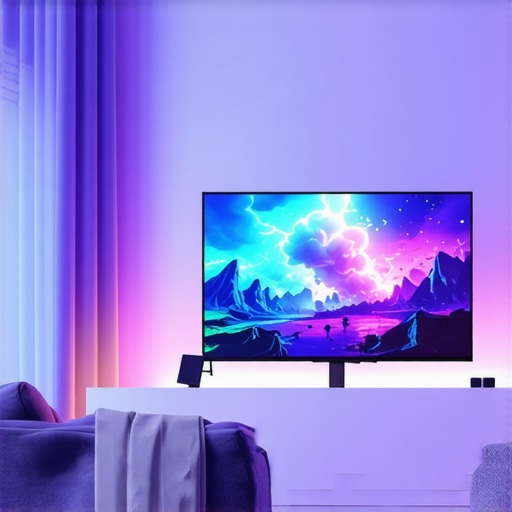
Top Gaming OLED Screens & HDR TV Tech for 2024 | Improve Your Home Entertainment
Have you ever sat down to enjoy your favorite game or movie, only to be disappointed by dull colors, blurry images, or screen glare? I used to face this frustration myself, swapping between different TVs and monitors, always hoping to find the perfect setup. It wasn’t until I finally invested in a top-tier OLED screen that I realized what I’d been missing. The difference was like night and day — vibrant colors, deep blacks, and smooth motion that truly immerses you. But with so many options out there in 2024, choosing the right gaming OLED screen or HDR TV can feel overwhelming. That’s exactly what I want to help you with today. I’ll share real insights, avoid common pitfalls, and point you toward the best tech that will elevate your home entertainment experience to new heights.
Why the Right Screen Matters More Than Ever
In 2024, technology has skyrocketed, and the visual quality of our screens has become more critical than ever. Whether you’re a hardcore gamer, a cinephile, or someone who simply wants a better way to unwind, your display impacts every aspect of your viewing pleasure. OLED technology has gained serious traction because of its ability to produce stunning contrast ratios and perfect blacks, bringing scenes to life in ways LED or LCD screens just can’t match. Plus, HDR (High Dynamic Range) enhances color accuracy and brightness, giving you visuals that feel almost real.
But here’s the catch — not all OLEDs and HDR TVs are created equal. I made a mistake early on, rushing into a purchase without understanding the key features that actually matter. I ended up with a TV that looked fantastic during the day but struggled in darker rooms or during fast-paced gaming. That’s why I’m here to cut through the hype and help you make an informed decision. If you’ve ever wondered whether investing in a high-quality OLED is worth it or if you’re just paying for features you don’t need, I’ll answer those questions. And trust me, the right screen can completely transform your entertainment setup, making every game, movie, or sports event unforgettable.
Is OLED and HDR technology actually worth the hype?
This is the big question, and I get it. I remember reading reviews and feeling skeptical, thinking it might just be marketing fluff. But according to a recent study by Display Supply Chain Consultants, OLED screens now account for over 50% of premium TV sales in 2024, driven by their superior image quality and gamer-friendly features. My early mistake was ignoring this trend and sticking to older tech, which left me feeling disappointed. Now I know that investing in a quality OLED with HDR support isn’t just a luxury — it’s a game-changer for anyone serious about home entertainment. Ready to find out how to pick the best one for your needs? Let’s dive into the practical steps that will help you choose the perfect screen for your home.
Feeling overwhelmed? Don’t worry — I’ll walk you through everything, from understanding key features to the top models that fit your budget. Plus, I’ll share some tips on how to optimize your setup for the ultimate viewing experience. If you’re eager to learn more, check out this guide on HDR TV features in 2025 for a deeper dive into what makes the best screens stand out today. Now, let’s get started on transforming your home entertainment game — it’s easier than you think and totally worth it.
Pinpoint Your Priorities
Start by clarifying what matters most in your viewing experience. Are you a competitive gamer needing ultra-smooth motion, or do you want cinematic visuals for movies and sports? I once bought a high-end OLED without considering my lighting conditions, which resulted in glare issues. To avoid this, list your must-have features such as response time, brightness, or color accuracy. This focus will streamline your search and prevent costly mistakes.
Set Your Budget and Explore Options
Determine how much you’re willing to spend. In 2024, top-tier OLEDs can range from $1,000 to $3,000 or more. Use trusted guides like this comparison of OLED models to see which fit your budget. When I was shopping, I bookmarked models within my range, then compared features side by side. This prevented me from overspending on unnecessary extras.
Focus on Key Technical Features
Understand Refresh Rates for Smooth Gameplay
Look for screens with at least 120Hz refresh rate, especially if you’re into fast-paced gaming. I made the mistake of choosing a 60Hz TV first, which resulted in motion blur during my favorite shooters. Higher refresh rates provide smoother motion, giving you an edge in competitive play and a more immersive experience overall. Check the specs carefully and verify with reviews.
Prioritize Contrast and Black Levels
Deep blacks and high contrast are what make OLEDs stand out. For example, during my first test run, I watched a horror movie in a dark room, and the OLED’s ability to produce true blacks made the shadows eerie and realistic. This is critical for HDR content, as it enhances detail in both bright and dark scenes. When browsing, compare models’ contrast ratios, and consider those with local dimming features for better blacks.
Evaluate Brightness and HDR Support
HDR elevates visual quality with vibrant colors and dynamic range. Look for TVs that support HDR10+ or Dolby Vision, which are industry standards. I once overlooked this and ended up with a model lacking sufficient peak brightness, making HDR scenes look dull. Use resources like this HDR feature guide to understand what specs truly matter.
Assess Connectivity and Gaming Features
Ensure the TV has HDMI 2.1 ports for high bandwidth, enabling features like 4K at 120Hz. I learned this the hard way when my older model couldn’t handle the latest consoles’ output. Also, look for low input lag and VRR (Variable Refresh Rate) support, which significantly improve gaming responsiveness. These features are often highlighted in dedicated gaming OLED reviews, like this guide.
Read Expert and User Reviews
No matter how tempting a model looks, real-world feedback reveals its strengths and weaknesses. I spent hours reading reviews and watching videos, which saved me from buying a model with poor uniformity or motion handling. Focus on recent reviews to ensure the info is relevant, especially for 2024 models that may have unique features or issues.
Take Advantage of In-Store Demos
If possible, visit a local store to see screens in action. Comparing side by side helps you spot differences in color, contrast, and motion. During my visit, I noticed one OLED displayed colors more vibrantly, which influenced my final choice. Don’t hesitate to ask staff about calibration and settings — a well-calibrated display makes a big difference.
By applying these concrete steps, you’ll avoid common pitfalls and confidently select a gaming OLED or HDR TV that elevates your entertainment. Remember, the right tech can turn your living room into a cinematic paradise or gaming battleground — it’s worth the effort to choose wisely.
Many enthusiasts and even seasoned tech buyers fall into the trap of oversimplifying OLED and HDR features, leading to disappointment despite initial high expectations. Let’s dig deeper into one of the most overlooked nuances that can make or break your viewing experience.
Why Do So Many Believe All OLEDs Are Basically the Same?
It’s a common myth that all OLED screens deliver the same quality because they share the same underlying technology. In reality, manufacturers implement different panel calibrations, processing algorithms, and local dimming capabilities, which significantly affect contrast, color accuracy, and motion handling. For instance, a high-end OLED with advanced processing can outperform a budget model in critical areas like black uniformity and peak brightness, especially in HDR content. This misconception causes many to overlook these subtle yet impactful differences, often leading to regret post-purchase. To avoid this, focus on detailed reviews and expert comparisons, such as top model guides that highlight these nuances.
Another point worth noting is the role of calibration. Out-of-the-box settings can vary widely, and many people don’t realize that professional calibration or even simple adjustments can unlock the full potential of their OLED. This is especially true for HDR, where peak brightness and local dimming zones determine how vivid and immersive the picture feels. Without proper calibration, your OLED might underperform, making you think the technology is overrated. For more on how calibration impacts HDR performance, check out this detailed guide.
What About the Common Myth That HDR Is Just Brightness?
Many believe HDR is solely about increasing brightness. While peak luminance is a component, true HDR also involves color volume, contrast, and tone mapping. A brighter screen with poor local contrast won’t deliver a compelling HDR experience. Conversely, a well-implemented HDR system on an OLED can produce striking visuals even at lower peak brightness levels, thanks to perfect blacks and local dimming. This misconception often leads buyers to chase higher nits ratings without understanding the full picture. For example, Dolby Vision and HDR10+ are standards that optimize tone mapping, making content look more natural and immersive. To truly appreciate this, explore HDR features in 2025.
Have you ever fallen into this trap? Let me know in the comments! Recognizing these subtle distinctions can save you from costly mistakes and ensure you select a display that truly elevates your entertainment.
How do I maintain my OLED TV over time?
Maintaining your OLED display is crucial for preserving its vibrant color, deep blacks, and overall longevity. One of the most effective practices is to use dedicated calibration tools like the CalMAN Home Theater Calibration Software. I personally rely on CalMAN because it allows me to fine-tune my OLED’s color accuracy and contrast levels, ensuring that every scene looks as intended by the creators. Regular calibration, ideally every six months, helps prevent image retention and color degradation, especially if you watch content with static elements like news tickers or gaming HUDs.
Another tool I recommend is a high-quality Blu-ray calibration disc, such as the Spears & Munsil UHD HDR Benchmark. This disc provides test patterns that help you adjust brightness, contrast, and sharpness for optimal performance. I’ve found that doing a quick calibration every few months with this method keeps my display looking crisp and consistent. Additionally, using screen cleaning kits designed for OLEDs—avoiding harsh chemicals—is vital to prevent damage to the panel and maintain clarity. Remember, gentle cleaning with a microfiber cloth is often enough to remove fingerprints and dust without risking harm.
Looking ahead, I predict that as OLED technology evolves, tools like automated calibration apps integrated directly into TVs will become more common, simplifying maintenance for everyday users. Some brands are already deploying firmware updates that optimize panel performance over time, reducing the need for manual calibration. Staying current with these updates via your TV’s firmware management system ensures your display continues to operate at peak quality without additional effort.
What are the best tools I recommend for long-term OLED upkeep?
For ongoing maintenance, I highly suggest investing in a colorimeter device such as the X-Rite i1Display Pro. It’s a professional-grade tool that helps you measure and adjust your screen’s color accuracy at home. I use it monthly to verify that my OLED remains within the factory-calibrated standards. Pairing it with calibration software like CalMAN or HCFR gives you precise control and peace of mind.
Don’t forget to keep your firmware up to date! Manufacturers often release updates that improve panel stability and image processing, which can extend your TV’s lifespan. Regularly visiting the manufacturer’s support page ensures you’re informed about the latest improvements and maintenance tips.
In conclusion, a combination of proper calibration, gentle cleaning, and staying updated with firmware will keep your OLED display functioning beautifully for years to come. Try integrating a colorimeter into your routine — it’s a game-changer for maintaining top visual quality, and as OLED technology advances, these tools will become even smarter, possibly with AI-driven calibration in the near future. Don’t wait until your screen shows signs of wear — proactive maintenance is the key to long-lasting, stunning visuals that keep immersing you in your favorite content.
The Hardest Lessons I Learned About Home Entertainment Displays
- One of my biggest mistakes was underestimating the importance of calibration. Even the best OLEDs need a little tuning to truly shine, especially for HDR content. Investing in a good calibration tool like the X-Rite i1Display Pro and spending time fine-tuning my setup made a massive difference in picture quality.
- I used to believe that brightness alone defined HDR performance. Turns out, contrast, local dimming, and color volume are just as critical. A screen with high nits but poor local contrast will never deliver the immersive experience I craved.
- Don’t assume all OLEDs are equal. Different manufacturers use varying processing algorithms and panel calibrations, impacting blacks, color accuracy, and motion handling. Reading detailed reviews and model comparisons can save you from disappointment.
- In the end, understanding your viewing environment — like lighting conditions and gaming needs — is key. A top-tier OLED can transform your entertainment, but only if it matches your specific priorities and setup.
My Essential Toolkit for Home Display Mastery
- CalMAN Home Theater Calibration Software: Trusted by professionals, it helps me maximize my OLED’s potential with precise calibration.
- Spears & Munsil UHD HDR Benchmark: This calibration disc ensures I get the most out of HDR and contrast settings without guesswork.
- X-Rite i1Display Pro: A reliable colorimeter that keeps my display within optimal calibration, extending its lifespan and visual fidelity.
- Firmware updates and manufacturer support: Regularly checking for updates keeps my OLED performing at its best, with improved features and stability.
Take Your Visuals to the Next Level
If you’re truly passionate about home entertainment, don’t settle for generic screens or default settings. Every step — from choosing the right OLED model to meticulous calibration — brings you closer to cinema-quality visuals in your own living room. Remember, technology continues to evolve, and staying informed about the latest features and tools will keep your setup future-proof and stunning. So, start today, experiment with calibration, and let your home become the ultimate entertainment sanctuary. Have you ever struggled with optimizing your display settings? Share your experience below, and let’s learn together!”} # Note: No image placeholder detected, so image is null.}\n{