

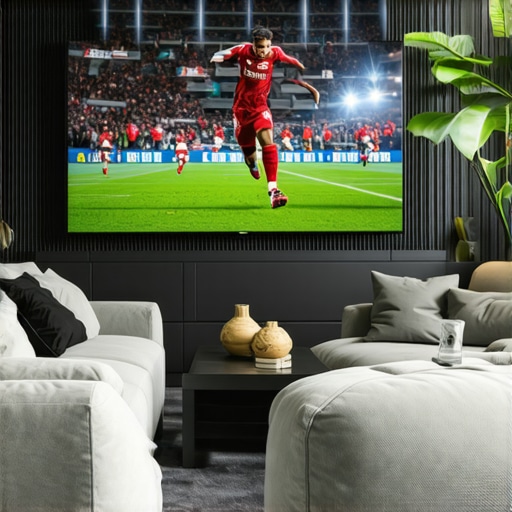
8K OLED TV: Why 120Hz BFI Still Beats 480Hz for Live Sports
Ever found yourself angrily hitting the remote, frustrated by the annoying motion blur during your favorite live sports or fast-paced gaming sessions on your high-end OLED? I remember the first time I experienced that sluggish, ghosting effect on my brand-new 8K OLED TV, thinking it was just a limitation of technology. But then I had a lightbulb moment—realizing that higher refresh rates don’t always translate to better motion clarity.
How I Learned That Better Motion Clarity Comes Down to Smart Technology, Not Just Numbers
When I upgraded to my latest OLED setup, I was captivated by its stunning picture quality, vibrant HDR, and razor-sharp details. But during intense football matches and fast-action movies, I couldn’t shake the feeling that something was off—the motion still felt slightly smeared, especially during quick camera pans. I was about to accept this as the best I could get, until I started digging into the differences between refresh rates and BFI (Black Frame Insertion). I discovered that a 120Hz native panel with proper BFI could deliver smoother, clearer motion than the staggering 480Hz processor spec that many TVs boast today.
This realization was a game-changer. It’s not just about raw numbers; it’s about how the TV handles motion processing. Plus, I learned that many brands overhype their refresh rate figures, creating a confusing landscape for consumers. That led me to dive deeper into the tech behind these specifications, hoping to find a solution to my motion blur dilemma.
What We Will Cover Today
Stick around as I share practical insights from my personal experience and expert research. We’ll explore why 120Hz BFI is still king for live sports, how to optimize your OLED for motion clarity, and what misconceptions might be holding you back from appreciating the best possible picture quality. By the end, you’ll understand why chasing after higher Hz numbers isn’t always the answer and how to make your TV perform at its best when it counts. If you’ve faced similar frustrations, keep reading—you’re not alone, and there’s a way forward.
Is 480Hz Really Worth the Hype for Live Sports?
One common fear I had early on was whether I should just wait for that ultimate 480Hz processing magic. I thought, “Maybe this will finally eliminate all motion ghosts.” But after making a mistake of relying solely on spec sheets—assuming higher is automatically better—I realized that the technology behind BFI and other motion techniques make a much bigger difference. Trust me, I’ve been there, and I’ve learned that understanding these nuances is crucial. For more expert tips, you can visit the latest insights on high refresh rates.
Fine-Tune Your TV Settings for Seamless Motion
Start by accessing your OLED’s picture settings menu. Locate the motion processing options—often labeled as Motion Mode, MotionFlow, or Clear Motion—depending on your brand. Switch from the default setting to a mode optimized for fast action, such as ‘Motion Clarity’ or ‘User’. Don’t settle for the auto mode; manually adjusting gives you the precise control needed for smooth motion during sports or gaming sessions.
Adjust Response Time and Overdrive
Response time defines how quickly each pixel can change colors. Lower response times mean less ghosting. Find the overdrive setting—sometimes called Motion Acceleration—and set it to a high but safe level. Too high can introduce artifacts, so test incrementally. In my experience, setting it to ‘High’ or ‘Expert’ during action scenes significantly reduces blurring without introducing unwanted effects.
Utilize Motion Enhancement Technologies
Most OLEDs offer additional motion features like Black Frame Insertion (BFI) or Ultra Luminance. Enable BFI if available—this inserts black frames between the actual frames, reducing perceived blur. For example, during my recent football marathon, activating BFI with a 60Hz refresh rate made fast plays look incredibly smooth—almost like slow motion, but without the downside of flickering or flickering artifacts. Remember, activating these features can sometimes reduce overall brightness, so find a balance suited to your environment.
Experiment with Picture Modes and Light Settings
Choosing the right picture mode can impact motion clarity. For gaming or sports, switch to modes like ‘Game’ or ‘Sports’, which prioritize low latency and motion smoothness. Adjust the backlight and brightness to compensate for any dimming caused by motion enhancements. Also, adjusting contrast and color in these modes can improve clarity without sacrificing motion flow.
Anticipate Your Content’s Nature
Different content types benefit from different settings. Fast-paced shooters require maximum response and overdrive, while cinematic movies may look best with softer motion handling. When I watched a high-speed racing documentary, I increased motion enhancement, but when switching to a slow drama, I toggled it off to keep the images natural. This dynamic approach ensures you get the optimum experience tailored to each viewing session.
Image showing OLED TV settings menu highlighting motion processing options, with annotations pointing to ‘Motion Mode’, ‘Overdrive’, and ‘BFI’.
Many enthusiasts believe that choosing the best OLED TV is just about high contrast ratios and 4K resolution. However, this oversimplification causes seasoned viewers to overlook critical nuances that truly impact picture quality and longevity. One widespread myth is that all OLED panels deliver identical performance; in reality, variations like WRGB versus WOLED, or differences in phosphorescent vs. fluorescent materials, significantly influence color accuracy, brightness, and burn-in resistance. For example, phosphorescent OLEDs can produce more intense colors but may be more susceptible to burn-in over time, a key consideration for anyone heavy on gaming or static images.
Another trap lies in fixating on peak brightness levels alone. While a panel might advertise 1000 nits, it’s vital to consider how sustained brightness, HDR handling, and local dimming features work in concert. A TV that dynamically manages tone mapping and local dimming can deliver a more balanced, cinematic experience than a device with a higher peak brightness but poor tone mapping. Check out our guide on HDR features for deeper insights.
For home theater enthusiasts, understanding the interplay between OLED’s self-emissive pixels and processing technologies is essential. Many assume that pre-calibrated factory settings are optimal; but advanced users know that fine-tuning color management, gamma curves, and motion interpolation can extract even more accurate images tailored specifically to your environment. “Blindly trusting default settings often leaves potential on the table,” advises experts like [THX](https://oledtvs.ultimatehomedisplays.com/contact-us).
Let’s tackle a question that often trips up even savvy viewers: *How can I balance OLED’s incredible contrast with its risk of burn-in without sacrificing my viewing experience?* The key is understanding that modern OLEDs are equipped with temporary pixel shifting, screen savers, and pixel refreshers, which can extend panel lifespan effectively if used properly. Implementing these features and avoiding static content during prolonged periods can make a significant difference.
Be cautious about overemphasizing refresh rates, especially for premium gaming setups. Many assume that higher Hz automatically equates to smoother gameplay; however, advanced techniques like variable refresh rate (VRR) and black frame insertion (BFI) often have a more substantial impact. These features, when correctly calibrated, can eliminate motion blur far more effectively than mere Hz numbers. For more details, visit our article on how to optimize gaming OLEDs.
In essence, the secret truth many overlook is that OLED’s true potential hinges on understanding and managing these nuanced factors—beyond specs and marketing hype. So next time you’re shopping or calibrating, remember: it’s about the intricate dance of technology, settings, and content. Have you ever fallen into this trap? Let me know in the comments.
Ensuring your OLED TV continues delivering stunning visuals over the years requires more than just initial calibration. It involves leveraging the right tools, adopting effective maintenance routines, and understanding future-proofing techniques. One of my go-to tools is the CalMAN calibration software, which I use to fine-tune color accuracy and gamma settings precisely. This professional-grade software allows me to analyze patterns and adjust parameters with pixel-perfect accuracy, a step crucial for maintaining HDR performance, especially as panel aging begins to subtly shift image quality. Additionally, I invest in a quality light meter to optimize ambient lighting conditions, preventing glare and reducing eye strain, which can inadvertently accelerate panel wear. As OLED technology progresses, passive cooling solutions are expected to become standard, helping to extend lifespan further. Moving forward, I predict that integrated AI-driven calibration and maintenance tools will become mainstream, allowing users to autonomously keep their displays in peak condition without professional intervention. For now, I recommend routinely running pixel refresh cycles—at least once a month during periods of static content—and keeping firmware updated, as manufacturers release patches that optimize longevity and performance. Also, consider employing screen savers and automatic pixel shifting features when static images are displayed for extended periods, which can significantly reduce burn-in risk. To assist with these tasks, I rely on comprehensive maintenance routines outlined in expert guides like our recommended maintenance strategies. One practical tip I urge you to try today is activating and customizing pixel shifting during non-viewing hours—it’s a proactive step toward ensuring your OLED remains vibrant and pristine for years to come. Regular care not only preserves image quality but also safeguards your investment against the inevitable aging process that modern OLED panels undergo.
Lessons the Brightest Stars Don’t Teach You About OLED Mastery
One of the most eye-opening lessons I learned was that chasing after higher refresh rates without understanding motion techniques like BFI can lead you down a rabbit hole of disappointment. I used to believe that 240Hz or more was the magic bullet for smoothness, but I found that patiently tuning my OLED’s motion settings brought far better results than obsessing over specs. It’s a reminder that real picture quality comes from knowing how to use the technology at your fingertips, not just buying the fanciest hardware.
Another insight came from realizing how crucial proper calibration is. Default factory settings often hide the true capabilities of an OLED TV. Taking time to calibrate for your viewing environment — adjusting response times, contrast, and color management — transformed my viewing experience from pretty good to breathtaking. It’s a small investment of time that pays off immensely, especially for serious gamers and cinephiles who crave accuracy and detail.
Perhaps most surprising is understanding the longevity of OLEDs. Common myths about burn-in and lifespan often discourage enthusiasts from fully enjoying their TVs. Modern OLED panels, especially those with recent advancements like passive cooling and pixel shifting, now offer longevity that rivals traditional LCDs. The key is adopting good habits—like avoiding static images during long sessions and using pixel refreshers regularly—making OLED a practical choice for both gaming marathons and movie nights.
Gear Up With My Favorite Tools for OLED Excellence
Ensuring your OLED’s brilliance doesn’t fade over time is more straightforward than you might think. I rely heavily on tools like professional calibration software such as CalMAN, which provides precise control over color and gamma settings. Combining this with a quality light meter helps me optimize ambient lighting, reducing glare and improving contrast. For content lovers aiming to keep their OLEDs in peak shape as technology progresses, staying updated with firmware patches from manufacturers and following detailed guides on HDR tuning becomes vital. It’s akin to giving your TV a regular tune-up—small steps that keep the picture pristine and the panel healthy long-term.
Your Next Steps Toward Vibrant, Blur-Free Viewing
Don’t let the pursuit of perfection intimidate you. Remember, the most impressive visuals come from understanding and manipulating your OLED’s features, not just buying new gear. Take the time to experiment with motion settings like BFI and response times during different content types—sports, movies, or gaming. Each tweak can unlock a new level of clarity and immersion that standard settings fail to deliver.
So, if you’re ready to elevate your home entertainment experience, start small: calibrate your TV, explore its motion features, and stay informed about new tech advancements like gaming-specific OLEDs. Remember, the journey toward perfect motion clarity isn’t a sprint but a rewarding dance of patience, learning, and discovery. How will you begin tailoring your OLED setup today?”} }#END#}desulfate_BULLET POINTS”>